




Gungnir
Member
-
Joined
-
Last visited
Everything posted by Gungnir
-
The FCU seems to have a small geometry issue which lets some light show through at certain LODs. As you can see, it seems to be exposed by moving the camera rapidly. It doesn't occur when I zoom in. Please watch the video in highest resolution and in full screen to see what I mean.
-
If you watch this in full screen and on full quality you should be able to see what I mean. The actual screen (when on) is fine, it's just the smudge+dust texture (and maybe the bezels) jittering. See it?
-
Is more info needed here? It's a rather disconcerting bug 😂
-
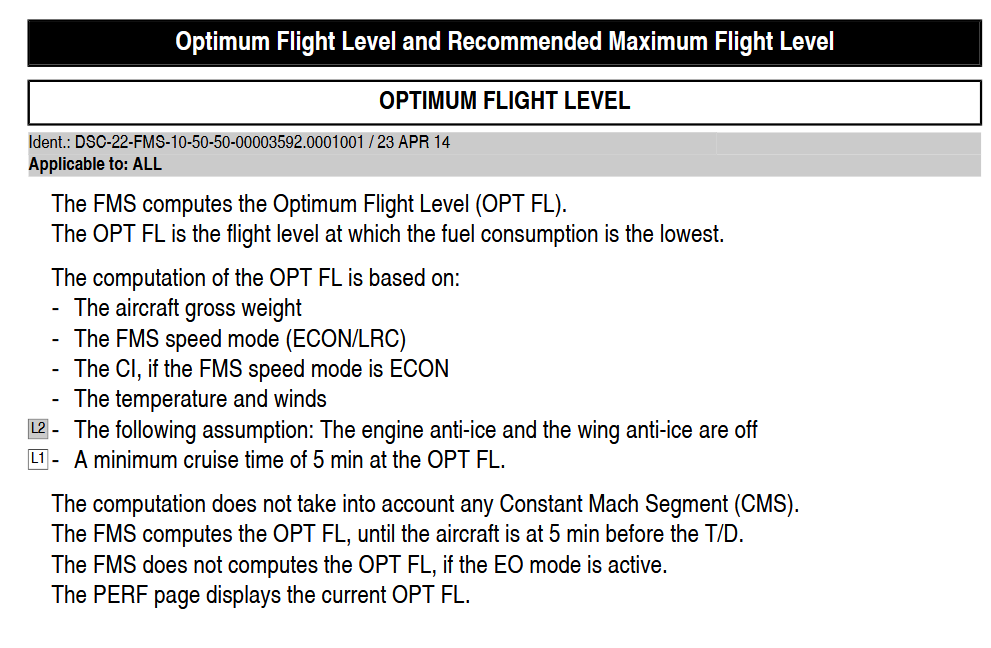
Here's what the FCOM says about it.
-
I have also experienced this, OPT FL changing suddenly when I update something. I'm pretty sure they're supposed to be continuously recomputed but I suspect they aren't. Just a guess though.
-
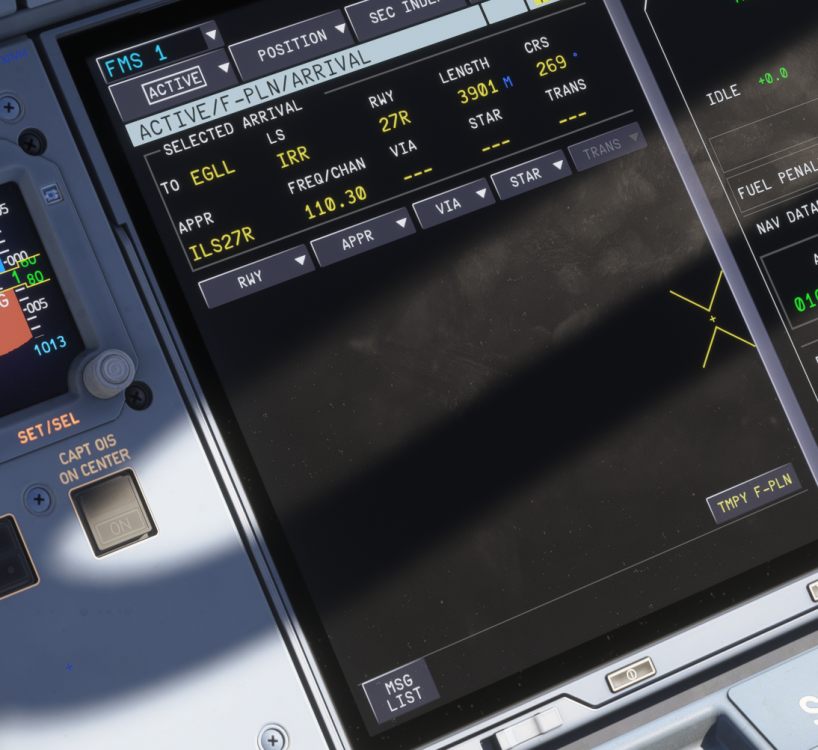
I have iniBuilds EGLL, and I get no NAVAID warnings when selecting EGLL ILS approaches:
-
Which ones? I can check too
-
Hi! It's a 3rd party airport. I also tried with that scenery disabled, and get the same thing. Same for ILS approached at all four runways at that airport btw.
-
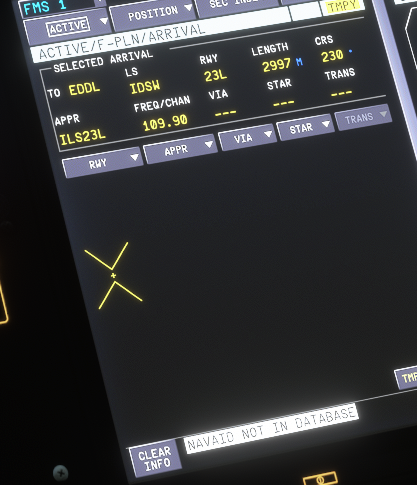
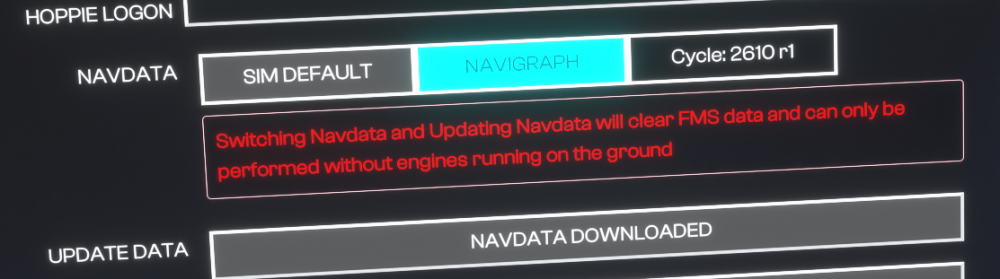
Hi! When I try to select EDDL ILS24L I get NAVAID NOT IN DATABASE In the OIS, I note that the navigraph data is outdated: 2610 rev 1 is outdated; rev 2 was released about 2 weeks ago (https://forum.navigraph.com/t/release-notes-msfs2024-airac-cycle/18116) How do I get r2 into my plane? Pressing Update data does nothing, it's still r1 even after restarting the sim. (I get the same error with EDDL ILS23L on "sim default" data btw) I don't know if it's needed, but I have also installed the navigraph data in my community folder

-
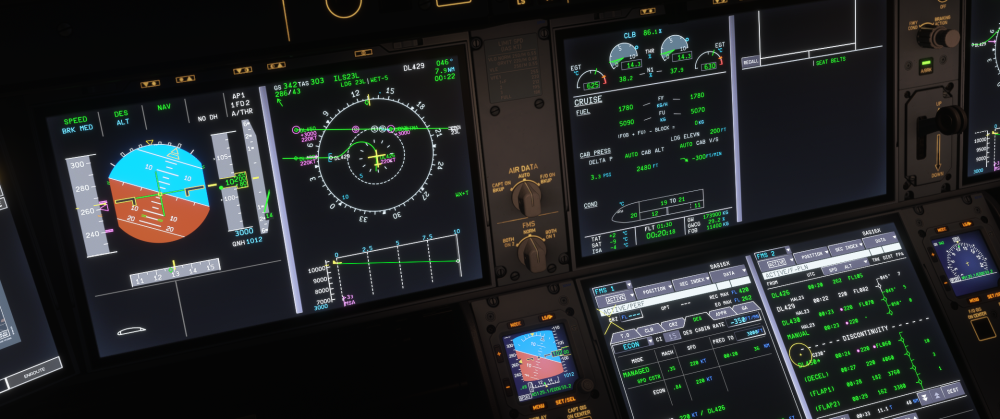
Hi, thanks for looking at this. If you look at the ND, the waypoint I just overflew, DL426, also has 220 kts in magenta. That means the aircraft should have slowed well before passing DL426. The FMS PERF page on the MCDU (left) also says, if I am interpreting it correctly, that it's in managed speed mode with a 220 kt constraint. Also, while I can't 100% swear it now, I am pretty sure previous waypoints also had this restriction. The main point is this: There is a general issue with updating the flightplan with new runways/approaches/arrivals where the aircraft will plot crazy courses, fly off course, ignore vertical profiles and restrictions. I think anyone who flies this aircraft regularly enough would attest to that. It has happened to me at least 10 times.
-
Here I am following a STAR to EDDL 23L. Every single WPT has 220 kt constraint, yet the aircraft doesn't care and places its managed target at 250. Before I got down to FL100, it was even faster than 250. I have noticed things like this happening when changing approaches or arrivals in the flight plan while enroute. It gets corrupted somehow, like old route data is left, and the aircraft ignores both the lateral and vertical profiles, ignores altitude and speed constraints, and so on.
-
-
Were you in CLB or DCLB? There's a bug that switches to CLB from DCLB (https://forum.inibuilds.com/topic/41853-127-aircraft-switches-from-dclb-to-clb/)
-
Thanks Kyle! You're doing a really great job here. The fact that ini has someone at these forums always ready to test stuff and answer questions is a big reason why I keep buying your stuff. And despite my only posts here recently being bug reports, I think 1.2.7 made some really big improvements overall. Performance is overall much better for me, the screens feel so much better to interact with (I didn't see it mentioned in the patch notes, but it's clear you changed the whole interface) and I'm super excited for v2.
-
I flew a 13 h flight from RJTT to EKCH. At fuel factor P06 in simbrief, it suggested 91400 kg block fuel. I went for 95000 kg, and vacated the runway with 7000 kg FOB (at my destination on the first approach). In other words, this was about right, and I would probably have been in the drink if I had taken the default simbrief number.
-
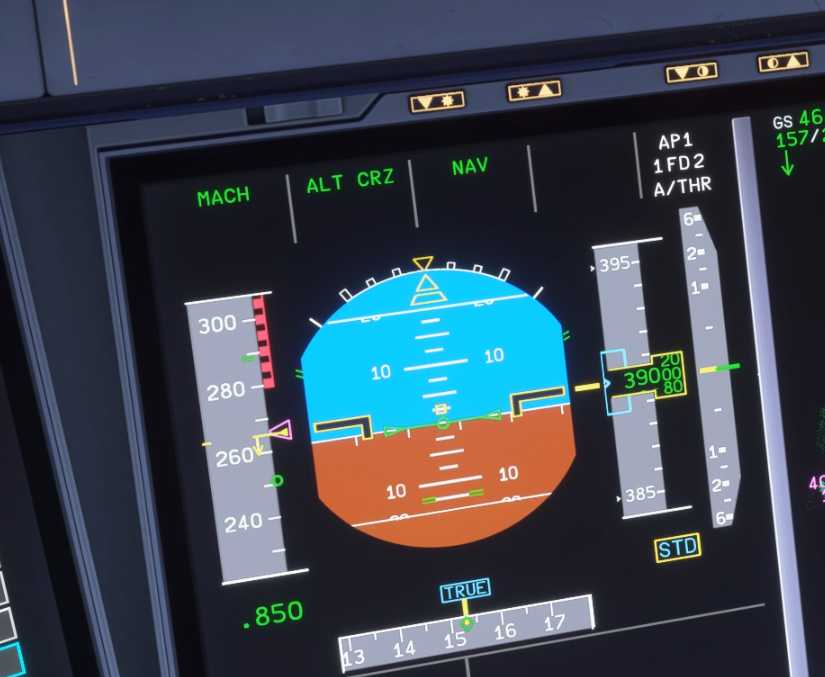
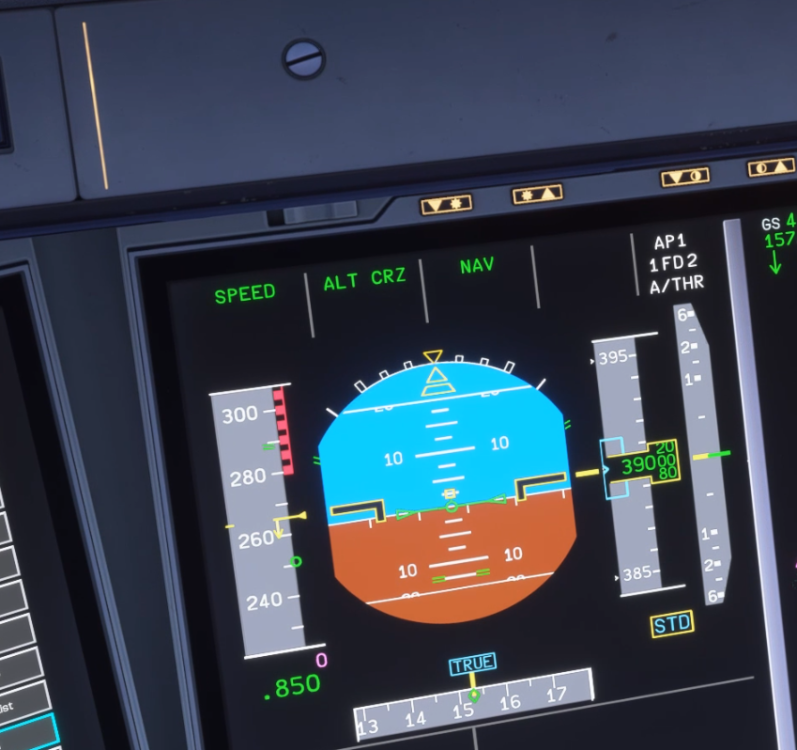
This is an old bug that I hoped would be fixed in 1.2.7. The FMA and FCU switches modes between MACH and SPD rapidly for no reason, from time to time. If not every flight, then most of them. See below for a clip of it happening. https://youtu.be/RDaOhwf5Ifw To make it easier to see what's happening, here are screenshots of subsequent frames: It goes to SPEED (complete with SPD in the FCU) with a managed target of 0 kts. At first I thought it might be my physical minicockpit FCU sending this signal, but it happens with that unplugged too. It would actually be nice if someone else could confirm they have seen this too? So I know for sure it's not my setup.
-
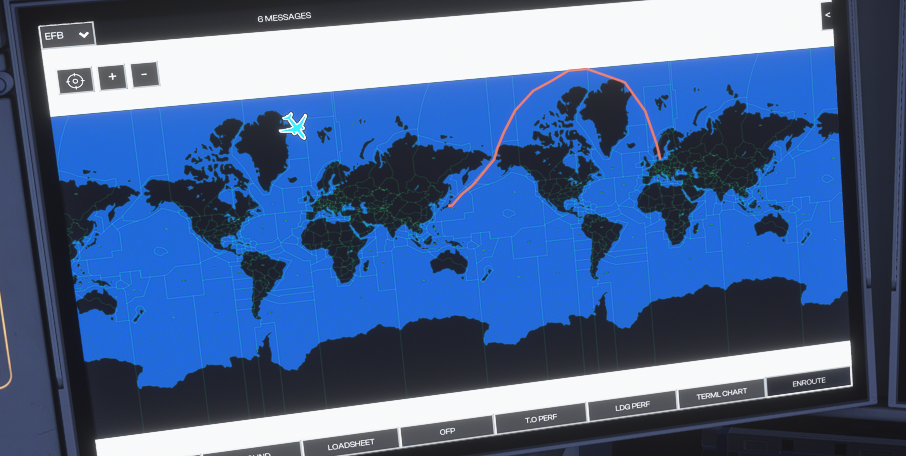
Here's a fun one: I am flying a route over the high north, and the Enroute map has me on another earth with respect to the route.
-
-
-
-
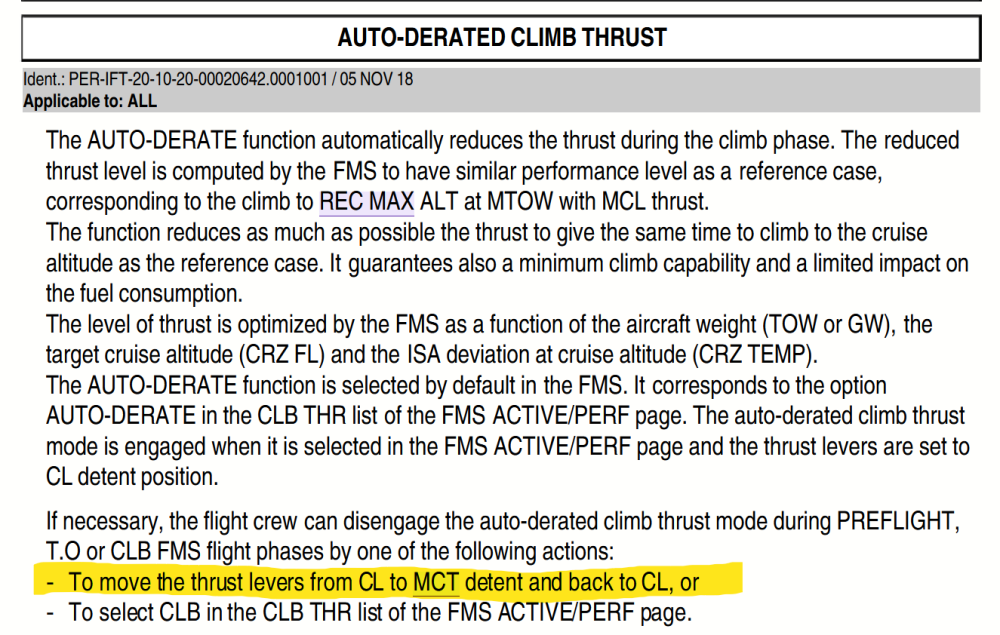
Before take-off I verify that in the PERF CLB tab in the FMS, I have THR set to AUTO-DERATE as usual. Upon take-off, at some point, this switches to CLB. This has happened two flights in a row. I looked into this in the FCOM and apparently there's a way to get to CLB from AUTO-DERATE (yellow is my emphasis): I will test a bit more, but perhaps this is what is happening. I'm not quite sure how it should work, since passing from CL to MCT happens when I push the throttles for a normal flex TO, and the levers go back to CL normally too. All I can say is that this did not happen in previous versions of the plane. Okay, after testing: moving the throttle CL->MCT->CL doesn't make the aircraft to switch to CLB so that's not what's going on (and maybe that functionality should be added).
-
Did you guys monitor EFOB at destination during the flight? I just flew for a couple of hours and the EFOB stayed at 5.6--5.7 T during the whole flight (but I ended up at the gate with about 4200 kg. Is that consistent with your observations, that the calculated EFOB @ DEST stays reasonable through the flight but ends up overestimating?
-
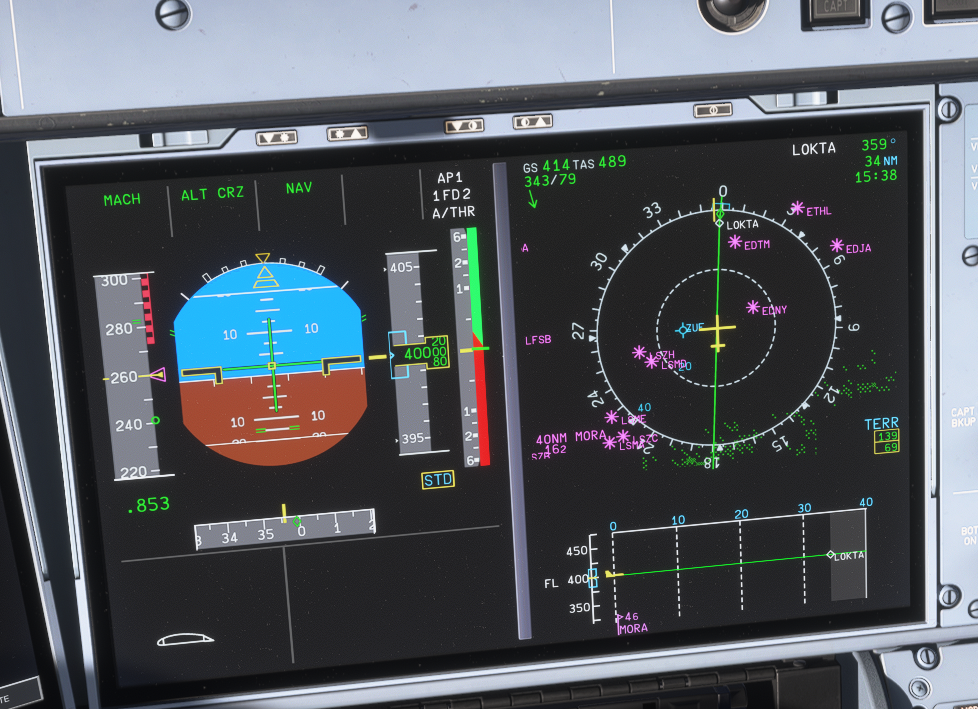
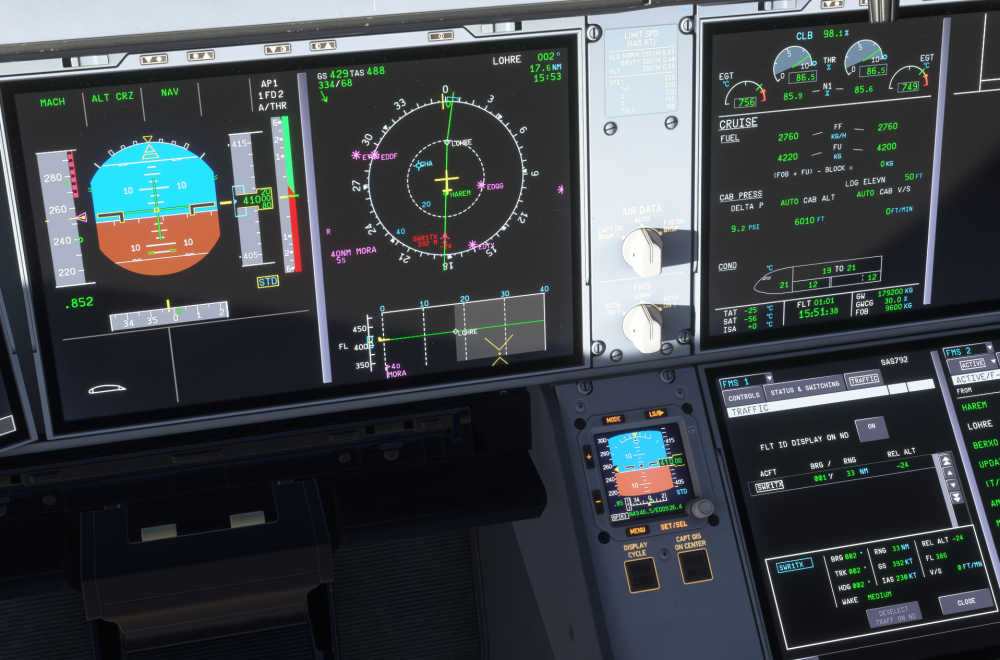
Something definitely happened to the TCAS system. I am getting more resolution advisories in general, it seems, and currently I also have a permanent one with no planes anywhere near me. I am using injected BATC traffic and nothing else, and there are no planes for which this makes sense. A bit later in the same flight: still the permanent RA, now this plane behind me is flagged and I really don't know why. Perhaps someone who knows more about how TCAS should work can tell me if someone 2500 ft below me and 34 nm behind (going slower) should get flagged like this. I suspect not. vrh EDIT: my "permanent" RA finally disappeared after about 30 min. EDIT: This (2 hour) flight I have gotten probably 10 RA's, sometimes simultaneously. That's more than I've gotten in total in maybe 200 h of flying with previous versions of this plane. Something changed.
-
-
I have had this happen when pausing/unpausing in 1.2.7 now too, yes. I don't use FSRealistic.


