tad4850
Member
-
Joined
-
Last visited
Everything posted by tad4850
-
Matt, I was never able to get MSFS2024 to work when installed away from the C drive. This may be causing your issues, I had to shift the installation to the C drive and just live with the community folder being in the default location to get it to even function.
-
Howdy folks, The Sim is crying out for a study level Concorde. The current offerings are so mediocre and not true to the real aircraft's performance that it takes all the fun out of operating such a beast of a machine. I recall Ubaid saying recently in an interview that there is a team focusing on historic aircraft, can I please suggest that Concorde be added to this list! If it helps, I've got a BA flight manual 🤣
-
Hi Team, I've been having a persistent issue for a little while now with the A300 in 2024, after touchdown the nosewheel steering pulls the aircraft left, despite the tiller and the rudder being centred. I've messed around with the rudder trim too, but it makes no difference. I have the NWS connected to the rudder through my joystick. The stick is also centred (I've checked the settings menu), and the flight controls page shows the rudder centred. On load in at the start of the flight there's no issue, it taxis in a straight line, it's only after landing. This has been the case for the last two versions of the aircraft.
-
Hi Jamir, of course. Once the aircraft is certified will that change? Perhaps some of us locals down under can try and "call a friend" on the hard data about the aircraft? I know a few QF engineers.
-
Hi team, with the pending certification of the A350-1000ULR, would it be possible to suggest the ULR be added to the A350 lineup? Perhaps as part of the V2 program? I cannot wait to get some Project Sunrise flights under the belt!
-
-
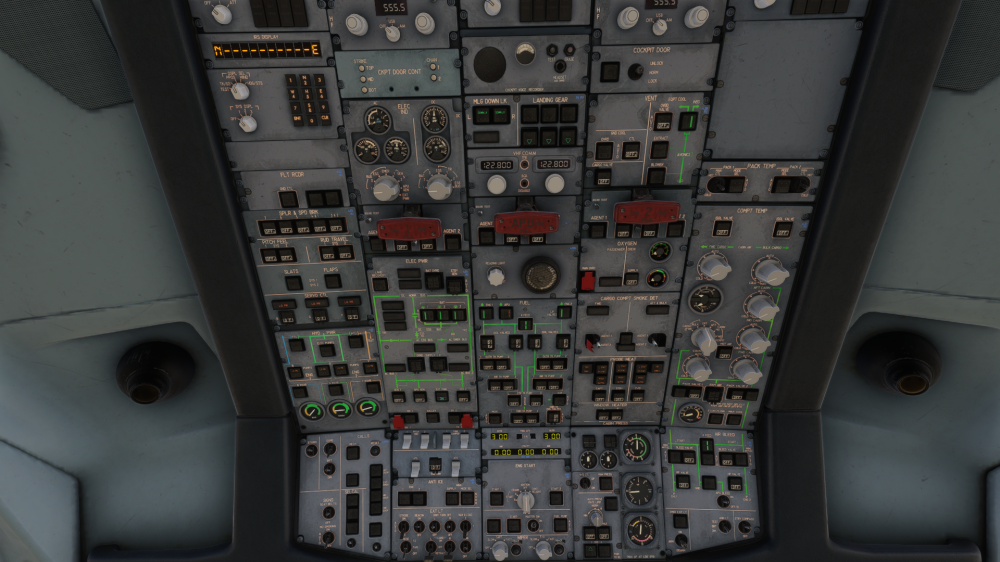
Hi all, Just thought I'd chime in and say that the latest update has made the situation worse, as the aircraft now spawns in with all the buttons on the overhead in their off state, meaning to get the aircraft ready you have to click all of them. I was not able to get the covers to open at all on the Blue and Green servo control switches, despite being able to find the click spot. Previous load in states were more normal, in that the systems were mostly left alone on the overhead. Clicking the 'on GPU' and 'on APU' load states does not reset the overhead.