JKKW
Member
-
Joined
-
Last visited
Everything posted by JKKW
-
Would love to see a proper Sim rate function implemented on the default ini aircraft. Would open up doing long hauls on the A330 given I find using the default Sim rate isn't that stable and the fuel burn doesn't change along with it so you end up with way too much fuel on arrival.
-
Hi All, Not sure if I'm doing something wrong or whether this is a feature or a bug. I've noticed that when I am climbing, if my altitude in the FCU selection is 15,000 feet or more away from the cruise altitude the aircraft goes to the 'Descent' phase, (on the PERF page of the FMS, the "DES' phase is shown) and because of that, only open climb is available (which I understand is because the aircraft wants to follow a descent path, hence why CLB would not be available). However if I select an altitude within 15,000 feet of the cruise altitude, it goes back to the climb phase as I would expect. I've noticed this a number of times recently and reinstalled the aircraft but it still seems to be happening. Below is a dummy flight to test it with a cruise altitude of FL 350. The first screenshot shows it when FL200 is selected in the FCU and the aircraft in the 'descent' phase and the second has it when FL210 is selected and it defaults correctly to the 'Climb' phase. Could very well be that I've been missing a step in the setup for all my recent A350 flights or perhaps this is how the real aircraft flies but wanted to check. I tried this on the A340 and the aircraft remained in the CLB phase irrespective of the altitude selected which is what I would expect. Thanks for your help! :) FL200 FL210 Selected
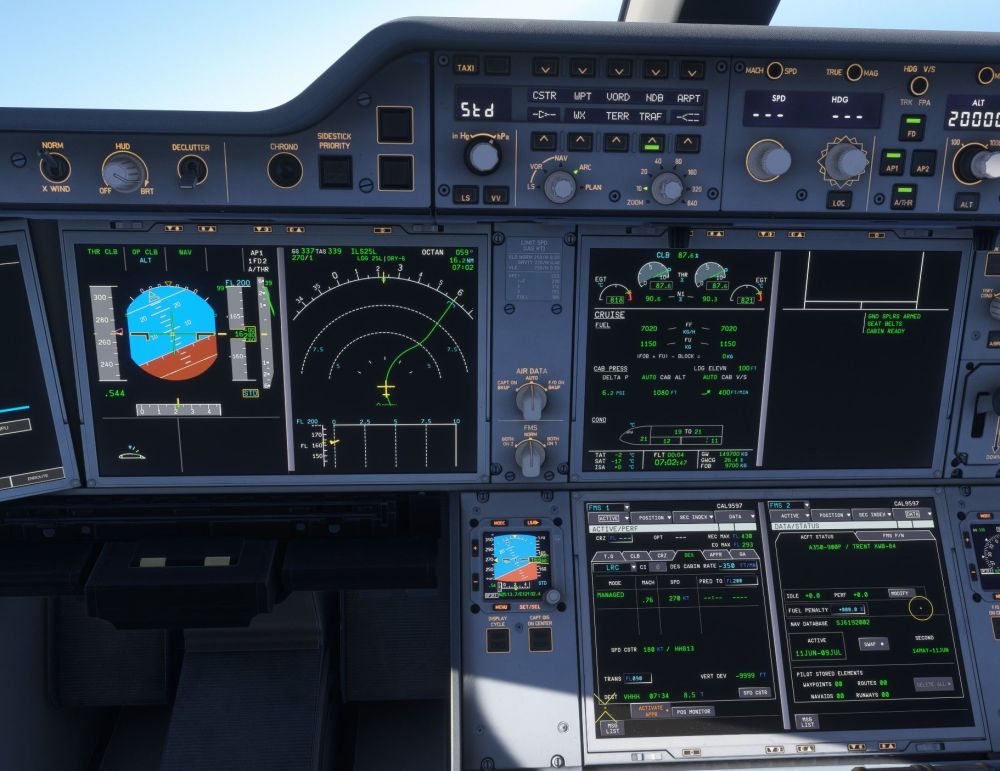
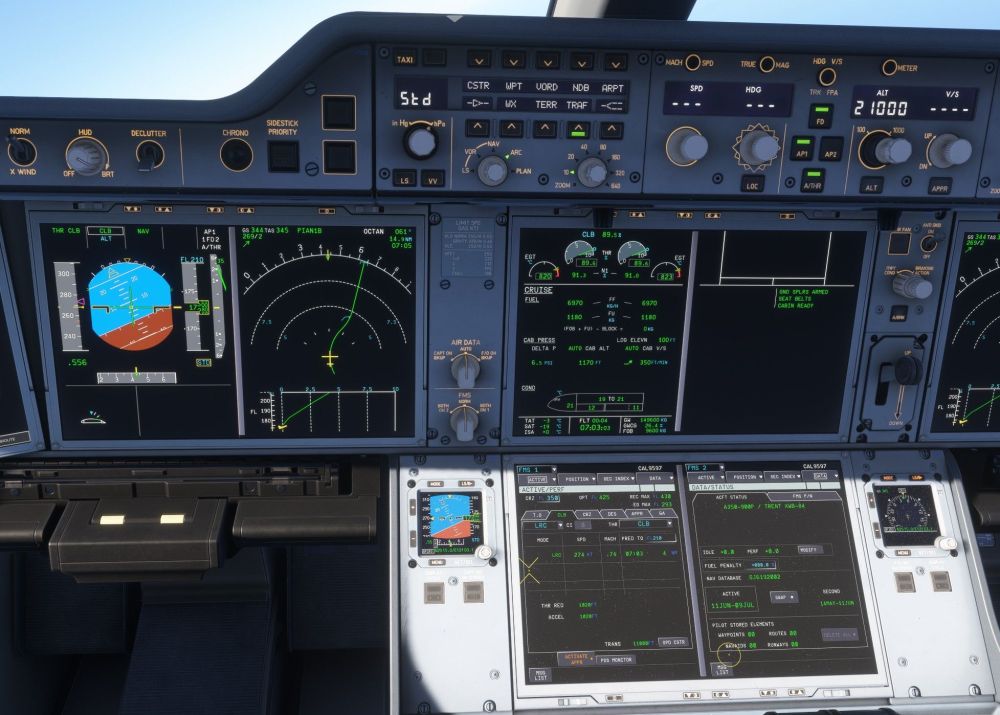
-
-
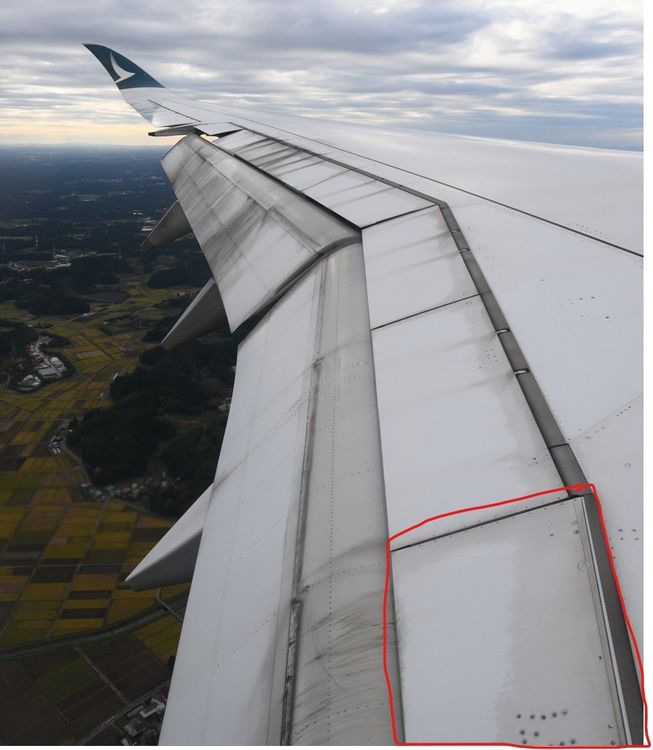
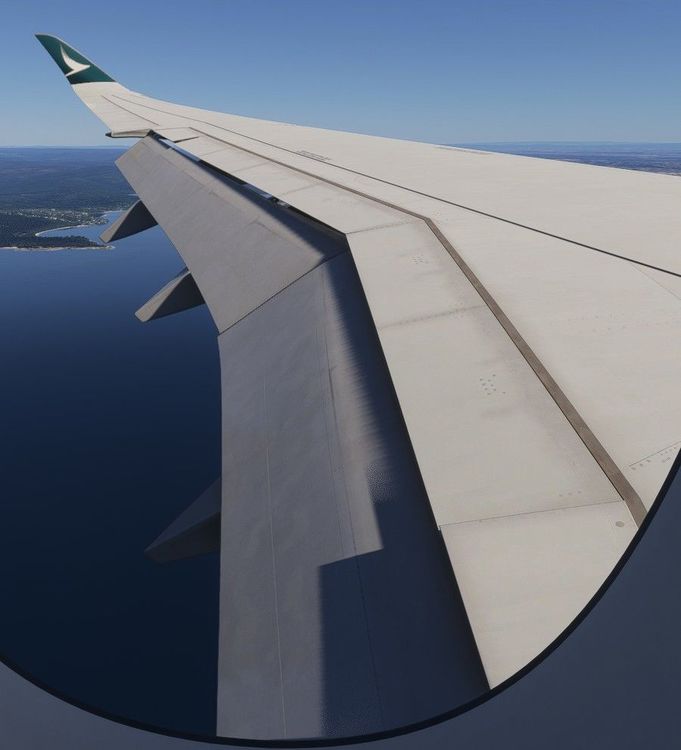
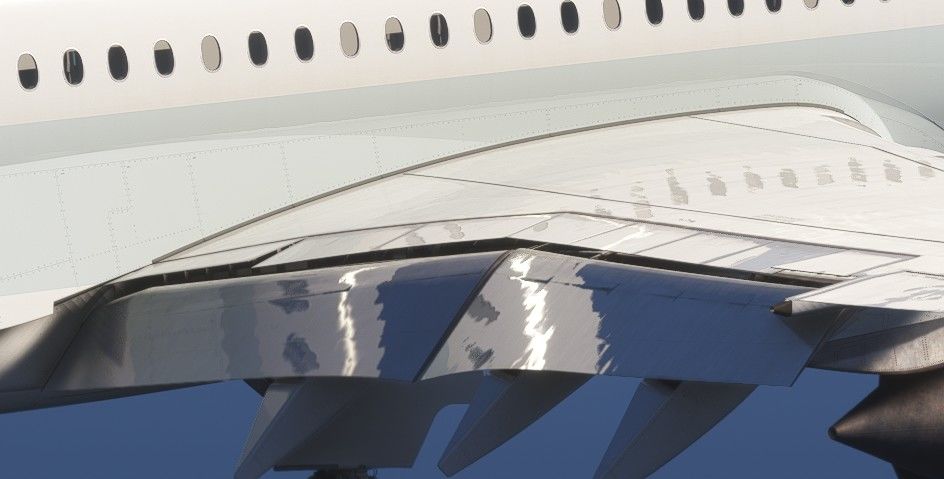
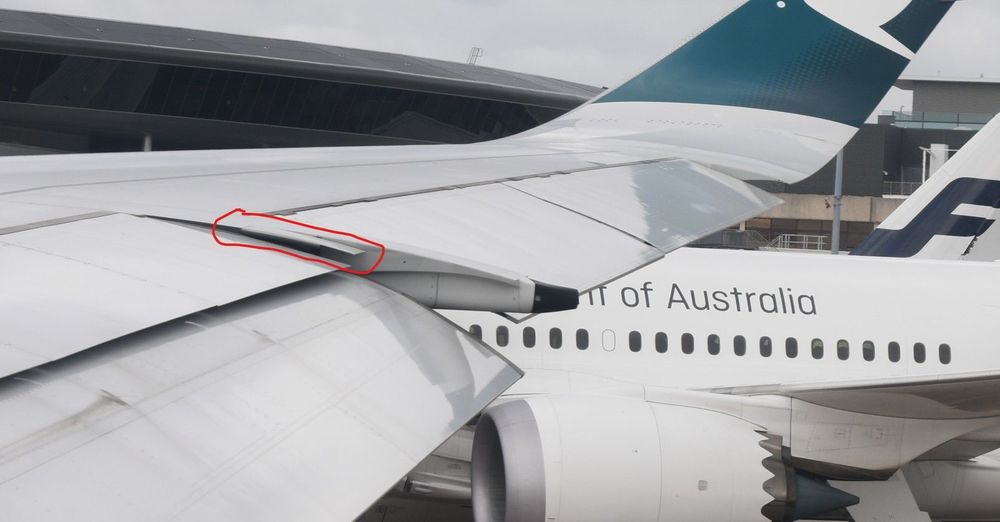
Hi All, Firstly, I'd like to express that I am really enjoying the aircraft and flying it in the sim. Something I've noted as an improvement to the aircraft model to make it more realistic; As modelled, when the flaps are extended the spoilers deflect downwards to smooth the gap with the flaps. There is however also an additional panel (which doesn't act as a spoiler) between the inboard spoiler and the wing that also deflects/droops downwards in line with the spoilers which I've highlighted with the red box. I understand this panel moves downwards through all flaps settings (although the below screenshots are at flaps full) This isn't modelled in the sim. It would be great to see this modified in a future update! For even further realism, there's also another part of the wing between the outbound spoiler and the aileron that droops down as well. (although I appreciate this second part I'm pointing out is a really minor detail and generally isn't seen) Thanks for reading!