




Nikita2024
Member
-
Joined
-
Last visited
-
Not sure, but here is how I do it. Open the SimBrief Dispatch app on the in-game EFB; select VIEW; IMPORT ROUTE> wait; then inspect the flight plan on the GNS530.
-
intentionally left blank
-
I am satisfied so far with hand flying using my TM Boeing TCA yoke. This model is near study level in the sense that if one does not take the time to understand how the legacy systems are modeled, one will have a tough time managing a complete flight. This model is short of study level so that many different sim pilots across different systems can find a way to enjoy it, in my opinion. Let us know if and when you decide to buy it for yourself. Please on what platform do you fly in MSFS 2024? Cheers!
-
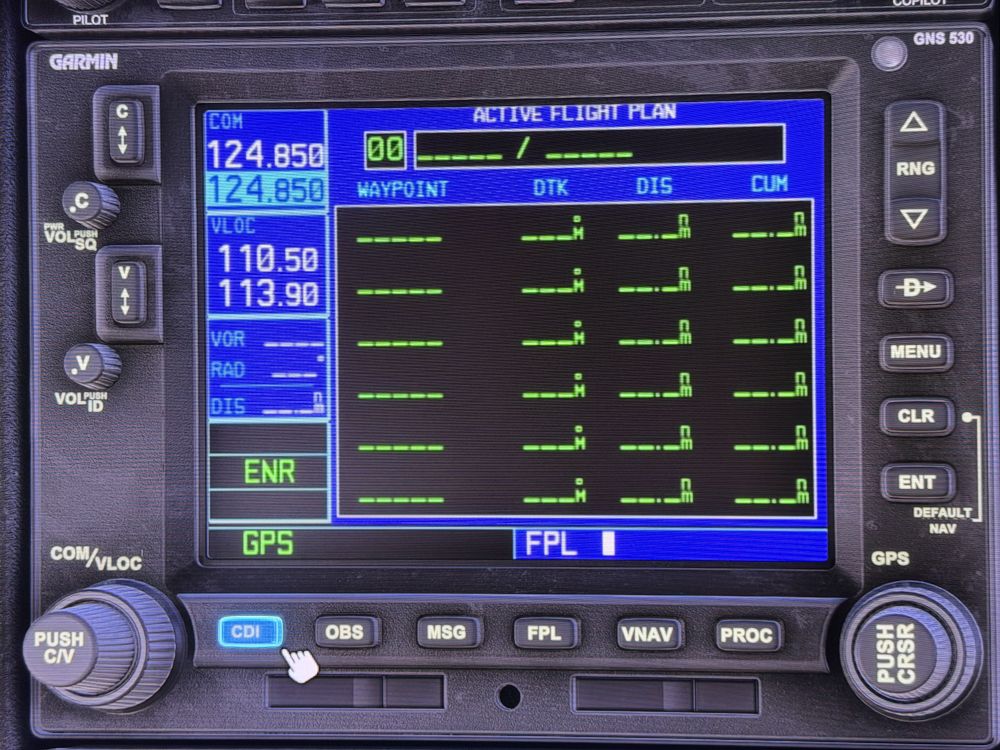
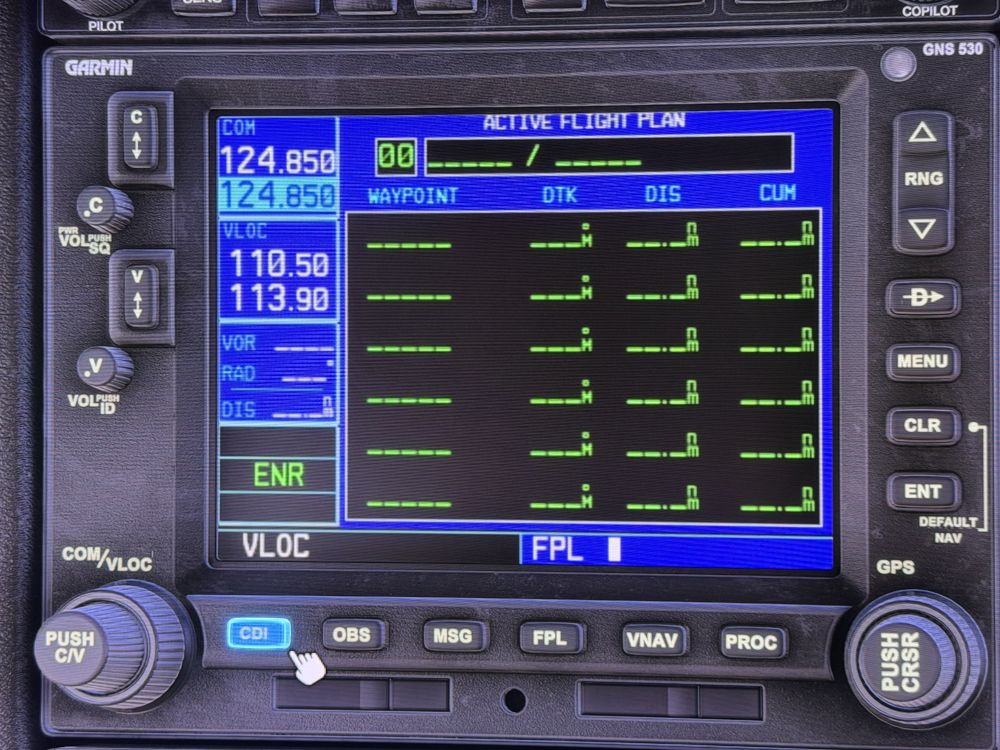
Let's back up a bit. To navigate using the GNS530, one has to select RADIO and VOR in the AFCS. Then to navigate by GPS, press CDI on the GNS530 to select GPS. To navigate by VOR, LOC or ILS; press CDI on the GNS530 to select VLOC. This is the same thing as pressing GPS/NAV in MSFS, but put that aside for the L-1011. For example: I'm navigating by INS enroute through a standard arrival (STAR). Near the last STAR waypoints, I want to switch over to the GNS530 for the approach procedure. I switch from INS to RADIO, select VOR, and navigate by GPS along the approach procedure until time to intercept the ILS (or LOC or VOR depending on the procedure). Then I need to press CDI on the GNS530 to select VLOC. (What I and many others have been doing is to tune the ILS to all 3 radios: Nav 1, GNS530, and Nav 2.). Now the GNS530 in VLOC mode is "in tune" with the aircraft, and I can now select ILS on the AFCS. This is a lot of switch work, but if done in sequence, it will work (with patience). Now the HSI is another matter altogether, and there is a thread around here for that. Long story short, the distance on the HSI, as I recall, only display from the INS. Look up that other thread to make sure. The photos below are not from the TriStar model, but the GNS530 is the same WT model in many MSFS aircraft models, so it works the same as in other planes. Make sense?
-
Folks on the MSFS Forum had discovered that, even if one is not using the GPS, selecting it on the PFB (GPS+INS) then making sure that the GNS530 is in NAV (not GPS) mode, and that it is also tuned to the ILS frequency helped. Then return to the PFB and deselect it so that one is back to INS only displayed. The distinction as I understand it is that the GPS is always active, even when not selected on the PFB as displayed. Unless this has changed since the TriStar was launched. Cheers!
-
This is a complicated model of a complex aircraft. Did you try using the GPS for an approach yet? How did it go for you?
-
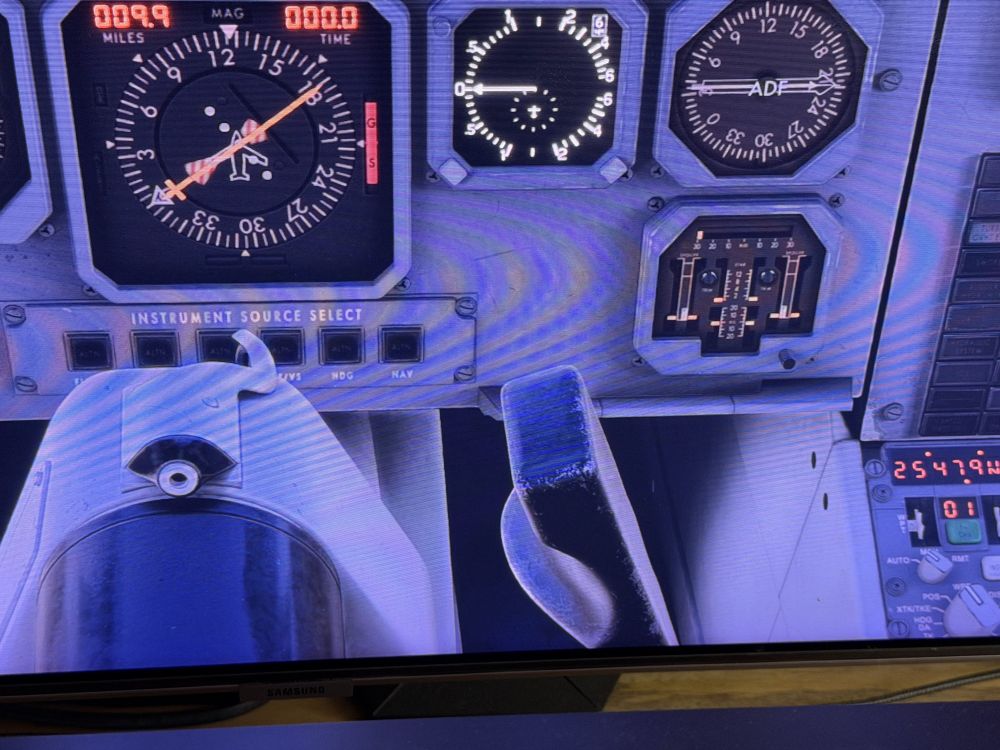
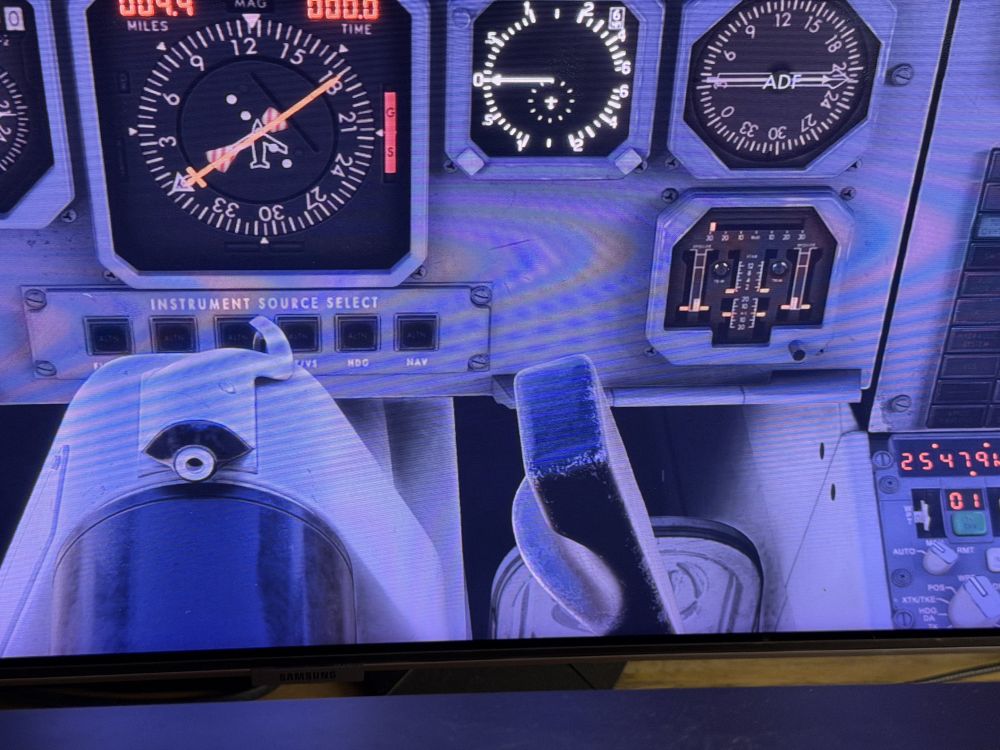
To continue, note the rudder pedal positions and lack of indication on the defective instrument. Hope this helps.
-
You're welcome. The OP contained a photo. Then 3 posters confirmed the OP defect. This is a very simple defect to confirm. Start on runway, move the yoke and rudder pedals and observe the instrument. Attaching some photos for you: Neutral, full down elevator, full up elevator, and rudder photos to follow in another post due to upload limit sizes.
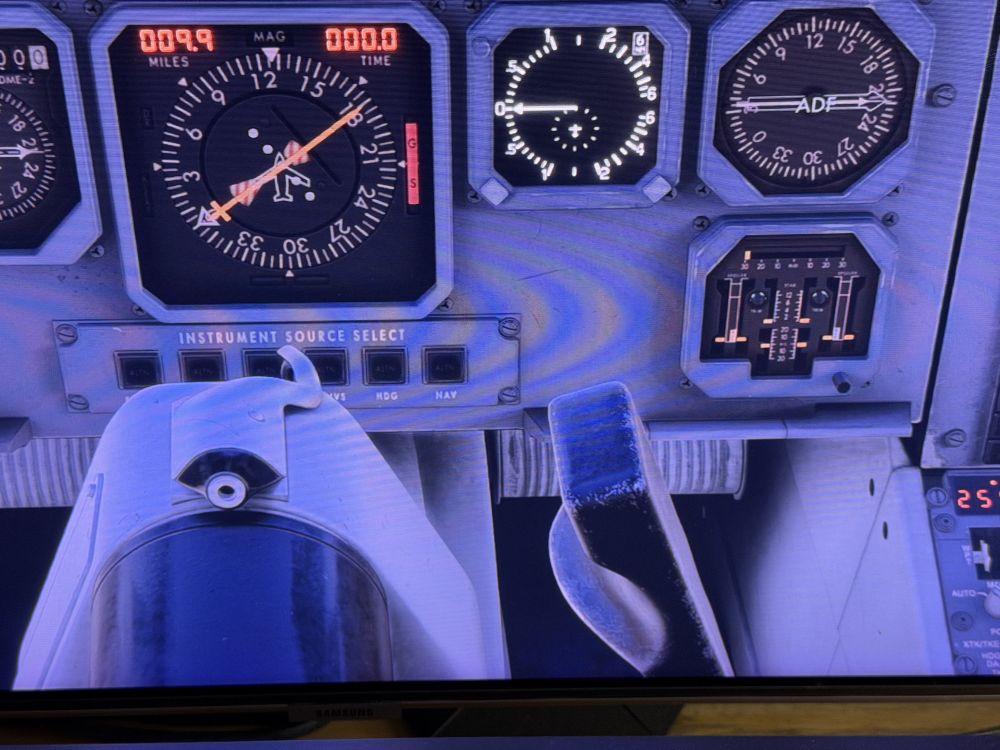
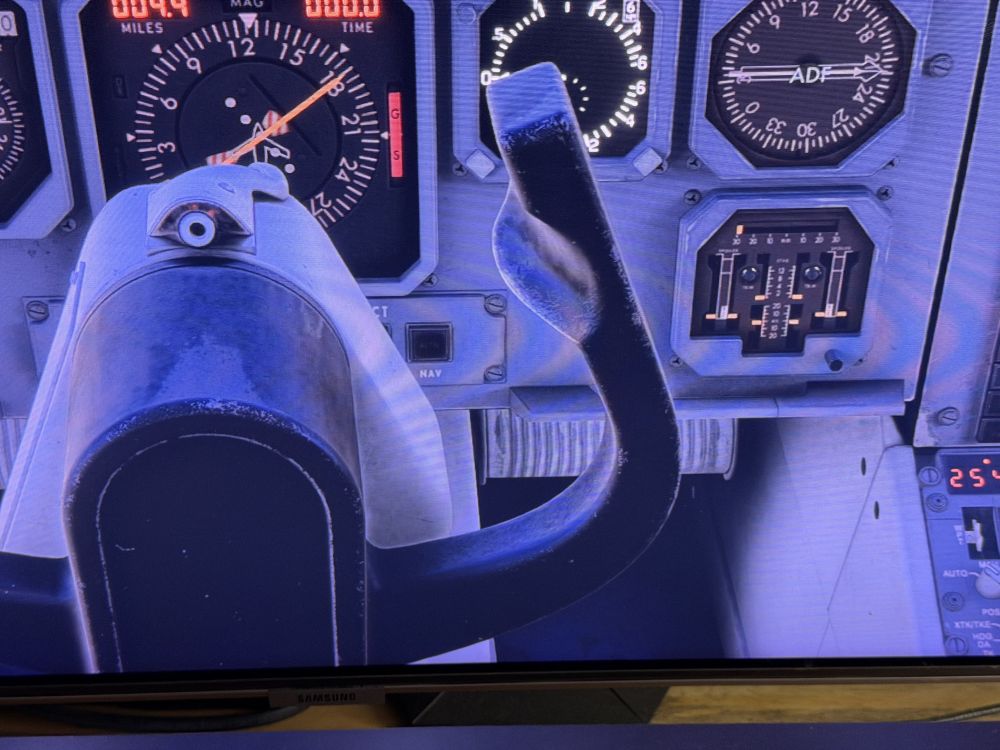
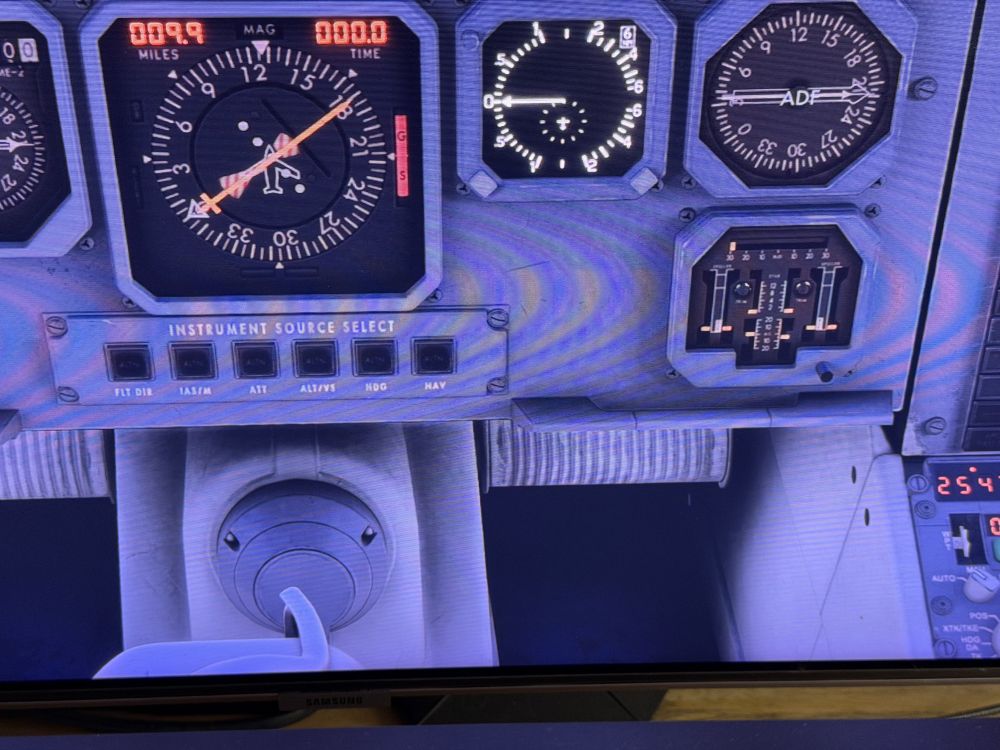
-
Concur with the other users this is broken in 1.0.5 and was working before 1.0.5. This is quick and easy to verify and the team should not need a video to confirm the regression. Please use good judgement when asking end users for video evidence of bugs and/or regressions. When something so simple is broke, you don't need video.
-
No, for AP to follow the GPS on approach, one needs to select RADIO on the INS/RADIO button, AND select VOR not INS as well. Also, as is routine on the GNS530, select GPS or NAV on the GNS, as required for the type of approach. Good idea also to tune all 3 NAV radios to the frequency, if flying an ILS, LOC or VOR approach type.
-
Did you have both Nav 1 & 2 tuned to the ILS frequency, and it may help to have the GNS530 set to NAV (not GPS) and tuned to the ILS as well?
-
Thanks, was able to toggle AP on after spawning on the runway, as suggested. I will try this on my next full flight now that it is working in the TriStar 1.0.4.
-
So far I have not been able to engage CMD from off with a hardware bind to TOGGLE AUTOPILOT MASTER, while I have been able to D/C AP with this key bind. Is there something I have been missing to engage AP with a yoke switch? Thanks.
-
This happened to me on my first flight in 1.0.4, zero thrust, when hand flying a departure and mistakenly selecting TM before engaging AP. Having read this thread I was aware of my error and quickly corrected, but this absolutely must be fixed for the majority of users out there who may not have read this thread or post. What compounds this situation is not having a suitable hardware binding to toggle AP on/off, which works for EVERY other aircraft model, DLC or first party. Having to manipulate the mouse to engage AP during this most busy bit of flight sets the user up for a number of errors. Worse, it is an unnecessary and unwanted departure from what is basic and standard in MSFS/2024. Please enable toggle AP on/off by hardware, thank you.
-
I have had success climbing in VNAV to a preset altitude with TM activated when the PMS has been fully set up.


