Korz
Member
-
Joined
-
Last visited
Everything posted by Korz
-
I tested it this morning and did not use my virpil keybind for the flaps and the flaps did not malfunction this time.
-
I fly PMDG on the regular, my crash detection has been off the whole time. Thank you though, that is important for 3rd party add ons.
-
Trying to turn on strobes and landong lights using keybinds to my hardware. Works on the other planes I fly but not in the A220. Is there some a special setup?
-
Going to test this tomorrow by using the flaps only with my mouse instead of my Virpil hardware assigned switch. That should help with troubleshooting a bit.
-
Using Stratos or smartCARS ACARS systems, neither of these sees the flaps of the A220, just tested a few minutes ago in 2024
-
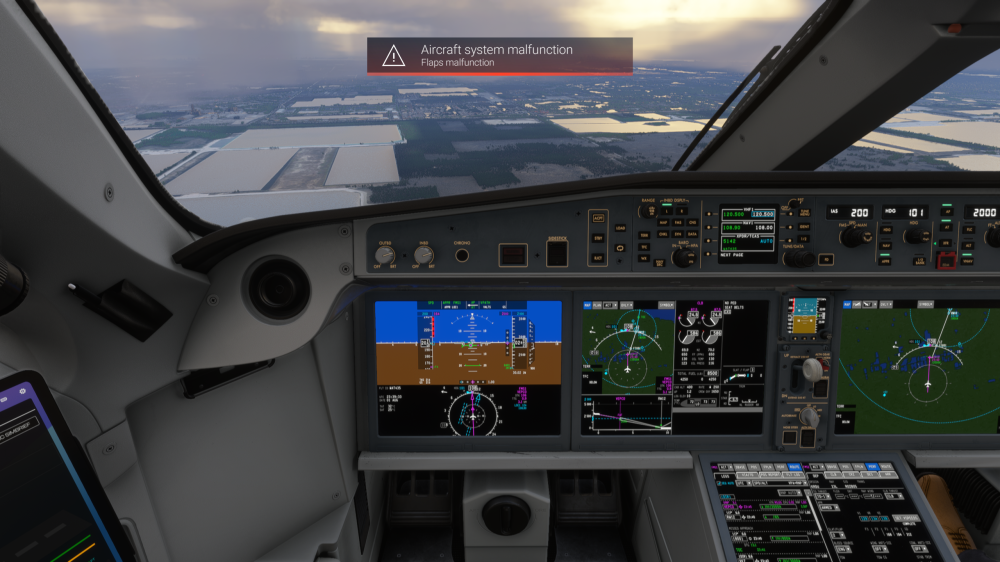
Have flown the A220 on four flights now, and on three of them, long after takeoff and cleanup, I get the MSFS system malfunction pops up on the screen. On this last flight it happened later in the cruise portion, and my ACARS system for my airline doesn't pick up on the flaps being used at all. On Descent, the slats will deploy but the flaps will not. After landing, the visual of the aircraft shows the flaps fully deployed on the exterior model, but inside the flight deck, it shows fully retracted. Hardware is all Virpil and no issues show up in the synoptic pages. Any help would be appreciated as it's causing me some issues on landing.