




gweilo8888
Member
-
Joined
-
Last visited
Everything posted by gweilo8888
-
To follow on from the above, I've also tested after completely unplugging all controls except my mouse, keyboard and a single Xbox-compatible controller, with the keyboard/mouse settings being the MSFS 2024 defaults and the controller being used only for general controls but disabled for airplanes and the L-1011 500 specifically. There are no other controllers connected or detected, so the issue definitely isn't somehow caused by my controllers.
-
Ah, they hadn't been, no. Simply didn't occur to me to remember to check them; there's a bit of a mental disconnect between half the product being updated thru the store and half of it outside. I've tried it again now after updating the liveries and am no longer seieng the issue with the aircraft otherwise loaded up in the same way, so either the liveries fixed it or it was an intermittent / temporary glitch of some kind. Thanks!
-
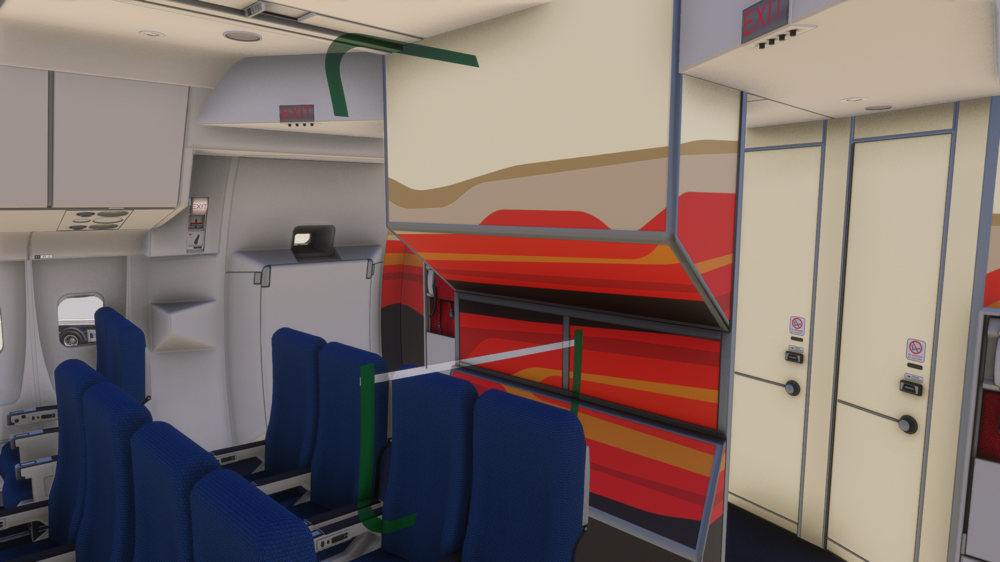
Just stumbled on this issue after updating to v1.0.2. I'm using the Cathay Pacific livery, if that makes any difference. I'm seeing what would appear to be the markings around the left rearmost passenger door but nearly in the center of the fuselage, floating in space among the cabin seating:
-
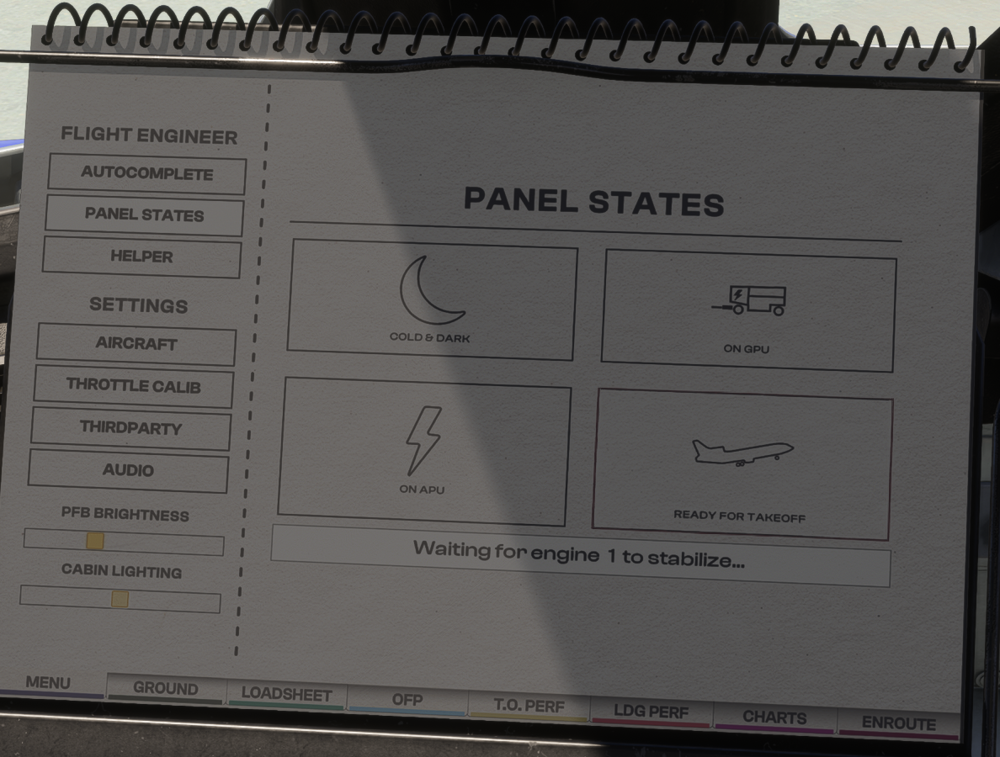
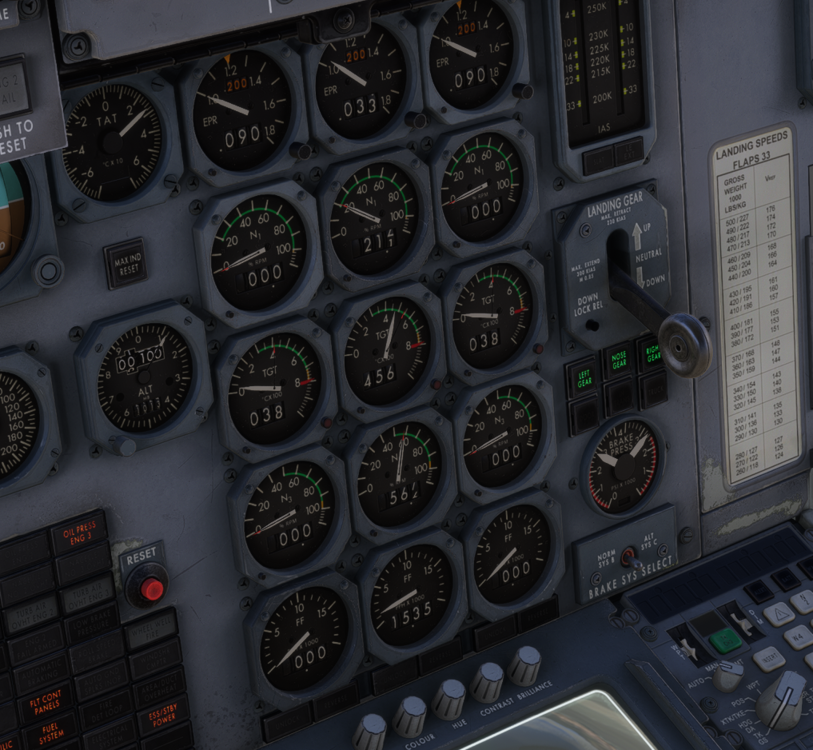
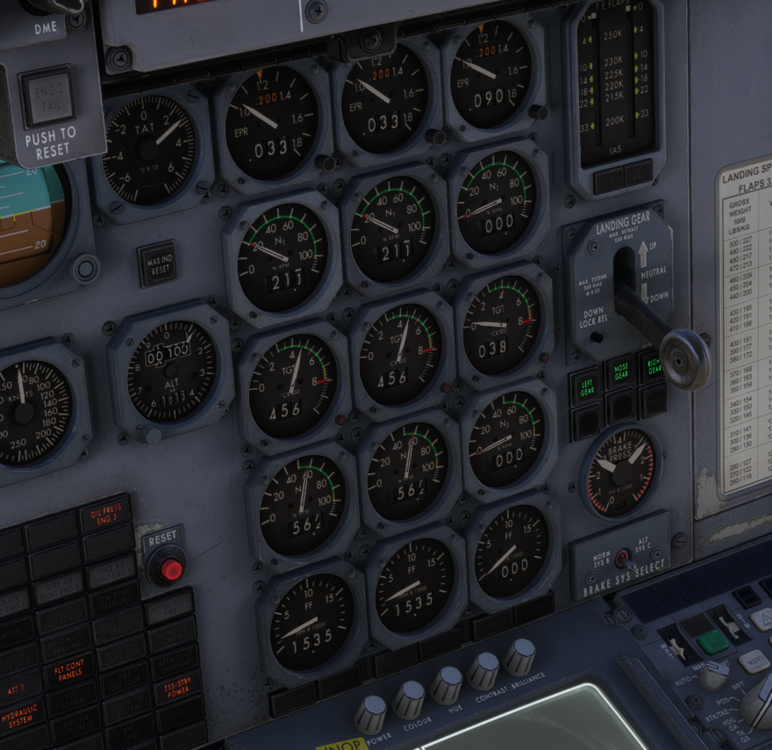
Not 100% ready to call this a bug yet as I'm still very unfamiliar with the plane, having barely had a chance to fly it yet. However, this doesn't feel right to me so wanted to check if others are seeing the same issue or there's anything I need to try before I report it as such. If I load into the Tristar cold and dark at the gate -- and I've tried this at multiple airports and both with the initial launch version and the current release -- I can't get the engines to start up with a single panel state load. If I click on the "Ready for Takeoff" panel state, the APU is started followed by engine #2, and then... that's it. The PFB shows "Waiting for engine 1 to stabilize" without ever attempting to start engine #1. I've tried leaving it for a *long* time, and nothing ever happens by itself after that. The engine instruments remain as follows: If I then return to the PFB and click Ready for Takeoff a *second* time, engine #1 starts up correctly, waits to stabilize and then the text instantly changes to "Waiting for engine 3 to stabilize", again without ever making any attempt to start that engine. Here's how things stabilize: And finally, if I want all three engines running which I obviously do, I have to load the Ready for Takeoff panel state a third time. Anyone else seeing this issue with the Ready for Takeoff panel state?
-
Thanks so much Jamir, I'm off to place my order now 🙂
-
Dear Inibuilds I'm thrilled for your new Tristar. The model seems excellent, the pricing is reasonable and I'm very eager to give you my money. However, so far I can't do so because you haven't publicly stated your policy regarding licensing, despite multiple people asking multiple times. I asked twice (https://forum.inibuilds.com/topic/33781-a340-marketplaceinbuilds-store-question/#findComment-87599) in the same place that A340 owners were told they would be able to transfer their licenses from the marketplace to the Inibuilds store at no cost, but nobody has yet replied. Another user asked too, and IniJamir closed the question as "solved" but again, didn't actually answer the main crux of the question, only saying that you didn't know when it would release. (https://forum.inibuilds.com/topic/36093-transfer-later/#comment-87649) If we purchase the Inibuilds Tristar now through the marketplace, will we be permanently locked into using the encrypted, untweakable marketplace version of the plane unless we pay to buy it all over again from your own store once released there? Or can you very clearly and directly state that marketplace customers will be given the opportunity to transfer their license to the Inibuilds store version once it goes on sale from you directly? If I can't get this answered, I simply can't buy this product for the time being despite my eagerness to do so. If the question is answered in the affirmative that we can transfer, though, then you'll have my money the very next time I log on and read the happy news. Thanks!
-
Hi Eddie Just hoping to confirm that this is also true of the TriStar? If I purchase through the marketplace, will I also gain free access to the version direct from inibuilds once you release on your own store, or would I need to buy it all over again if I wanted access to the version from your store?
-
Just wanted to confirm while I eagerly await your Tristar's arrival, does this same policy apply to that plane also, Eddie? Can we purchase our L-1011 through the in-game marketplace on launch, but then have access to the Inibuilds store version without having to repurchase once it becomes available in your own store? Fingers tightly crossed as I'd love to be a day one customer. As a former Hong Konger with family ties to the airport, we saw a LOT of Tristars at Kai Tak back in the day, especially in Cathay colors. She's my second favorite aircraft after the 747-series, and it looks like you've done a superb job!


