




AXiu920
Member
-
Joined
-
Last visited
-
Thanks for your reply. The OP ggbond250 is my friend, and we discovered this situation together. I’ve already helped him apply for order transfer.
-
To clarify: This WASM missing-file crash is exclusive to add-ons purchased via the in-sim Marketplace. The issue affects not only all iniBuilds products but also aircraft from other developers like PMDG. Installs through official dedicated clients (iniManager for iniBuilds, OC3 for PMDG) do not have this problem at all. I’ve searched the official MSFS 2024 forum and found no relevant solutions. Do you know the root cause of this problem and is there any official fix? Thanks.
-
 Hi! I’m making livery for A350 with this paintkit. The texture area under the rudder on A350-900 can’t be painted normally, while A350-1000 doesn’t have this issue at all. I’ve even done a thorough test, filled the whole texture solid blue, but this part still stays uneditable. Can you fix this issue?
- 39 comments
- 4 reviews
-
Hi IniBuilds Team, I just updated the aircraft to the latest version v1.2.5, and unfortunately, this texture rendering issue on the A350-900ULR is still present. Could you please share the current repair plan for this problem? When can we expect a fix to be released? This bug has a significant impact on my flights with this variant, and I would really appreciate an update on the timeline. Thank you so much for your time and support!
-
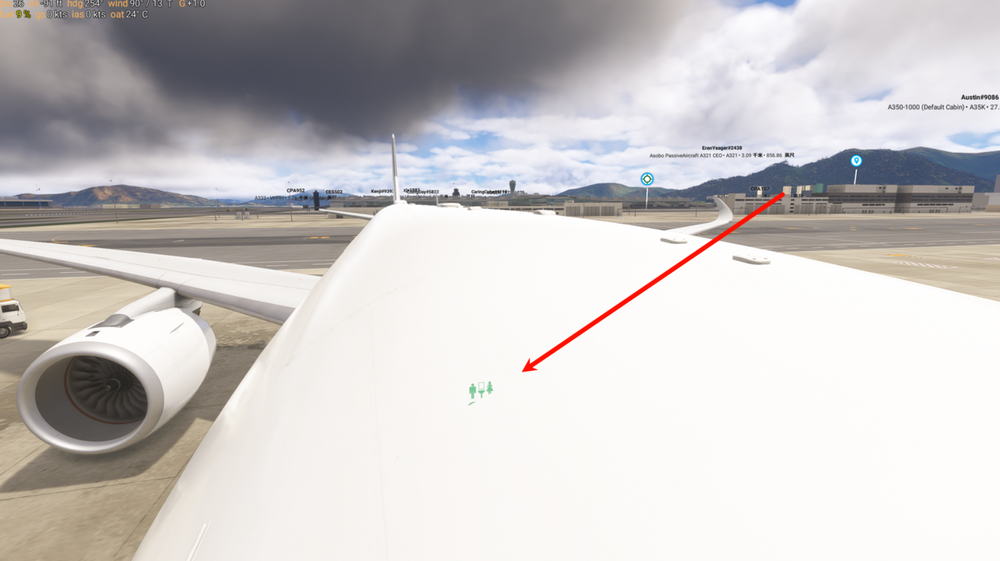
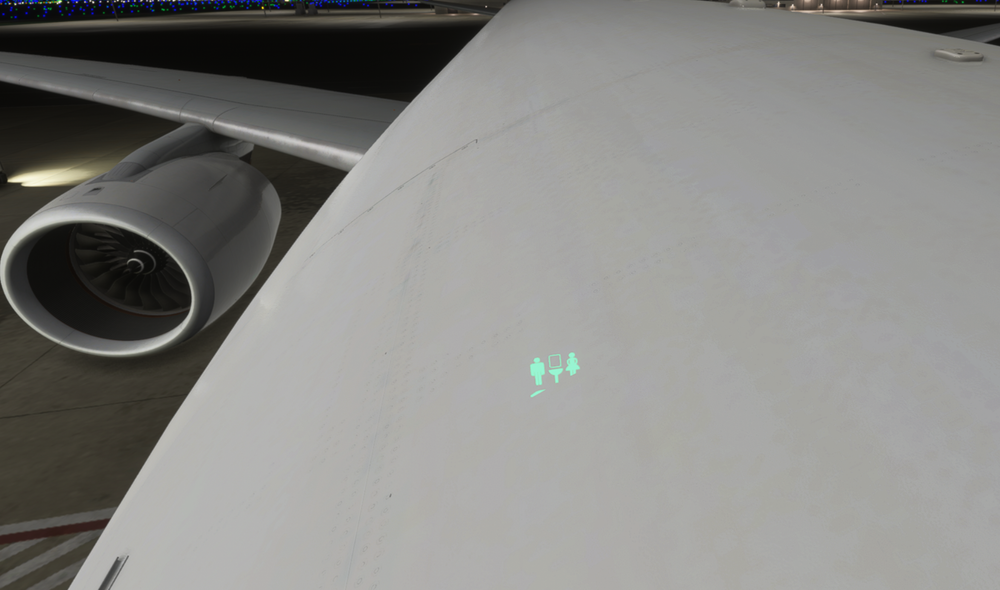
Hi iniBuilds Team, I’m writing to report a texture rendering issue that is exclusively affecting the A350-900ULR variant of the A350 aircraft add-on. This issue occurs with the default ULR cabin configuration. No HUES modifications are installed or enabled, and I am using only the default livery included with the base aircraft package. No third-party texture, livery, or model modifications have been applied to this variant. To rule out local file corruption as the root cause, I have completed the following troubleshooting steps: Fully re-downloaded and reinstalled the complete aircraft files(v1.2.4) Deleted the WASM files Reloaded the aircraft in the simulator and restarted the sim to confirm the issue persists After cross-testing, I can confirm that this texture error is unique to the A350-900ULR variant. All other A350 variants in the package do not exhibit this issue under identical testing conditions and simulator settings. I’d also like to ask if other players have encountered this same issue. I hope this issue can be fixed as soon as possible. Thank you for your time and support.
-
-
Yes, I also have the same problem. I downloaded it through iniManager, which made my experience very bad. I hope the official can fix it as soon as possible!


