




geirrosset
Member
-
Joined
-
Last visited
Everything posted by geirrosset
-
-
-
-
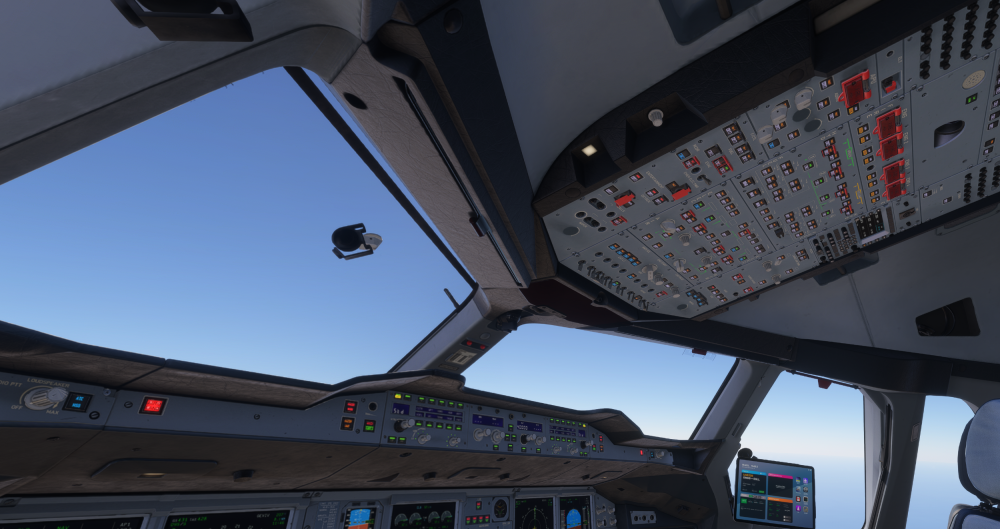
Tried again. Same flightplan. This time I stayed at 6000 feet well past the point when the error occurred the previous times and everything worked as it should. Smooth sailing. Then I set FL320 and started the climb. At around FL090 the cockpit glitched out. Again. Tried on the ground before takeoff. If I switch to external view, and then switch back to cockpit view, for just a few tenths of a second all the lights in all the buttons are lit. Then go back to normal. At FL090 this samer thing happens but without switching views and it stays like that.
-
-
Update for this. FYI I only fly in VR. Thought I might have got it right. Spawned in at a gate at you Dubai v1 (still can't see an update for this airport on the Marketplace). Started the flight. Got to FL100. Suddenly all the lights and switches lit up. Some were floating mid air. Unflyable obviously. 2D was unaffected. Quit the flight restarted at the same airport with the same flightplan. WASM crash after clicking Ready to fly.
-
-
-
-
I have tried all the suggestions. Load in on runway. Let sit (for a long long time). Exit to menu. Loaded back in on runway. Saw the screens. Exited to menu. Loaded back in at a gate. WASM crash. Then I get it every time no matter where I try to start. Tried several airports. 3rd party and default. 5080, 9800X3D, 64G, Steam.


