




ClouDAction
Member
-
Joined
-
Last visited
Everything posted by ClouDAction
-
https://discord.com/channels/648650013613883415/1534855856468922420/1534855856468922420
-
The keyboard bindings for the primary flight controls do not work as expected. RUDDER LEFT (YAW LEFT) and RUDDER RIGHT (YAW RIGHT) operate in the opposite direction than expected. ELEVATOR DOWN (PITCH DOWN), ELEVATOR UP (PITCH UP), AILERON LEFT (ROLL LEFT), and AILERON RIGHT (ROLL RIGHT) have no effect on the flight controls at all.
-
.
-
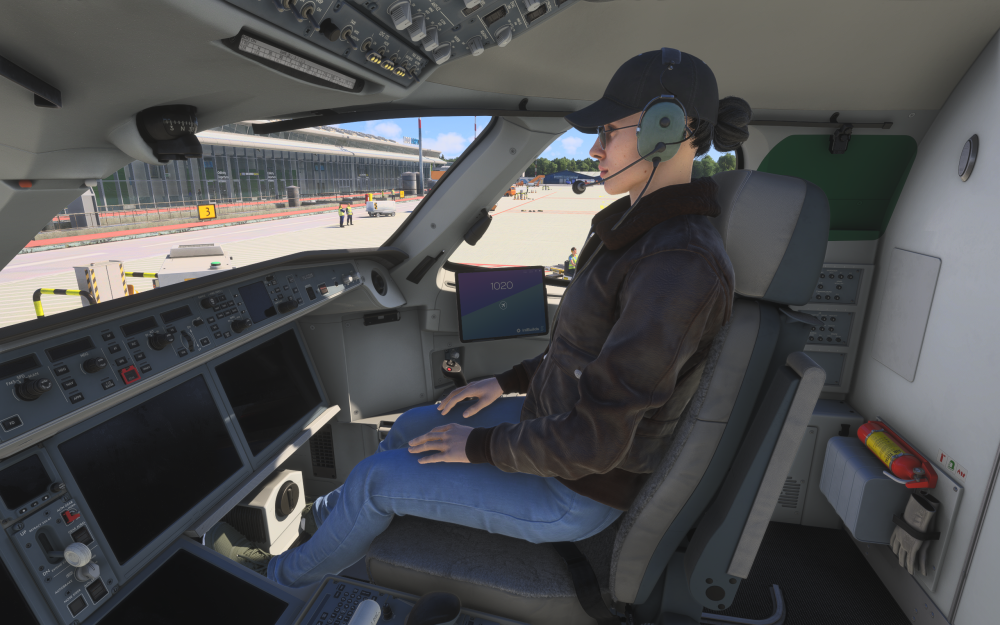
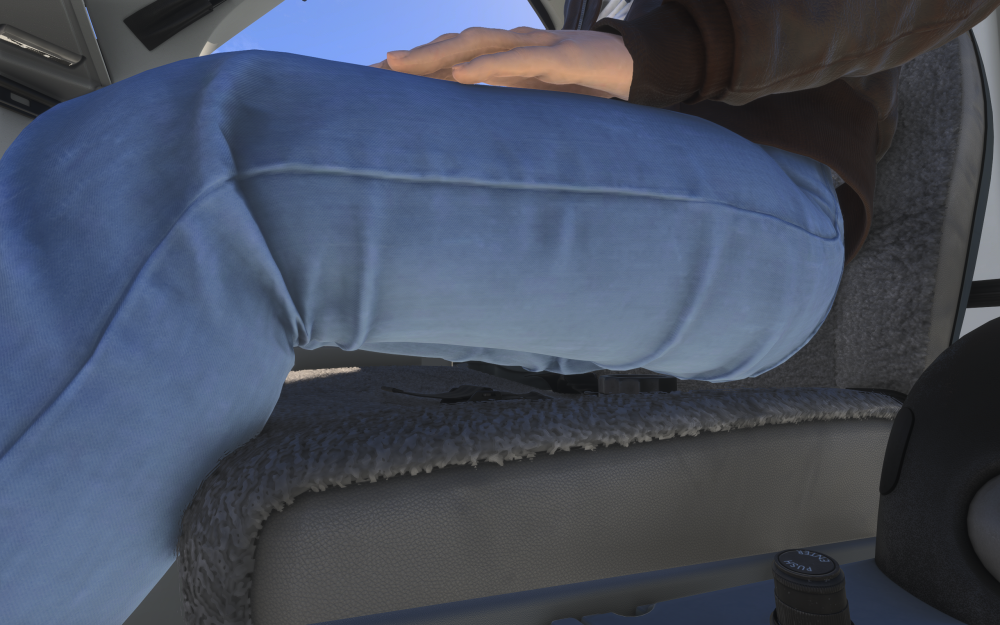
The First Officer character is positioned too high above the seat. The entire body appears to be floating above the seat instead of properly sitting in the cockpit chair. The head is above the headrest, and there is a visible gap between the character and the seat. The character position should be lowered by approximately 10-20cm to match a realistic seating position.
-
Maybe this will help. https://flightsim.to/addon/112657/synaptic-simulations-a220-terrain-server-manual-starter-by-cloudaction

