



Skip to content
View in the app

A better way to browse. Learn more.

iniBuilds Forum

A full-screen app on your home screen with push notifications, badges and more.

To install this app on iOS and iPadOS
  1. Tap the Share icon in Safari
  2. Scroll the menu and tap Add to Home Screen.
  3. Tap Add in the top-right corner.
To install this app on Android
  1. Tap the 3-dot menu (⋮) in the top-right corner of the browser.
  2. Tap Add to Home screen or Install app.
  3. Confirm by tapping Install.

SimonRiley_M

Member
  • Joined

  • Last visited

  1. Are you referring to the screen circled by the red box in the picture? After updating to version 1.0.3, this screen is disabled by default. Its switch is located in the green box position in the first picture (the second picture is an enlarged detail)
  2. Yes, it has started working normally. I reinstalled the GSX configuration file for the A380 and rechecked my GSX. It has returned to normal. Thank you very much for your assistance
  3. Thank you for your reply! I tried RJTT, EDDF, ZBAA, and some other airports, and it's the same issue. My GSX version is 4.0.23. Could it be a problem with GSX itself?
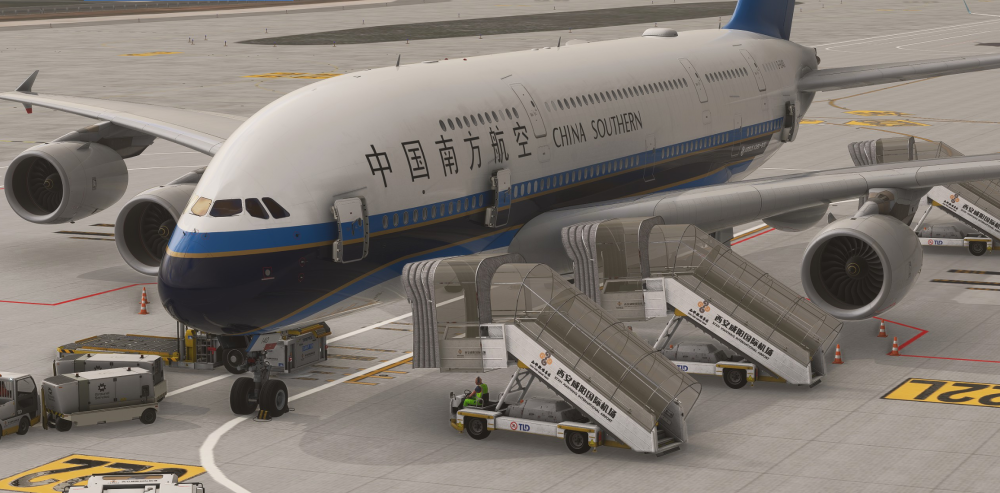
  4. My GSX staircase has no response. I downloaded the GSX configuration file for the A380 from the forum, but when I'm on the tarmac, these stairs don't dock at the position of the cabin door. I tried reinstalling, but it didn't work
Account

Navigation

Configure browser push notifications

Chrome (Android)
  1. Tap the lock icon next to the address bar.
  2. Tap Permissions → Notifications.
  3. Adjust your preference.
Chrome (Desktop)
  1. Click the padlock icon in the address bar.
  2. Select Site settings.
  3. Find Notifications and adjust your preference.