




Camille MOUCHEL
Member
-
Joined
-
Last visited
Everything posted by Camille MOUCHEL
-
me its +15%
-
Version 0.9.5 — Major Gate Assignment and TELEX Update https://fr.flightsim.to/addon/115219/a380-gate-assignment-telex-acars-beta-version Changes since version 0.9.4: Reworked the automatic Expected Gate TELEX sequence. The separate cruise and descent confirmations are replaced by one operational message sent at planned flight time minus 30 minutes. Flight time now starts when the landing gear is fully retracted after takeoff. Added a visible airborne elapsed-time counter so the detected takeoff point and T-30 progress can be checked directly from the panel. Simulator time acceleration is now supported. Elapsed flight time follows MSFS simulation UTC rather than real-world time. Added late-flight recovery using the SimBrief estimated or scheduled takeoff time. If the add-on is loaded after departure, an already-overdue T-30 message can be sent immediately, including during descent. The in-flight SEND button now refreshes the OFP, checks the current assignment and explicitly sends the Expected Gate without waiting for the automatic milestone. The fresh two-snapshot VATSIM check performed at T-30 is now limited to 45 seconds. If the public feed remains cached, the last verified gate is sent instead of entering repeated one-minute waits. Added visible VATSIM verification progress, remaining waiting time and last verified gate information. Gate reservations are now prioritised by estimated arrival time. The flight arriving closest to the gate availability time receives priority. An occupied gate can now be displayed as expected to become available before arrival, including the occupying callsign and its planned departure time. Added FREE xxxxZ, RESERVED xxxxZ and DEP DELAYED gate states. Added visible gate-assignment criteria: Company + Departure + Destination Company + Destination Destination only The panel now identifies the user's allocation with YOUR GATE and displays the flight's live ETA position among other VATSIM arrivals. Corrected Company Traffic filtering: departure and arrival traffic are no longer shown in the wrong views. VATSIM controllers, route traffic and Company Traffic remain available even when the destination has no verified gate records. The gate remains UNKNOWN instead of reporting a false VATSIM failure. Historical provider stand identifiers are no longer displayed directly as passenger gates. Verified references are converted to their current public chart labels. Added verified public-gate corrections for several US airports, including KBOS, KJFK, KMIA, KSFO and PHNL. Ambiguous remote stands, obsolete terminal references and unsupported provider codes are now suppressed instead of being presented as real passenger gates. The embedded A380 database has been enriched and now contains: 61 destinations 576 physical stands 2,554 ranked gate candidates Hoppie delivery now uses a dedicated flight-specific OPS sender, for example BAW902AOPS → BAW902A, to avoid conflicts with generic airline endpoints already used by other clients. Settings now displays the aircraft receiver, the dedicated OPS sender and the latest receiver check. Existing saved assignments are automatically migrated to the corrected public gate references whenever a verified correspondence is available. Numerous native-runtime, persistence, interface and TELEX reliability improvements. When no verified public gate can be determined, the add-on now deliberately reports UNKNOWN/PENDING rather than inventing a gate. VATSIM and Company Traffic continue operating normally in this situation.
-
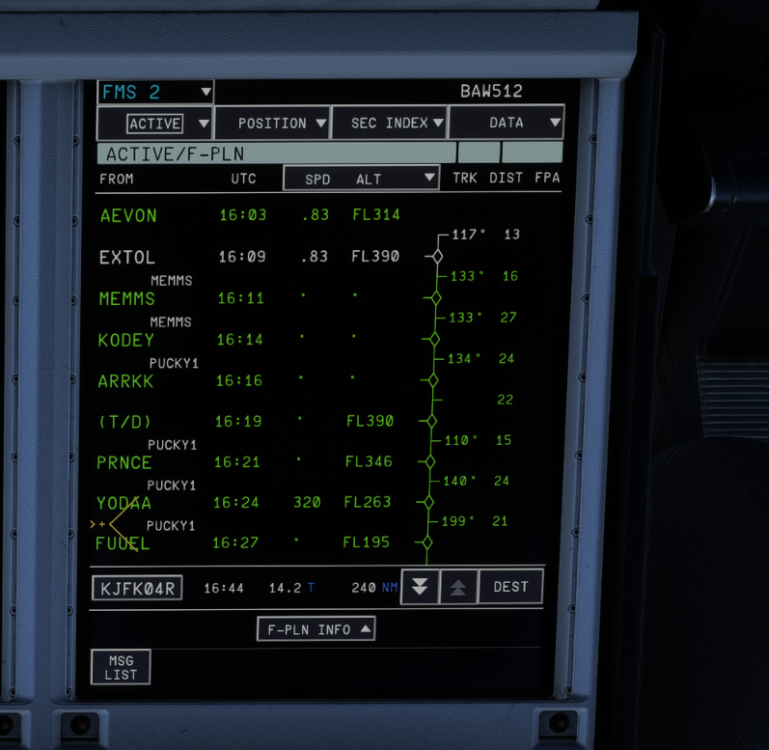
Hello, i've done some plugin that will after landing send 2 TELEX : one for the landing rate data and the second one after the last engine shutdown, the Flight summary with the OOOI How ever i've never received those because because when i shut down engine 1 and 4, the callsign (BAW512 here) in the FMGS is erased, therefore hoppie can't send me those TELEX. Is this normal for the callsign to be erased when one engine is shut down on ground ? EDIT: the callsign ins deleted during the landing rollout
-
You need to first select the runway close to the green triangle near the runway then you can select the exit to vacate
-
I can confirm,i have the same issue as well but i can't upload the image for some reason there is a mod where the texture are very chart but it doesnt use the navigraph https://fr.flightsim.to/addon/115176/free-oans-anf-btv-for-msfs2020-and-msfs2024
-
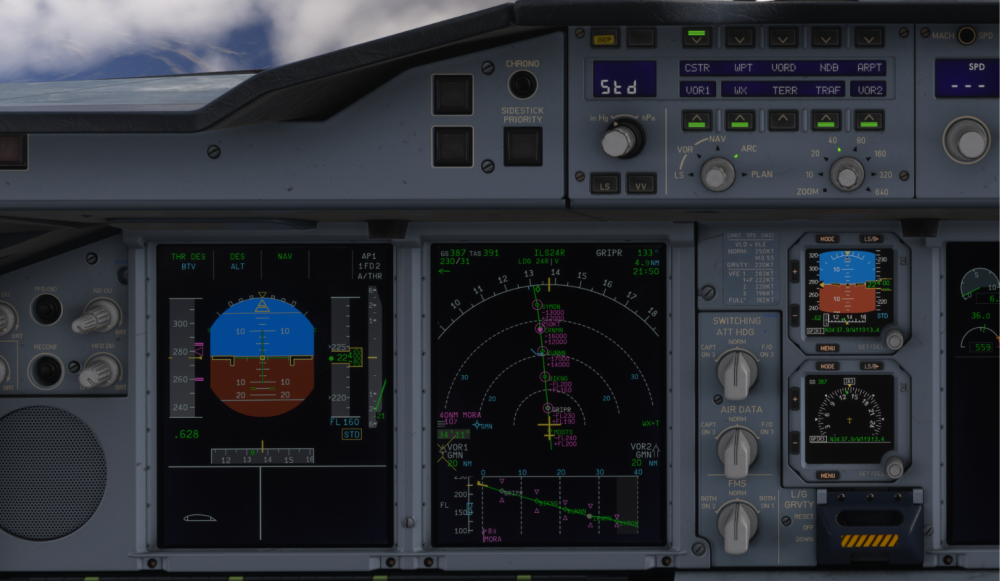
Hello, when in managed mode ; DES, shouldnt the FL160 be in the magenta color as it's a constraint (and same thing for the ALT in the FMA?) ? i think i notice the same thing during climb in managed mode
-
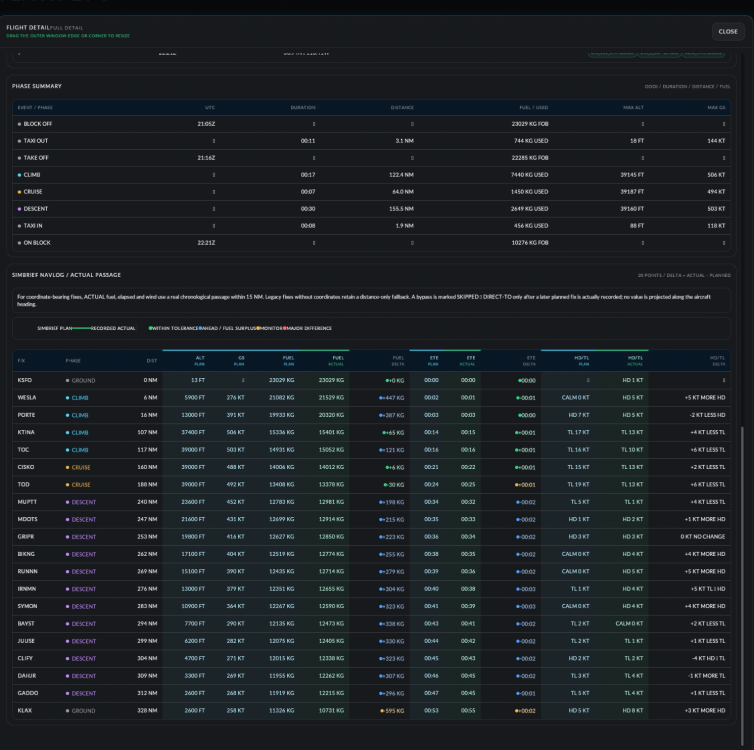
HEllo, i've noticed that i always landed below the planned Simbrief flight plan EFOB even with fuel offset of +10% I dont know if the Ini 380 consume for fuel than irl or if the simbref profile is not accurate seems that i need to add an offset of +20%
-
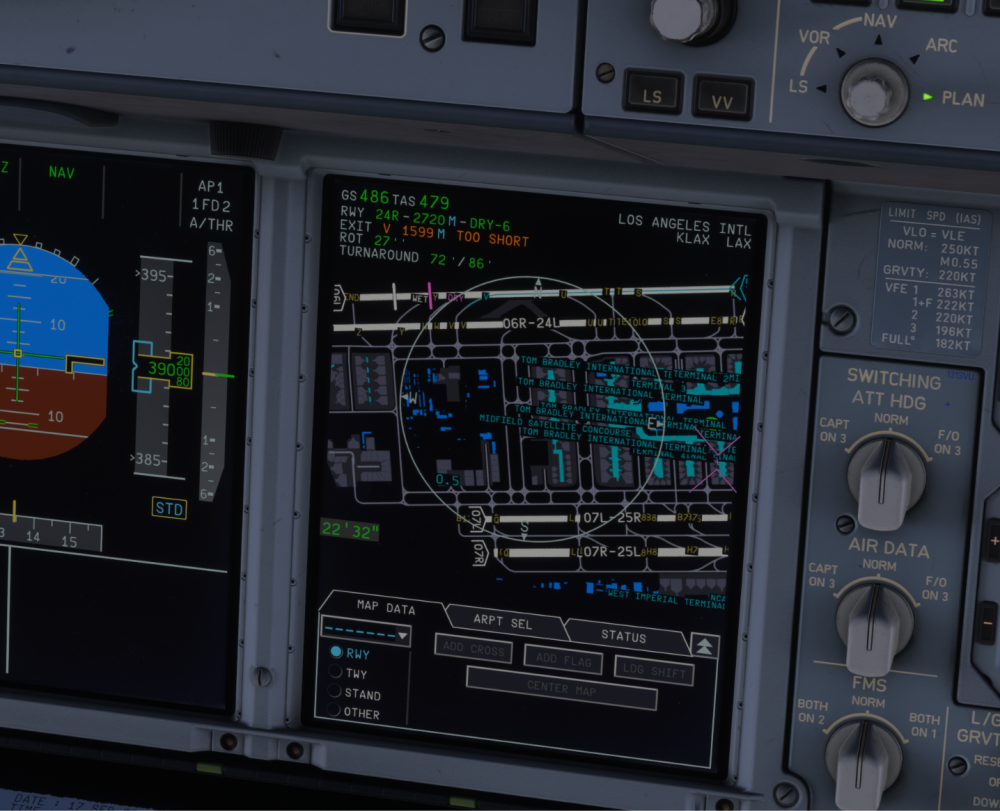
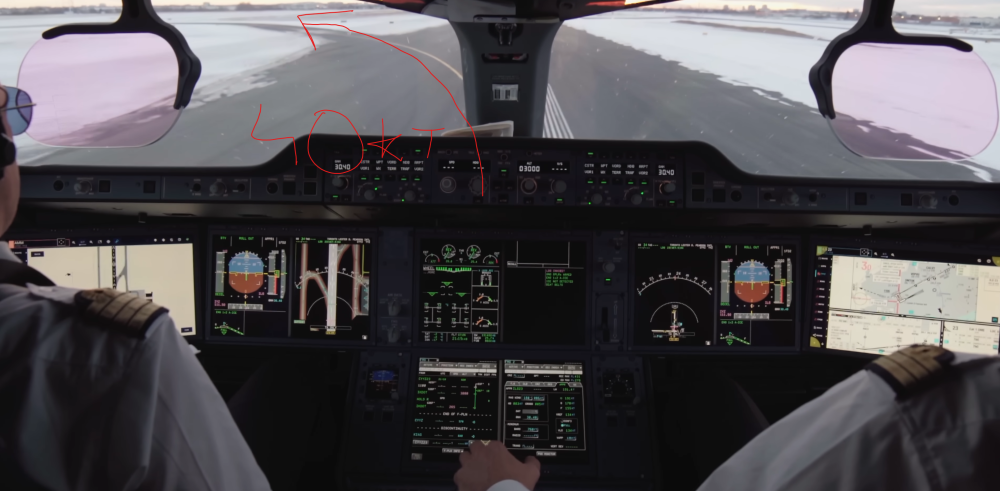
Hello, i've noticed since the A350 that the BTV apply too much pressure on the Brakes as it will reach 20kt way before the planned exit in this case you can see that i selected the Exit before the Dry marker : V exit at KLAX 24R and it still managed to reach below 20kt before the exit, i had to take over. In a AF A350 video, the FO is quite new on the A350 and the captain explain a bit about the BTV and to trust it as it will make sure to suddenly Apply a bit more brake pressure in order to exit around 20kt on the video below, you can see there are able to vacate with still the BTV on around 20kt and the plane was earlier still around 40kt just before vacating Currently, if you keep the BTV on, it will stop on the runway hundred of feets before being abeam of the planned exit quite frustrating currently as the BTV is abit useless especially on vatsim where you may need to vacate quick when there is a lot of traffic and always ended up to manual brake because i know it will stop me way too far away from the planned exit
-
Did a test : 0 to 33° and then 33° to -33° average roll rate with full stick déflection is below 15°/s https://www.youtube.com/watch?v=4RvYks1PWoE Analysed by Open AI 1. From 0° to +33° bankStart of the roll: ≈ 5.2 s Reached +33° bank: ≈ 8.0 s Bank change: 33° Duration: ≈ 2.8 s Average roll rate: 33° / 2.8 s ≈ 11.8°/s ➡️ ≈ 12°/s 2. From +33° to −33° bankStart at +33°: ≈ 8.0 s Reached −33°: ≈ 16.0 s Total bank change: 66° Duration: ≈ 8.0 s Average roll rate: 66° / 8.0 s = 8.25°/s ➡️ ≈ 8.3°/s ResultsManeuver Bank change Duration Average roll rate 0 → +33° 33° ~2.8 s ~11.8°/s +33° → −33° 66° ~8.0 s ~8.3°/s These are average roll rates, not the instantaneous peak roll rate.
-
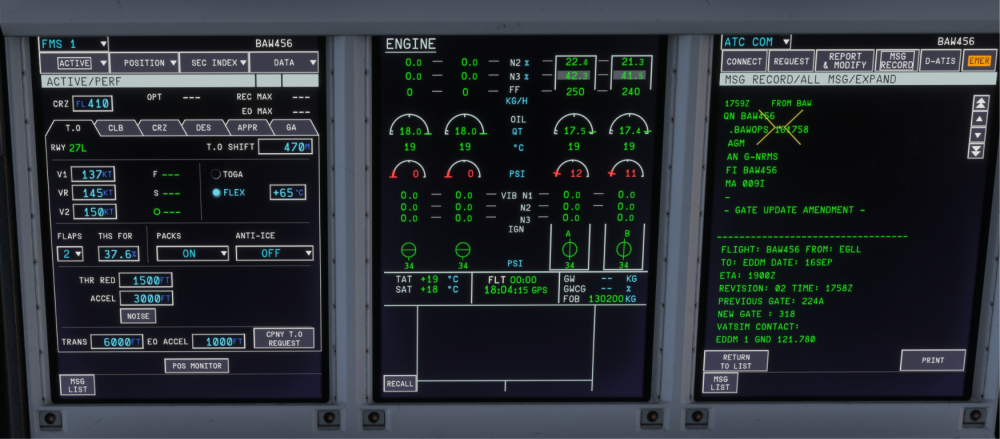
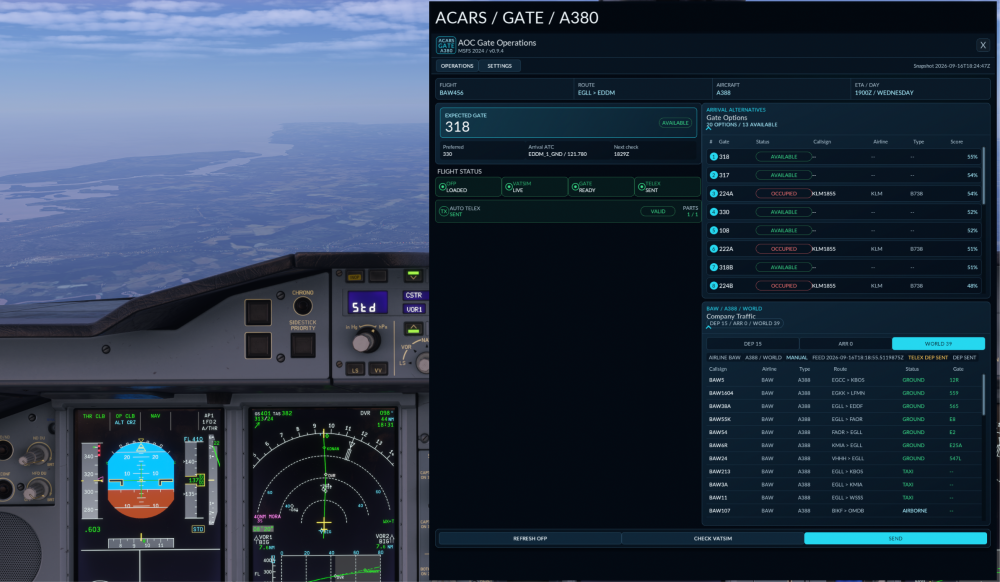
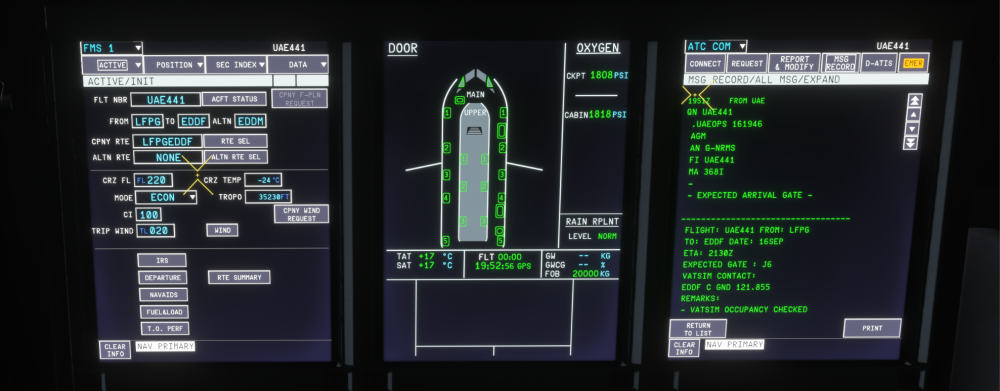
Hello, I hope i'm allowed to post this here, if not feel free to delete the post. I've gathered all the A380 flights from the last 30 days thanks to the FR24 API in order to create a database of A380's Gate that will send you via datalink/satcom the expected gate base on your company and your departure/arrival airport and check in the database to give you the most realistic gate for that flight/ Besides, if you fly on vatsim and someone takes your assigned gate, the plugin will send you the other most suitable and realistic gate. you just need to enter you simbrief ID and hoppie log on code and have an internet connection during the flight https://fr.flightsim.to/addon/115219/a380-gate-assignment-telex-acars-beta-version
-
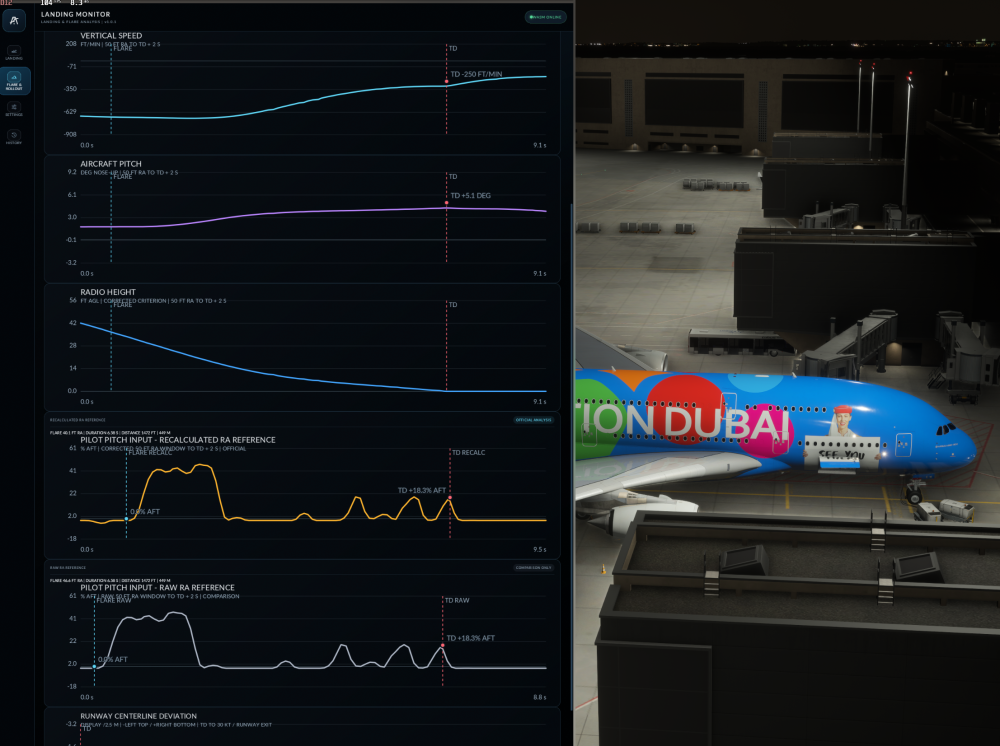
Hello, First of all, congrats for the release of the A380 :) i have a couple of question regarding the FBW in normal law in flight mode especially for the roll axis. Indeed, the roll axis on my side is extremly slow, it feels like I have not much authority in the roll axis. You may be surprised but the A380 should handle in Flight mode just like the A380: A380 FCOM says that max stick deflection in the roll axis in flight mode is 15°/s just like the A320 so going from 0°of bank to 33° should take approx 2s Regarding the pitch, it has like the A320 2 modes : Pitch rate demands at low speed and g load demand at high speed ; max being 2.5G/-1G in clean config ( like the A320 but need to check) however, i find the pitch axis to be quite responsive except in flare law where it feel like I have almost no autority below 50ft, i need to maintain like 40-50% of stick deflection for the pitch to very slowly increase More Over, the pitch attitude seems too stable in ground effect as when releasing the stick, the pitch should drop immediately and this is barely the case currently https://youtu.be/DetjUgz1-v4?t=619 i created a plugin that analyse the flare : you can see when i release the stick, the pitch of the aircraft is still increasing instead to drop. there is really a big difference compared to the A350 and there is shouldnt as the A350/380 has the same FBW features, the A350 behaves in flight mode and flare law as what you can expect.
-
seems that after requestis the ATIS/weather, i can receive company messages
-
I dont understand during climb i received all my mesages with like 10-20min delay
-
Hello, i made a plugin that sends TELEX (DATALINK) with AOC/ATSU (hoppie) format style for Preflight, Gate Expected..., it works with other addons like the A220, all WT G3000/5000 ACARS mod but in the ini A350, i'm not receiving any messages at all. Can the INI only receives CPDLC messages from hoppie ?

-
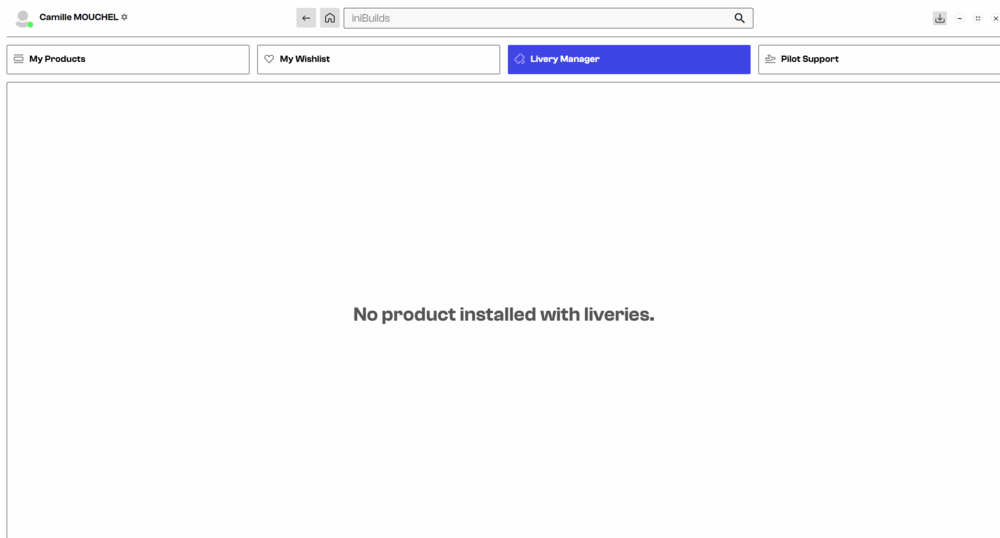
i don't see any liveries for the msfs version
-
i need the A310 before the A320/321 sharklet haha


