




Atlas calıskan
Member
-
Joined
-
Last visited
-
-
Just bumping this in case it got missed. Has anyone else noticed the same issue?
-
noticed something that might be a performance calculation issue with the A220. During my flight, the FMS showed: CRZ ALT: FL360 OPT ALT: FL370 MAX ALT: FL370 After about 3 hours of flight, the aircraft had burned a significant amount of fuel and become considerably lighter. However, the FMS was still showing exactly the same values: CRZ FL360, OPT FL370, MAX FL370. I understand that the OPT altitude may remain the same, but shouldn’t the MAX altitude be recalculated as the aircraft gets lighter? Interestingly, SimBrief was predicting a step climb to FL380 about 150 NM later. Could this be a bug where the MAX ALT calculation is not updating dynamically with aircraft weight/fuel burn?
-
I have a question. Where can we load the terrain display (terrain map/screen) in the aircraft? I couldn't find the option. Thanks!
-
Any news on when the A350 v1.2.5 update might be released?
-
-
-
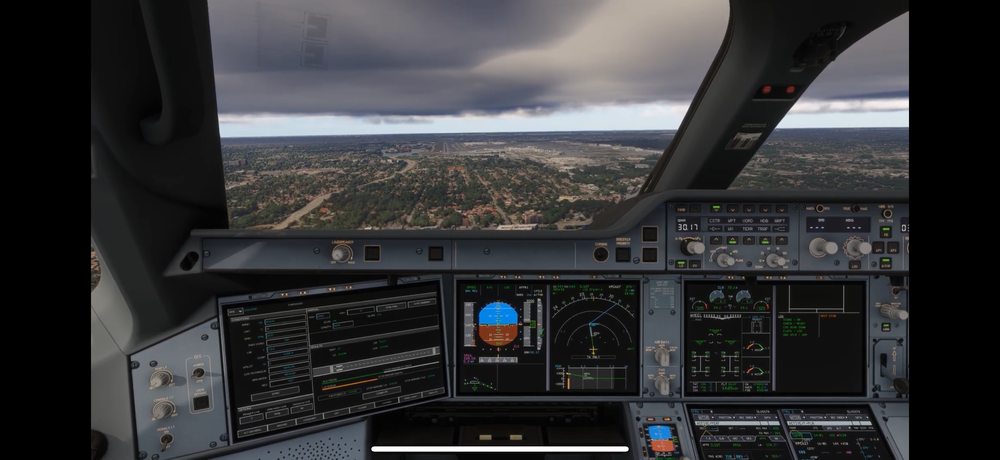
Hello iniBuilds Team, After updating the A350 to version 1.1.8, I noticed an issue on the VSD during the final approach. The aircraft symbol draws a straight line toward the end of the runway instead of following the expected path. Could you please confirm whether this behavior is intentional or if it is a known bug? Thank you for your support.
-
Hello, I hope you’re doing well. I’d like to ask if there is any estimated release date for the next v1.1.7 update of the A350. Thank you very much for your time and effort!
-
-
-
-
-
-

