




Alex711
Member
-
Joined
-
Last visited
Everything posted by Alex711
-
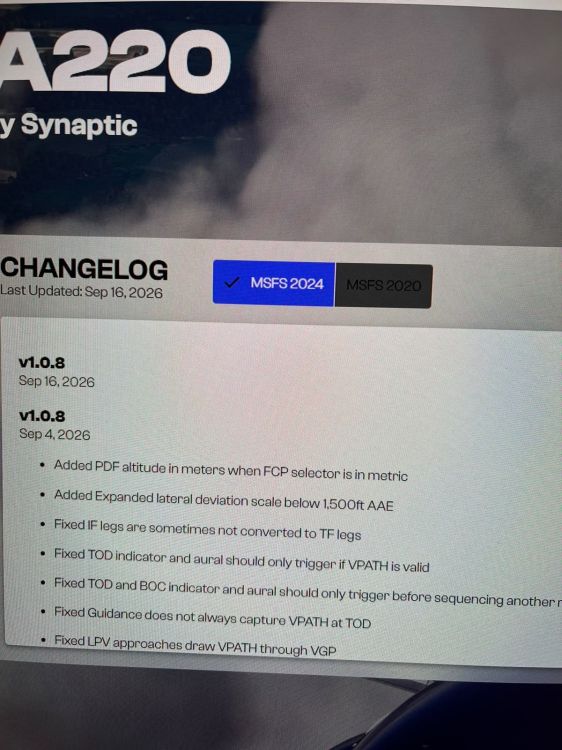
Let’s not engage in sophistry, shall we?)))) Example number one — A220 in the Microsoft store has been updated to 1.0.9, but inibuilds hasn’t yet. So, we won’t be doing business with inibuilds anymore, right? ))) But jokes aside, there’s no difference where you buy model airplanes. I’ll say more — if regional prices are available, the Microsoft store is more cost‑effective! I bought the A220 for just under $40. (The A380 costs 51 US dollars.))))) the date of the start of sales on the manufacturer's website only indicates on what date the model will become free)))
-
Something clearly broke in the inibuilds manager. 2.1 gigabytes were downloaded in the A220 update.
-
If you do not take into account that publishing on the marketplace is currently the only 100% protection against piracy, there are other features - all content is stored in the cloud and does not clutter your computer)))) ps - I don’t believe in the sincerity of those who claim they only buy through the inibuilds app.))))
-
I believe that A220 is currently in the beta testing phase. The aircraft exhibits random behavior at all phases of flight — during takeoff, the thrust control system may or may not maintain the values set in the FMS. At the ToD point, the aircraft may not start descending, or it may start, but after 30 seconds it will transition to straight‑and‑level flight. If the aircraft has managed to lock onto the ILS signal and correctly plan the descent, this does not affect the approach speed. It tends to maintain a high speed until the very last moment and, when the flaps are extended, it can enter the red zone. This can be resolved by switching to manual thrust control. But sometimes flights go perfectly from takeoff to landing... It seems to me that the aircraft was released too early, and it will take several more months to achieve the final result.
-
Here’s what I see: while the engines are off, everything is fine with the trimmer. After starting the engines — normal? Does it start to deviate during the takeoff run? When you increase the throttle, the trimmer deviates. It looks very much like a dual function of the keys.
-
Have you tried running the A350 without the passenger cabin textures? What is the frame rate in this case? What are the temperatures of the processor and graphics card? The A350 requires more resources than the A320 from Phoenix — and if there are any hidden hardware issues with the computer, they will manifest themselves on the A350.
-
wow! I didn’t know this was a signature feature of the aircraft! Well, then I’ll try to get it to autoland — I’m even curious how the aircraft will behave.
-
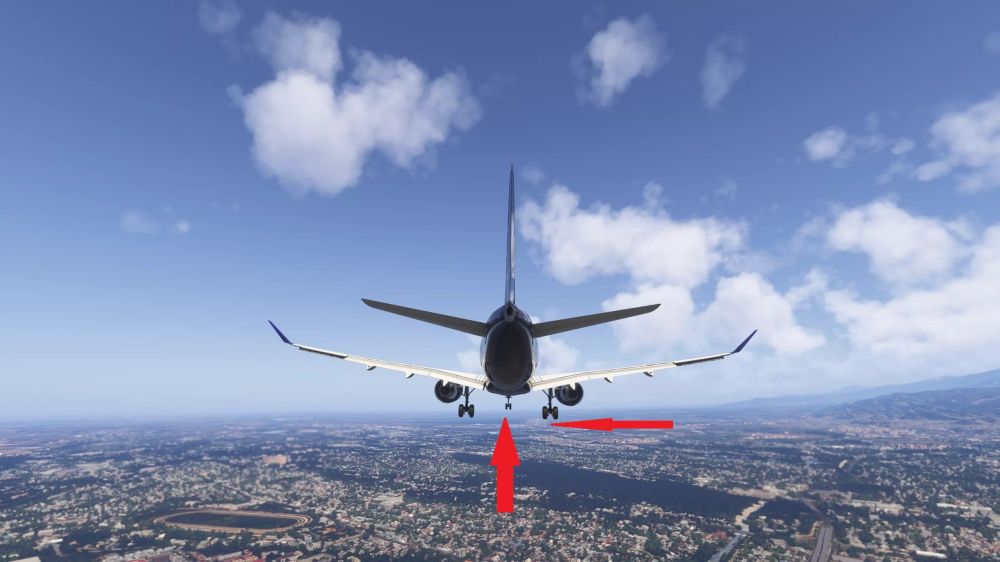
I had to write it together with GPT so as not to miss any details. Subject: ILS Localizer Tracking Issue – Aircraft Remains Significantly Left of Runway Centerline Aircraft: Synaptic A220 Simulator: Microsoft Flight Simulator 2024 Aircraft version: 1.0.5 I have observed a recurring issue with ILS lateral guidance on approach. The glideslope (GS) works correctly and accurately. Vertical guidance is stable and behaves as expected.However, the localizer (LOC) does not appear to be tracked correctly. The aircraft remains significantly offset from the runway centerline, even though the LOC deviation indicator clearly shows that the aircraft is not aligned with the runway.The autopilot does not make the necessary lateral corrections to intercept and track the runway centerline. Manual intervention is required to disconnect the autopilot and turn the aircraft onto the runway centerline.This has occurred on more than one flight/airport, so it does not appear to be an isolated event. Example: - Airport: Almaty (UAAA) - Runway: 05R - ILS approach - GS captured and tracked correctly - LOC deviation was clearly visible - Aircraft remained approximately 500 m left of the runway centerline on final - Autopilot did not correct the lateral deviation - Manual takeover and heading correction were required to complete the landing The attached screenshot shows the aircraft position relative to the runway centerline. The red arrows have been added for clarity. The vertical ILS guidance appears to be working normally; the problem seems to be specifically related to lateral/localizer tracking. I have previously observed similar behavior on another ILS approach, so the issue appears to be reproducible. Please investigate the LOC capture/tracking logic and lateral autopilot guidance.
-
The problem was resolved after uploading maps with a resolution of 400. And everything started working right away without any additional actions on my part. However, maps with a resolution of 1200 still don’t launch. ps - I would like to clarify: will airfield diagrams be available on the ND display in the future?
-
Just wait for future updates. Landing in the current state of the aircraft is always a lottery.
-
The first thing I would do is check if there are any hieroglyphs in the folder or disk names.
-
to solve the problem, you need to completely remove the model and install it again.
-
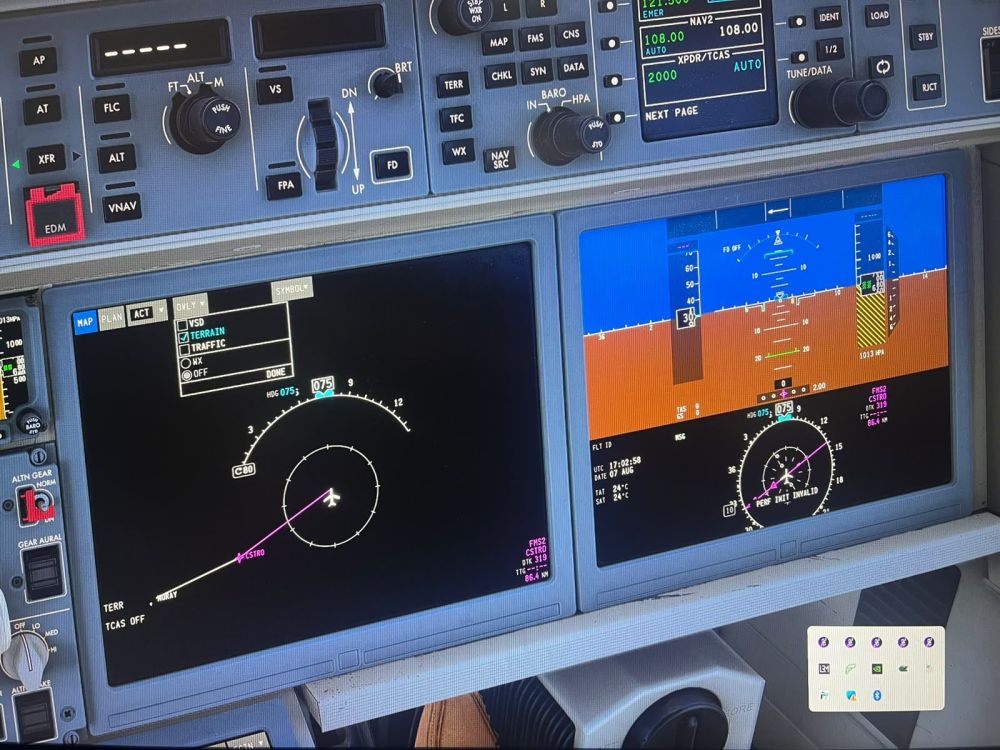
After parking the aircraft, five executable A220 processes appear in the tray. There is an active map server in the task manager. On initial startup as an administrator, the console window opened and closed.
-
Hi. Can you tell me if landscape maps work for msfs 2024? I downloaded the server, installed it, and the server starts when the plane starts, but the maps don't appear. Maybe there's a trick? ps - of course, I pressed all the necessary buttons described in the instructions))))
-
These are the features of an online translator))) The aircraft is not ready for full-fledged flights - some processes reduce the frame rate by three times.
-
So far, the plane is pretty damp. Further development is required.
-
Костя, даже если он и выйдет на коробке в 2020, ничего хорошего в нем не будет.
-
And what is the 320CEO from INI for? There is a beautiful plane from Phoenix, which is unlikely to be surpassed in the foreseeable future. I'm sorry, I didn't pay attention to the mention of the console.
-
Can you tell me how to do this correctly? If the transfer went smoothly in MSFS2024, then in MSFS 2020 the file installed via the INI manager cannot replace the aircraft from the market.
-
90% of my purchases are made in the marketplace. Absolutely no problem. Therefore, to be honest, I do not believe in the sincerity of your discontent)))))
-
But I support Inbuilds. The decision to place exclusively on the market place is the right one. Piracy has really become a big problem - Inbuilds may simply not have the financial means to improve the model. And if this innovation shows itself on the good side and cuts off piracy, all good buyers will benefit in the end. To be honest, I don't understand dissatisfied people. Well, get an update 4 days later - there's nothing wrong globally and the earth won't stop.
-
There is an "open climb" signal on your device, but the climb speed has not been set. you yourself have set the speed to 065, which exactly corresponds to the control configuration you have chosen, and you are surprised that it is decreasing))))). Turn off the "open climb" and you will switch to automatic maintenance of flight parameters.
-


