




nepomuk
Member
-
Joined
-
Last visited
Everything posted by nepomuk
-
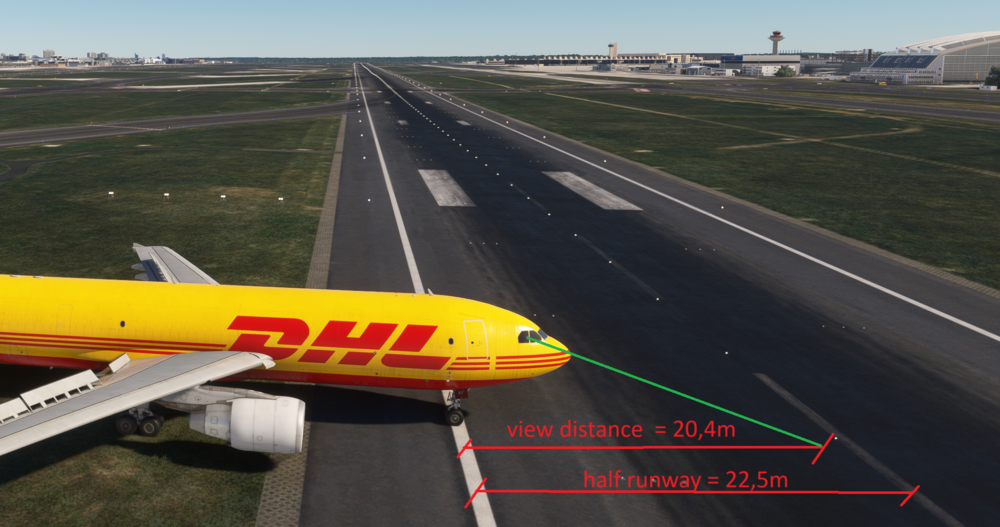
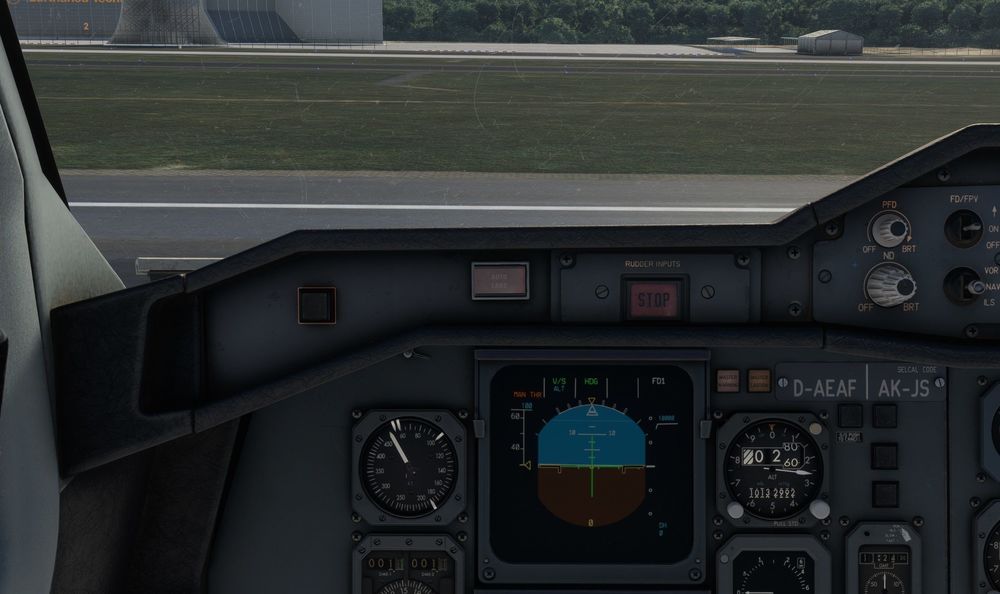
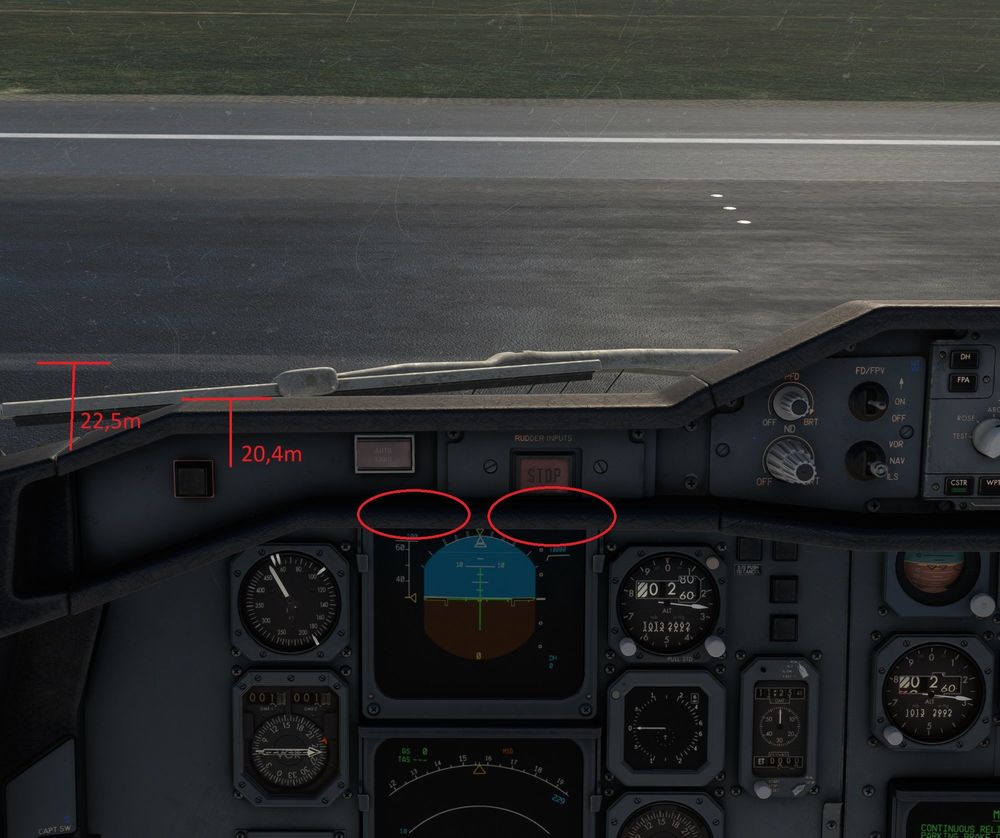
Hello ini-Team, it is not possible to setup the viewpoint that it matches the official documents. Therefore i think there is something wrong with the model of the glareshield. This is especially noticeable in VR. How it should be What i observe EDDF runway width of 07R is 45m, which corresponds to the wingspan of the A300: Default view: If the viewpoint is set to see just in front of the center line, the flight mode annunciator on the PFD is not visible: Is there any chance to get this fixed, as this is an immersion killer and the A300 will stay in the hangar. There is a nice article about Airbus seat position: https://safetyfirst.airbus.com/are-you-properly-seated/ Best regards Stephan


-
Any answer from the INI-Team?
-
Hello ini-Team, it is not possible to setup the viewpoint that it matches the official documents. Therefore i think there is something wrong with the model of the glareshield. This is especially noticeable in VR. How it should be What i observe EDDF runway width of 07R is 45m, which corresponds to the wingspan of the A300: Default view: If the viewpoint is set to see just in front of the center line, the flight mode annunciator on the PFD is not visible: Is there any chance to get this fixed, as this is an immersion killer and the A300 will stay in the hangar. There is a nice article about Airbus seat position: https://safetyfirst.airbus.com/are-you-properly-seated/ Best regards Stephan


