



Skip to content
View in the app

A better way to browse. Learn more.

iniBuilds Forum

A full-screen app on your home screen with push notifications, badges and more.

To install this app on iOS and iPadOS
  1. Tap the Share icon in Safari
  2. Scroll the menu and tap Add to Home Screen.
  3. Tap Add in the top-right corner.
To install this app on Android
  1. Tap the 3-dot menu (⋮) in the top-right corner of the browser.
  2. Tap Add to Home screen or Install app.
  3. Confirm by tapping Install.

InigoRV

Member
  • Joined

  • Last visited

Everything posted by InigoRV

  1. This paintkit is highly requested as the A310 was flown by so many charter carriers. Please, take it into consideration.
  2. Okey...after updating to the Su4 beta, I was able to land at Zurich. With a lot of stuttering, but "flyable". It's quite curious how the sim handles way better 4 short sectors in a raw than a 7-8 hours single flight.
  3. Hello. Many of us are suffering the same problem. I have just completed a flight of 7:30 after updating to the Su4 beta. It's only one flight, but this was the third attempt.
  4. I'll give it a try. I am not big fan of the beta though.
  5. I was flying to Zurich today. Before the descent, I tried to change the arrival and suddenly, all the instruments and dials in the cockpit got frozen. But the aircraft still flies. This is the second time that I try this flight. After 1:30 in the first attempt, the same happened without changing anything. I really don't know what's the cause. The outbound leg went perfectly well. However, the way back to ZRH is becoming impossible.
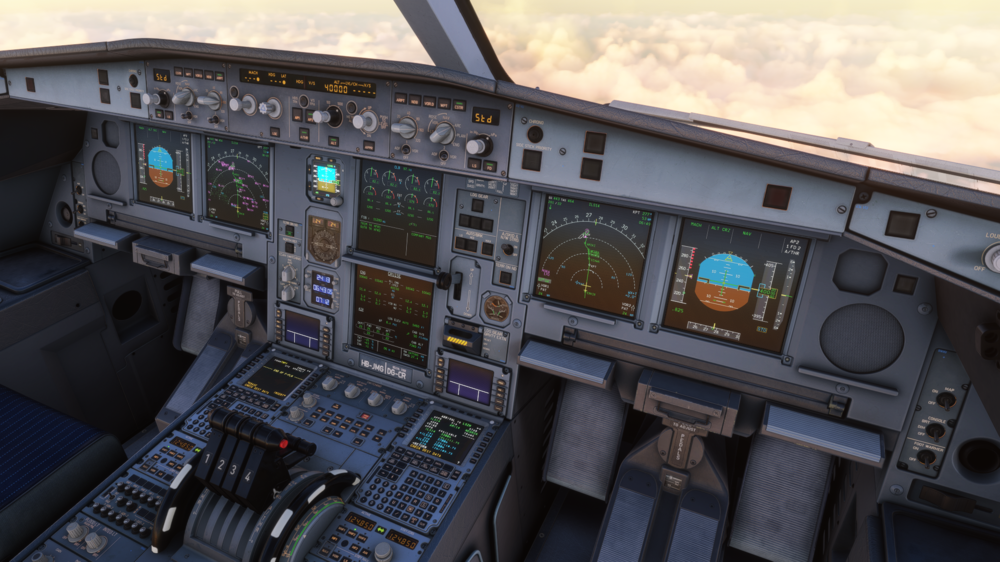
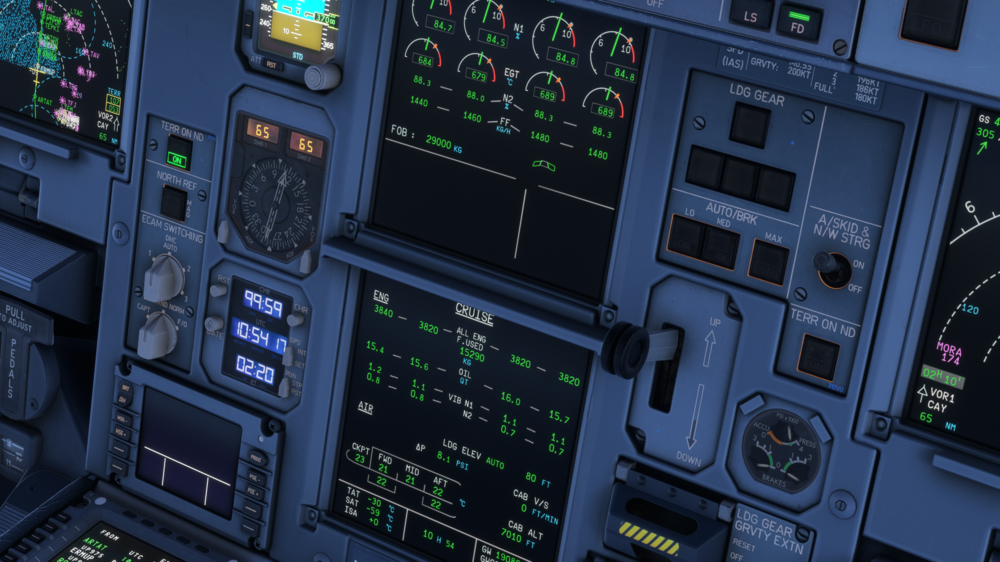
  6. The chrono above the clock does not restart itself when it reaches the maximum value of 99:59. I know it's not a big issue, but if you could fix it in the coming updates, that would be nice. Thank you!
Account

Navigation

Configure browser push notifications

Chrome (Android)
  1. Tap the lock icon next to the address bar.
  2. Tap Permissions → Notifications.
  3. Adjust your preference.
Chrome (Desktop)
  1. Click the padlock icon in the address bar.
  2. Select Site settings.
  3. Find Notifications and adjust your preference.