




mseder
Member
-
Joined
-
Last visited
Everything posted by mseder
-
-
-
-
-
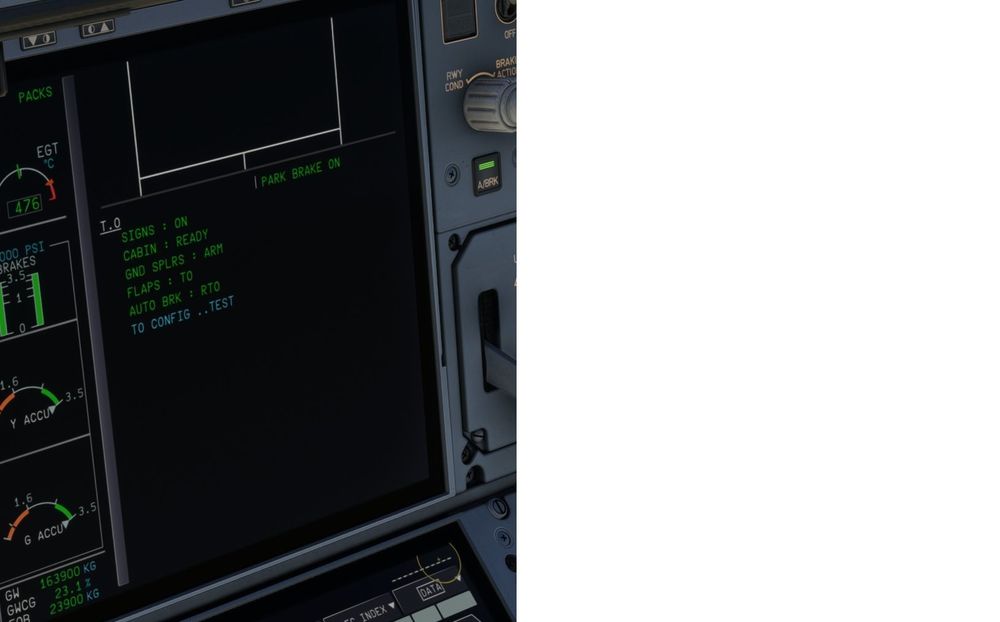
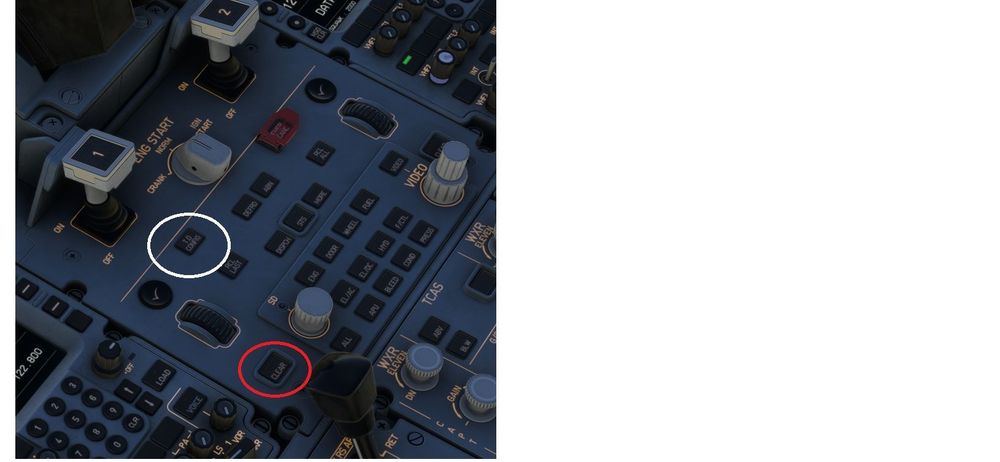
Holding down the TO Config makes no change I set the panel stage into Take OFF State, lined up at the runway, ensured everything was set for TO , pushed the TO Config button and held it down. What happens is that I hear a beep and then the Clear button lights up but the TO Config: TEST message never turns green Se images (couldn't though catch the clear button light up in white) and releasing the P Brake makes no difference MSFS2020
-
A320Neo FBW, iniBuilds and LVFR 330 all supports the TO CONFIG functionality which I think is a pretty basic functionality. If they can handle BTV they should be able to handle more basic functionality. Pressing the TO Config button should turn the TO Config line in the display to green in order to confirm all tests are ok.
-
-
-
Hi and thanks for getting back on this. I understand your need for as much info as possible, been a developer my whole life. And my analytic mind has really been searching for patterns, user (me) interactions etc. It's really been hard to find something except for today actually. First, I usually fly in VR, but the issue also has happen when not. So, taxing to my gate the joystick and thrustmaster thottle looses control. Today I really watched every single interaction from my side and when hitting the TAB key, to open the toolbar in VR, the EFB reacts and that pink line informing me of lost control shows up. I then hit the TAB ley again and it disapperas. OR if i watch the EFB (OIS window) the keyboard-image popup is there waitng for me to input something I then close it (down arrow), the pink info line dissapears and everything works. This only happens if I have any of the "user input" pages currently open in the EFB like LOADSHEET, TO PERF or TERML CHART This is at least one user story, maybe this IS the whole issue, I'll continue watching while flying this wonderful aircraft. MSFS2020 A350 v 1.0.4 GEForce 4090 32 GB mem CPU 12800 Add ons - GSX Pro - Navigraph charts
-
-
-
-
Restarting the flight with saved FLT in the taxi situation puts me in the same locked situation Restarting the sim and then loading the saved FLT in the taxi situation resets the problem and I can control the throttle, joystick and camera again. Mats
-
Still suffer from the same problem running MSFS2020. Almost every time i land and start taxi, control is lost. I desperataly try to click somewhere in the EFB or anywhere. It doesn't seem that I'm stuck in a textbox as I can click myself atound. I restarted the GSX app (from outside) and then I couldn't even move my mouse or anything. Absolutely zero contact with the sim. I have to stop the MSFS. The problem remains for A350 and for no other aircraft Support please! Is there a log or something I can check? Mats
-


