



Skip to content
View in the app

A better way to browse. Learn more.

iniBuilds Forum

A full-screen app on your home screen with push notifications, badges and more.

To install this app on iOS and iPadOS
  1. Tap the Share icon in Safari
  2. Scroll the menu and tap Add to Home Screen.
  3. Tap Add in the top-right corner.
To install this app on Android
  1. Tap the 3-dot menu (⋮) in the top-right corner of the browser.
  2. Tap Add to Home screen or Install app.
  3. Confirm by tapping Install.

Henningamer

Member
  • Joined

  • Last visited

  1. I was just wondering, as mine seem to be way more visible than on other sims, i know what to expect and its materials
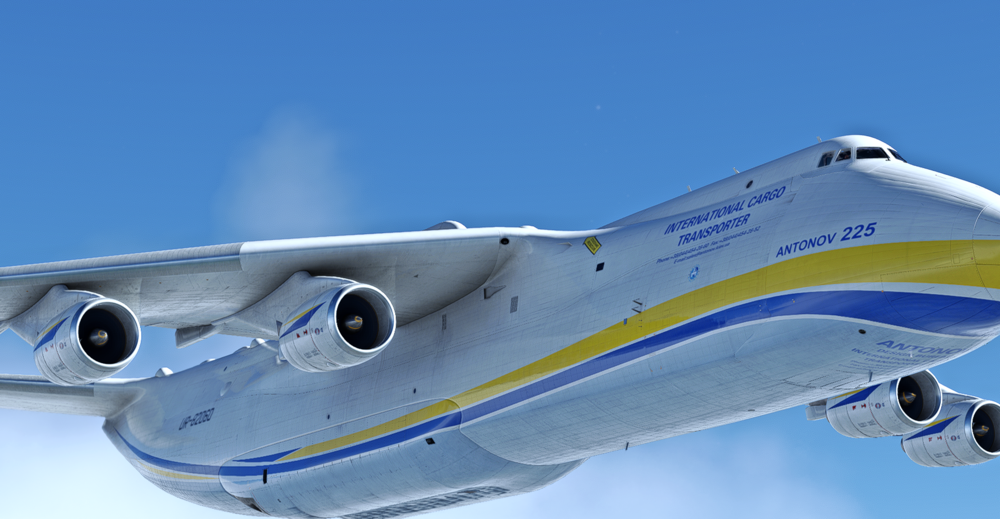
  2. Hello First of all, thank you for an amazing product, secondly, the lines on the an225 is very clear. It might be my msfs settings, and if so, how do i solve it lol
  3. Henningamer replied to Henningamer's topic in Other
    thank you bby xoxo
  4. Henningamer posted a topic in Other
    Hello Small question, is it possible to turn on them lil cockpit fans?
  5. Thank youuuuu. And just a tip, can you give a guide or the current manual is imo lacking info on navaid, aint trained in it so i find the manual and checklist lacking on that area otherwise mega plane
  6. Henningamer posted a topic in Systems
    Is there a speed chart or something to get v1, vr and v2
  7. +1 to the cargo variant.

Account

Navigation

Configure browser push notifications

Chrome (Android)
  1. Tap the lock icon next to the address bar.
  2. Tap Permissions → Notifications.
  3. Adjust your preference.
Chrome (Desktop)
  1. Click the padlock icon in the address bar.
  2. Select Site settings.
  3. Find Notifications and adjust your preference.