Alan Fernandes
Member
-
Joined
-
Last visited
Everything posted by Alan Fernandes
-
Good afternoon! I've just purchased the A340. A really nice and complex product. I'm using an Xbox Series X to sim. I've done two long-haul flights: PANC > ENSB and SAWH > FACT. No issues at all, no screen blackouts, everything working flawlessly. However, I've noticed the aircraft could use some better optimization for the console. At any airport where I start with the A340, I see the ground textures simply lose sharpness almost as if the console's memory is running out and the Xbox is entering some kind of "possible emergency mode" to keep the sim from crashing. To be sure, I ran other tests with much lighter aircraft, and this doesn't happen at all. External textures aren't affected. I fully understand that the console is limited and has less memory, but if it's available on the Marketplace, it should run as well as possible. That said, here's my question: Could you give a bit more attention to overall aircraft optimization? Maybe an option to not load the passenger cabin, lighter textures, or something in the code itself that could help improve overall sim performance. I've seen a lot of people bashing the aircraft with WASM issues and whatnot, but surprisingly I've had none of that on long flights even when using complex FMGS features like OFFSET, ABEAM, etc. Please, in a future update, give the console a bit more love when it comes to overall product optimization. It's such a bummer to see such a beautiful aircraft against a blurry, undefined ground. Other than that, congrats on the product. I got it as a Father's Day gift from my daughter!
-
Hi. Would it be possible to automatically populate the wind data (fix by fix) in the FMC when requesting the flight plan directly from SimBrief? It's really tedious to do this manually, especially if the flight plan is long. Tks. Alan / From Brazil
-
I'm referring to the fix-by-fix winds along the route...
-
Customer support has been absolutely terrible lately. I waited weeks just to get a response. They released the A350 and completely forgot about the other products.
-
In version 1.1.5, the automatic upload of winds (fix by fix) via SimBrief is no longer possible. Instead, all fixes receive the same wind data. This negatively impacts fuel consumption calculations, especially on long flights.
-
-
-
-
I just want to understand why the FMC isn’t updating the winds for all waypoints in the flight plan, even after pressing "REQUEST WINDS." Is there an issue? I’ve been waiting for days without a response!
-
-
No WINDS from Simbrief...
-
-
-
After the latest update, I can’t find the feature that inserts SimBrief route winds into the FMC. Where is it? Att. Alan
-
Hi. Can we expect the implementation of the OFFSET feature in the FMC of the A300-600 in a future update? Tks. Alan / From Brazil
-
-
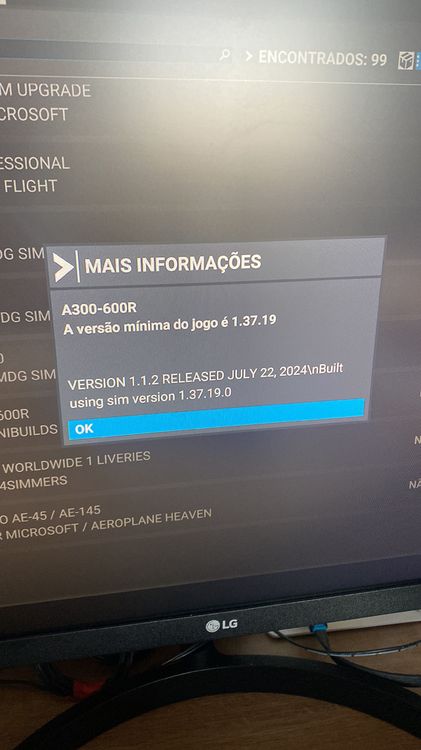
Hi all. When will the latest update for the A300-600 be available on the Marketplace? (Actually 1.1.2) Alan / Brazil
-
Yes, I also noticed this problem: It doesn’t import the wind data. I didn’t see any updates to this data in the FMC. I hope this gets resolved because it’s an EXCELLENT feature. Tks!
-
?
-
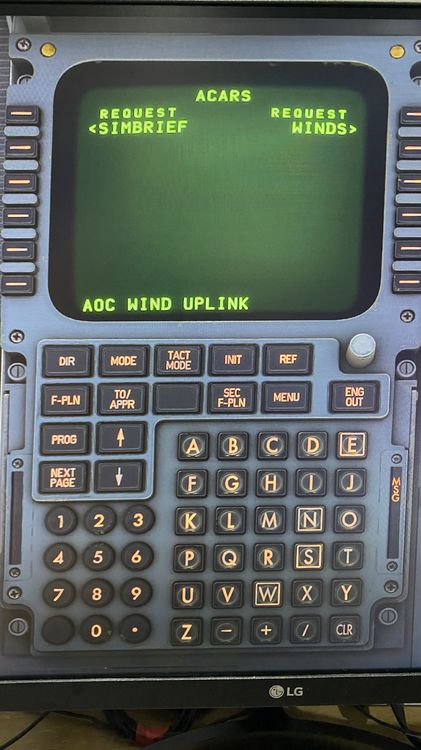
Hi guys! REQUEST WINDS. What would be the function? Because I didn't see any wind updates for each fix in the FMC. Is this functional?
-
Availble NOW!
-
Hi guys. When will the latest version be available for XBOX users? Tks!
-
Hi! Could you include the Navgraph SimLink in the next update so we can track the flight on a tablet or external PC? Thank you!
-
Are these wind and temperature data modeled? Do they interfere with performance, fuel consumption, and FMC calculations, or are they merely illustrative?
-
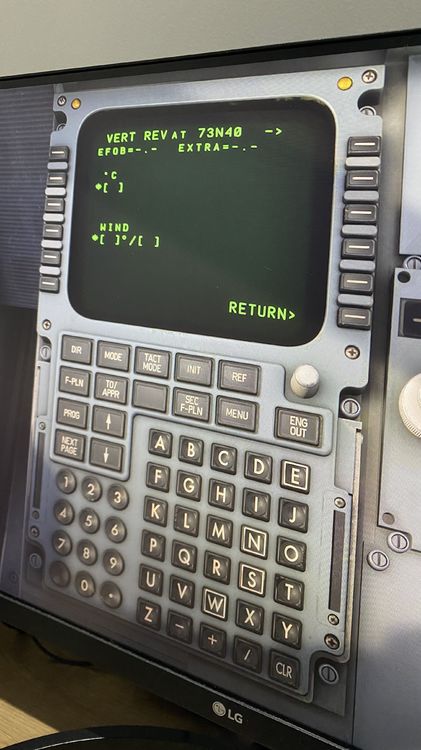
Still about winds: In VERT REV, what is the required temperature (Celsius) at 73N40? OAT, TAT, SAT?