



Skip to content
View in the app

A better way to browse. Learn more.

iniBuilds Forum

A full-screen app on your home screen with push notifications, badges and more.

To install this app on iOS and iPadOS
  1. Tap the Share icon in Safari
  2. Scroll the menu and tap Add to Home Screen.
  3. Tap Add in the top-right corner.
To install this app on Android
  1. Tap the 3-dot menu (⋮) in the top-right corner of the browser.
  2. Tap Add to Home screen or Install app.
  3. Confirm by tapping Install.

James Minton

Member
  • Joined

  • Last visited

Everything posted by James Minton

  1. James Minton replied to Ehmjo's topic in Other
    You use the normal ATC panel like any other plane. You have to enable mic and receiving thing though for it to work.
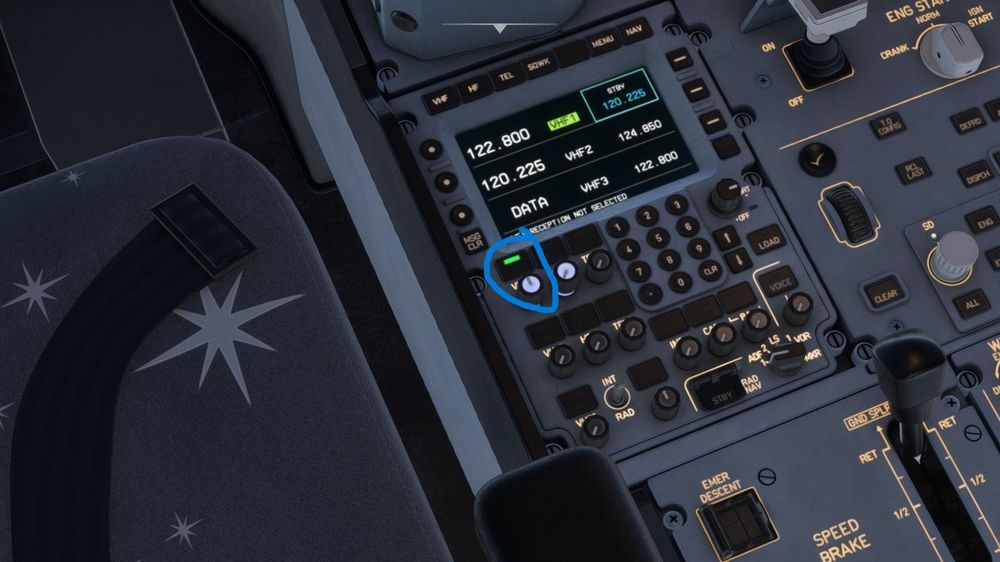
  2. Never mind I realized I needed to turn on the mic and receiver thing on the radio panel. Now it's working good
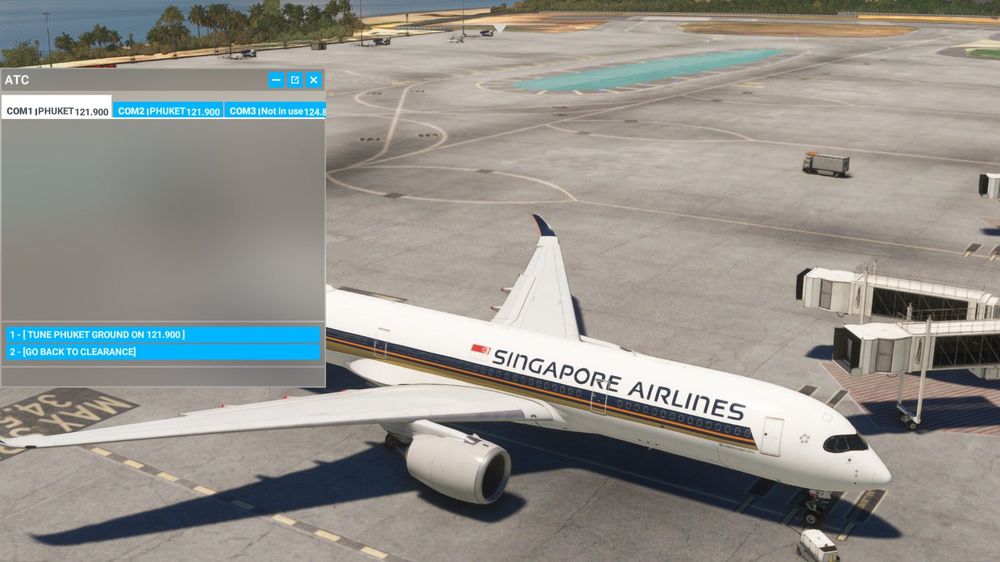
  3. When I went to the atc panel to try and connect the jetbridge to the plane as I do on other airliners. There's no option to connect the jetbridge or anything else even. It works well on the 787 and other planes though in msfs 2020.
Account

Navigation

Configure browser push notifications

Chrome (Android)
  1. Tap the lock icon next to the address bar.
  2. Tap Permissions → Notifications.
  3. Adjust your preference.
Chrome (Desktop)
  1. Click the padlock icon in the address bar.
  2. Select Site settings.
  3. Find Notifications and adjust your preference.