Skip to content
View in the app

A better way to browse. Learn more.

iniBuilds Forum

A full-screen app on your home screen with push notifications, badges and more.

To install this app on iOS and iPadOS
  1. Tap the Share icon in Safari
  2. Scroll the menu and tap Add to Home Screen.
  3. Tap Add in the top-right corner.
To install this app on Android
  1. Tap the 3-dot menu (⋮) in the top-right corner of the browser.
  2. Tap Add to Home screen or Install app.
  3. Confirm by tapping Install.

starefly

Member
  • Joined

  • Last visited

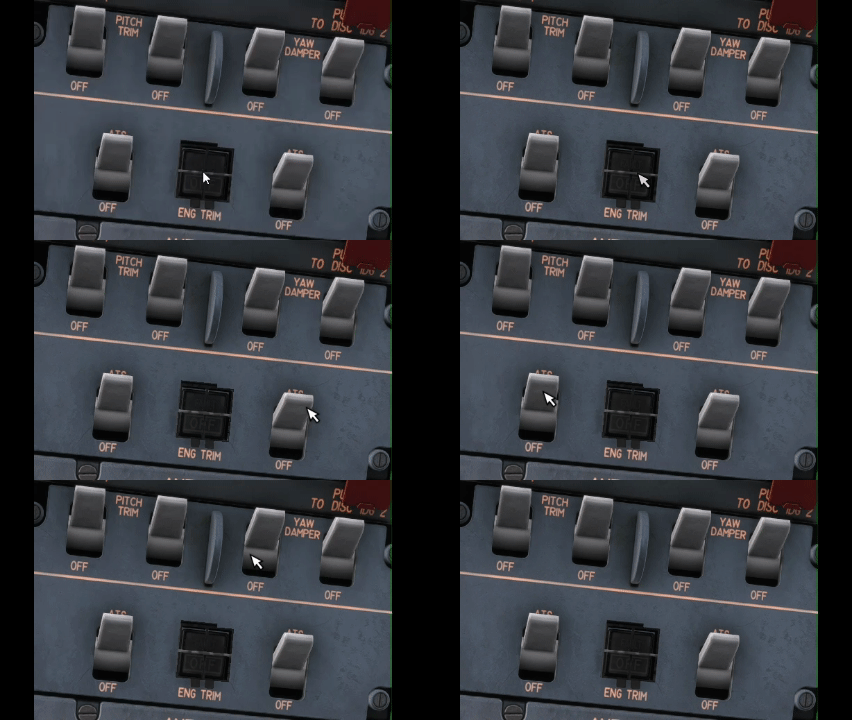
  1. Hello, Since last MSFS2024 update I have some difficulties to click on buttons and more specifically on overhead. I need to move the cam angle and zoom to be able to get the blue focus/highlight to be able to click and move the button/switch. It took me around 5min to be able to select pitch trim and yaw damper, that's annoying... Anybody else facing same issue ?
  2. Hello folks, Any chance to get this Air France C-FTNA livery which was an AF leased Aircraft from Air Transat between 89 to 91 Thanks 😁🙏
  3. starefly replied to starefly's topic in Sounds
    Ok finally figured out the issue , it needs a mouse right click on mic button to pop it out !🤪 Thanks !
  4. starefly replied to starefly's topic in Sounds
    I have it setup as such
  5. starefly posted a topic in Sounds
    Hello, I saw that with update v1.1.3 ATC sound issue should have been resolved but I'm still not able to hear ATC with VHF1 selected & volume to max. Are you facing the same issue ? Thanks, Marc
  6. Hello, Is there a way to remove IDC option and revert to analog panel ? Thanks, Marc
  7. Final found the issue (>L:INI_MCU_LAND_LIGHT) instead of (L:INI_MCU_LAND_LIGHT) interfering with light
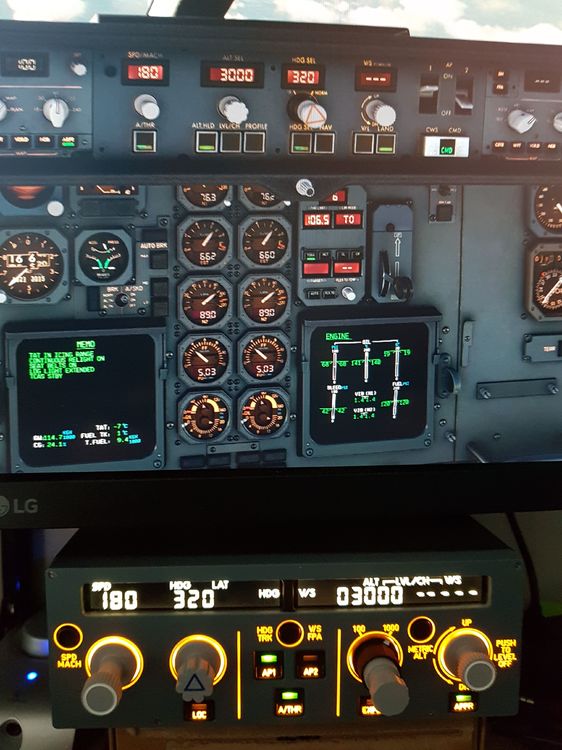
  8. If you do an ANN light test, light is showing up but not while in LAND mode Single or DUAL ; Even the LVAR (>L:INI_MCU_LAND_LIGHT, Bool) stays at 0, I guess something is missing there...
  9. Hello, While selecting LAND mode, no green light is showing up on the button whereas mode is correctly armed on FMA, does anybody else experience that ? Having similar issue with the A310 by the way... Thanks

Account

Navigation

Configure browser push notifications

Chrome (Android)
  1. Tap the lock icon next to the address bar.
  2. Tap Permissions → Notifications.
  3. Adjust your preference.
Chrome (Desktop)
  1. Click the padlock icon in the address bar.
  2. Select Site settings.
  3. Find Notifications and adjust your preference.