




Skycowboy
Member
-
Joined
-
Last visited
-
I noticed the same Problem. Yesterday I updated the SimAppPro to Version 1.16.88 and proceeded with Firmware- Updates for MCDU-Cpt (v1.04), MCDU-Co (v1.04) and btw.ECAM (v1.01). After loading MSFS2024 and iniBuilds A340-300 respectively restart SimAppPro all was working fine, that means : FCU, EFIS 2x, MCDU (2x), ECAM and AGP.
-
@Der Michel That would be great!
-
Hi, if I pop out e.g. the PFD with AltGr+left mouse click I get not the PFD only, but more screens in summery (please see sceenshot in the attachment). I think it's strange. Normally I know it, that I was able to pop out each instrument with AltGr+left mouse separately in order to shift it to my 10'' monitor. Maybe I overlooked something.
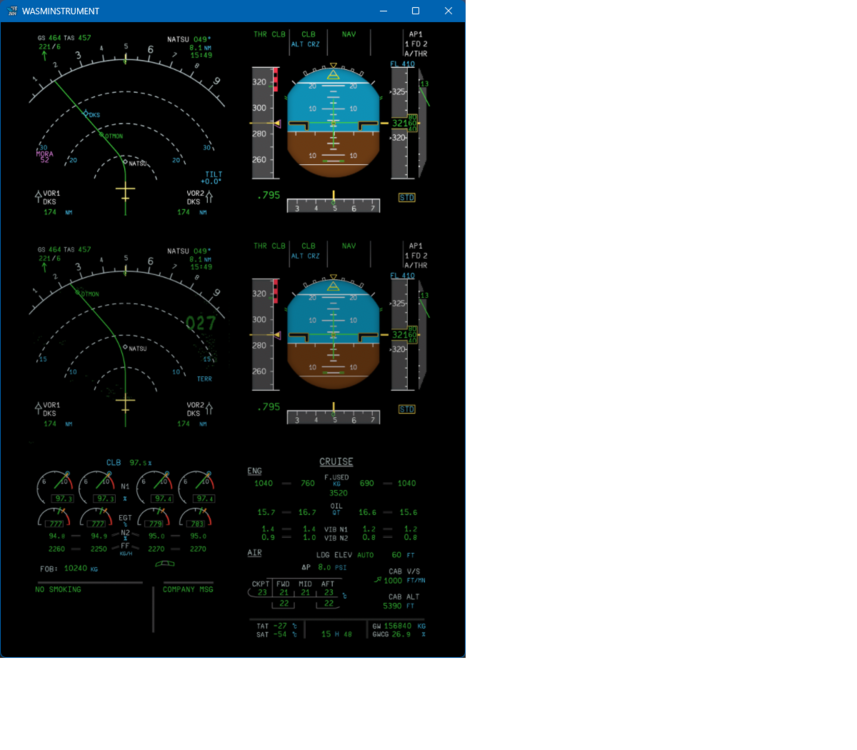
-
Hi, did you go to the MSFS menu above or which menu?
-
The same to me. It happened at GND in EDDH cold&dark, maybe after I activated Simbrief-ID respectively Navigraph. Several times the same. After deleting WASM I was able to enter the cockpit again, but to finish MSFS2024 in the normal way it's not possible anymore, only by task manager. I tried to activate Simbrief/Navigraph again, but freeze after that. No SU1 Beta installed - I know... It's a pitty! Rolf
-
Skycowboy changed their profile photo
-
I found it! There is a little button at the TCAS/ATC panel, named RNG. Here it is possible to change the TCAS range between 6 and 12nm.
-
Are there a possibility to change the range from the CPT (FO) TCAS? - it's 6nm always. It's integrated in the V/S-indicator below the altimeter.
-
Sorry, problem solved. Obviousely I didn't set one value not in INIT page! Regards
-
Hi, I'm missing FMC intersection Data (SPD/ALT or FL) after last SID intersection (please, see attachment). That happens with every F-PLN and there is no difference if I use A300-600R or A300-600F. I create F-PLNs via Simbrief and download it via SimbriefDownloader. I deleted via Navigraph Hub the base package (AIRAC Cycle 2313 rev.1) and installed it new, but the problem it's the same. But, if I make during my flight a direct (DIR) to next or another intersection all missing Data appear and it's oK. This behaviour shows up every flight and every new F-PLN. With other Aicrafts e.g. PMDG 737-800 or Fenix A320 I have no such problems. Any help is very welcome! Regards Rolf


