




DaveRuk
Member
-
Joined
-
Last visited
Everything posted by DaveRuk
-
I think I've sorted the VDGS out, deciding to take the easy option of uninstall/reinstall. I used the Option to add the "Lite" GSX profile and the VDGS display now looks normal. Still unclear about whether the Noolaero folder can/should stay or not if using GSX Pro, so I renamed it. Regarding performance, it's still not great for me. I know EGLL is heavy so perhaps I need to reduce some in-sim settings as well as those selected via IniManager, but any tips would be welcomed as EGLL is a regular for me.
-
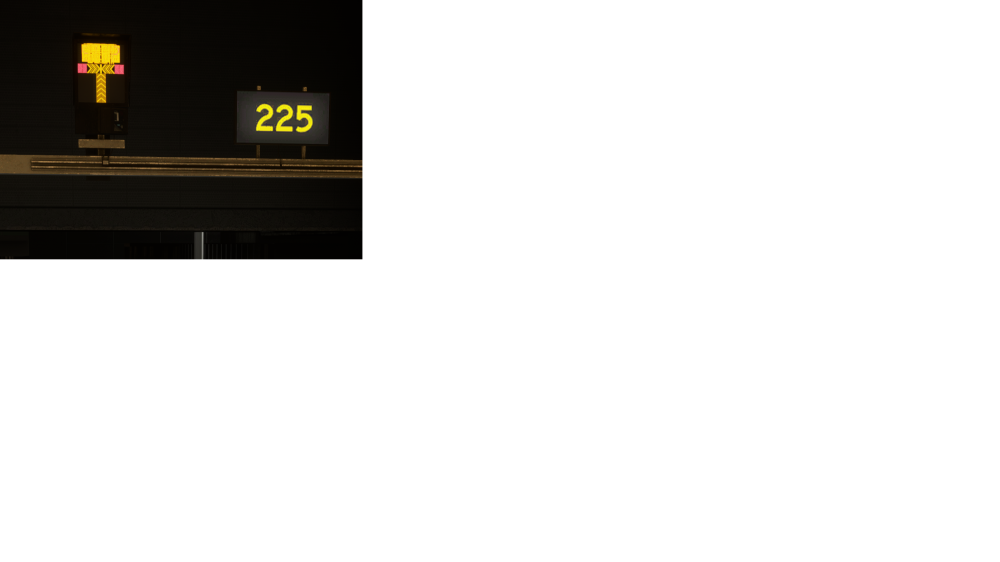
I've noticed a couple of issues lately and would ask for suggestions I can try. First is I've noticed performance at EGLL is not great, and I'm sure it wasn't as stuttery as I'm seeing, admittedly it's mostly in the VC (PMDG 737) but also noticeable on final. I have already disabled some of the heavy hitters via config options but wonder if a reinstall may be an idea, unless there's something else I can learn/try. BTW I'm running 9800x3D, 5080, 64GB RAM The other is VDGS. I do use GSX Pro, but today noticed as aircraft turned to line up for gate that the display had no detail (see pic) and wondered what that was about. I thought there used to be an option to disable any inbuilt VDGS per airport, but may be mistaken. I've seen some discussion suggesting removal of .....\Microsoft Flight Simulator\Community\inibuilds-airport-egll-heathrow\SimObjects\Landmarks\noolaero VDGS EGLL\model.vdgs but thought I'd ask here first. Once more if a reinstall is the answer I'm fine with that but if there are other things to know, that's cool too. Cheers d
-
Coincidentally a video just showed in one of my social feeds which seems to be the answer - windmilling. I've never heard the term before, though I knew fans could spin freely in the breeze, but the noise is something I haven't experienced IRL. So I've learnt something new today, and if correct, well done iniBuilds, as I don't think any other aircraft I've had show this effect.
-
I've had a look around other user videos etc but not come across this type of sound before. This is on the PW variant on initial start from APU bleed, URL follows: A300 PW start I think the sound is fairly obvious here, sort of clanking/chuffing noise. Does this sound correct or do I have an issue perhaps? If there's an issue rooted in an install issue, I can't help but wonder if other things may be affected too. So I guess the questions are: -Is that normal? -If not. is there something in startup I've overlooked or done incorrectly? -If it doesn't sound right, can I do anything to fix it? MSFS and A300 are up to date. Video was made with no Community addons, and airport is non 3rd party. Any thoughts welcomed. Dave
-
Quick update, I followed the suggested steps and the update seems to have completed ok. I'd also mention that iniManager is not showing "Update Available" either, so hopefully it's all good!
-
Thanks for the guidance, it's much appreciated. I just went to iniManager and even though the original folder is still in \Community... iniManager thinks EGLL is not installed at all - i.e. there is no Update option showing now, though it was there last time I looked. I'll try the Install from iniManager as it's the only option, then check folders and delete the "old" [inibuilds-airport-egll-london] structure, and see how it goes. I'll update with the outcome!
-
I may be having a bad day, but I'm unsure about the best approach to updating EGLL to v3.1.0 and suspect others may be in the same boat. I see the note about folder naming, which is fine, but iniManager offers options for both Update and Uninstall. To ensure all goes well is it better to... -Uninstall, then ensure the old folder structure is deleted manually - then install completely from scratch? -Or...should we be deleting the old folder manually first, then using the Update option to finish the job?
-
I did the same thing yesterday, thinking I'd revisit the 310 before committing to the 300. CTDs, safe mode etc, then somehow I finally got it running but had black displays etc despite being take-off ready. Only change I'd made recently was Airac updates so I was scratching my head. Started digging around and amongst other discussions found this one, helping confirm I've not fully lost my mind. Today I tried the date workaround and the 310 loaded fine.


