




SKEWR
Member
-
Joined
-
Last visited
Everything posted by SKEWR
-
Yes sir. I did that with the A350 black and white livery.
-
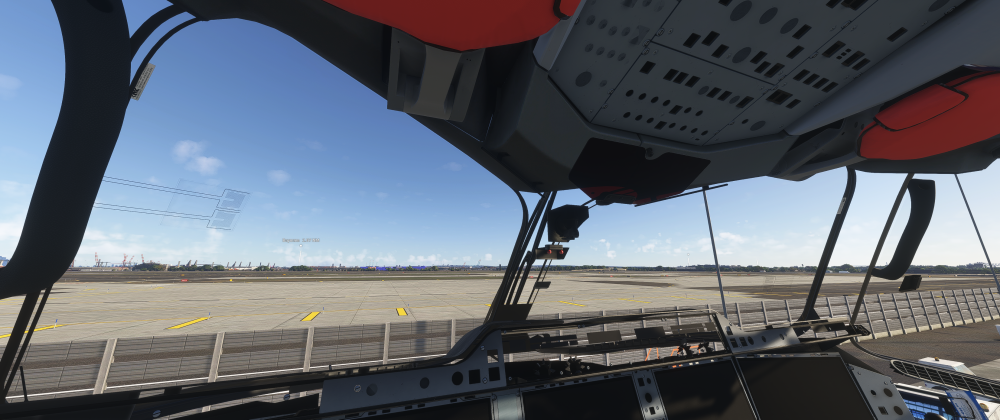
Hello I updated to the 1.2.8 build and I have no switches, the cockpit doesn't load all the way and it is totally unflyable. Before the update the plane was working fine. Here is a picture of what I'm referencing. This is the default livery of the iniBuilds A350-900. I'm open to suggestions as I would like to fly this weekend if possible. Thank you!
-
Just to chime in: I am also experiencing this issue. Thankfully the plane comes with its own loading and own pushback until the problem is sorted. Edit: The manual GSX profile download fixed this issue for me.
-
-
Hello; I have the current version of the A350 (v1.2). I'm on PC using MSFS2024. I have an current Navigraph subscription and have updated all addons to the latest cycle. My problem is I am seeing the March-April AIRAC data. I've tried to reset the data in the OIS and redownload and neither has worked. Any suggestions? Thanks.


