




aniiran
Member
-
Joined
-
Last visited
-
I figured it out. Go into the CB page on the top right on the SYN STATUS/DOOR/AIR/FUEL/HYD/ etc. page. Click on CB and change the dropdowns to In. That will clear the messages.
-
Everything is fixed with V1.1.1. Thank You Jamir.
-
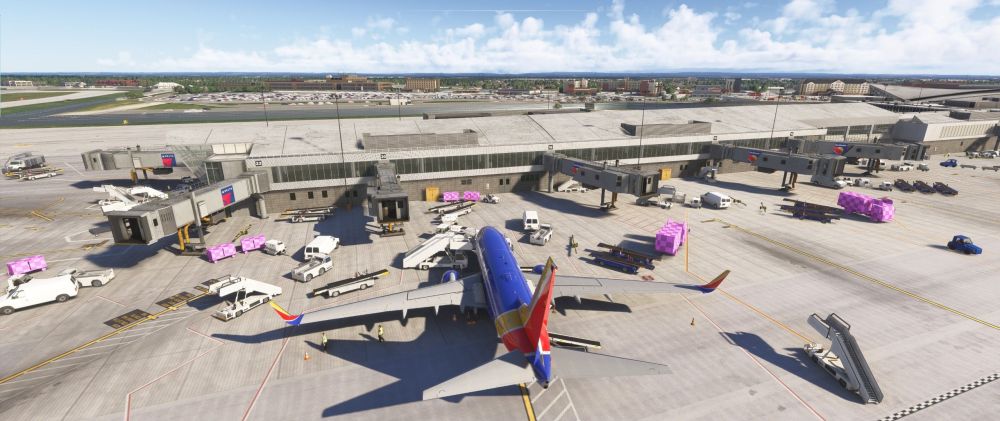
I just bought this during the Sale for 10 dollars on the MSFS 2024 Marketplace. I should have realized something is wrong for the price. When I spawn in at KBUF I get pink missing texture tiles on trucks and baggage carts. After doing a little digging it appears the MSFS 2024 Marketpace version is Deprecated. It's version 1.0.3 and shows it was made for MSFS2020. I see that in the Inibuilds manager the newest version is 1.1.1. I don't want to buy this again. It should just work. Is there a way to fix the missing textures? Or is there a way to get a discount on the v 1.1.1 at Inibuilds. I assume inibuilds is making no plans to update the depricated version on the marketplace, so I just wasted 10 dollars. In that case, can you at least have it removed so no one buys a deprecated version. Regards, Andrew
-
Disregard, Make sure your Sim Market App settings are correct. If the Community Folder location is different than normal you have to re-locate it or the product will not install. I miss the days when we could just simply tell the folder where to go. I use addon linker due to only having a 1TB SSD. So I have everything installing there so as not to take up valuable HD space.
-
According to Sim Market the product is being "auto-installed via a proprietary script to the Community folder" But. IT IS NOT. There are no new files in the community folder and annoyingly I can't manually install this. Need some help here. I went to SimMarket because as per usual the iniBuilds store was malfunctioning.
-
Generally, the airlines like Southwest, Delta, and some of TBIT use the north runways for departure. American, Alaska, JetBlue, Spirit, United etc use the South runways. Tbit seems to be split down the middle but generally airlines use the closest runway TBIT is not quite as important. I fly mostly Southwest flights, and for some reason they refuse to taxi to 24L they go all the way around TBIT and go to 25R to take off.
-
I noticed that the Southwest and Delta jets taxi all the way over to the 25s for takeoff every time and the United, Alaska , and American Jets always taxi to the 24s. Why is this happening? Has anyone noticed the same. I expect my line to the 24s to have other Southwest jets Delta and Heavys from TBIT but with this AFCAD it's all American, Alaska and United. Very strange. Anyway to fix this?


