




cwa45
Member
-
Joined
-
Last visited
-
check flightsimto, it could've been made by a third party artist by now
-
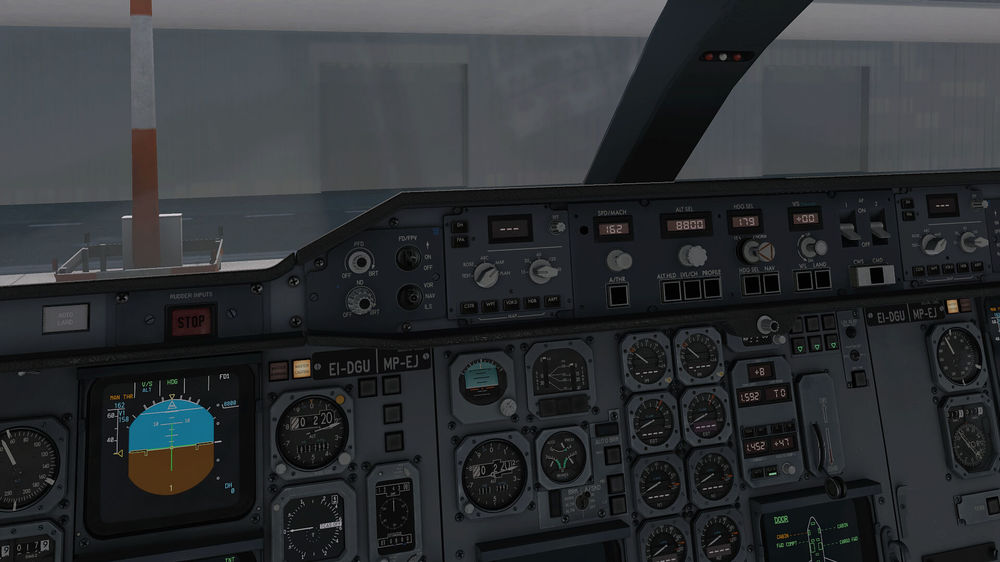
Thanks for the amazing a300, a few things I noticed that you could add later on. in the msfs a300, the standby gyro is not the standard one that came with the a300, rather it is an aftermarket added by ups. I say that because I looked around and ups was the only carrier that used that type. However ups retrofitted there entire a300 fleet with the epic avionics package so now I don't think theres any carriers still using that. It would be great if you could add the old standby horizon back into the cockpit, for extra realism. Another thing I noticed was on the the panel where you set your flex temperature, you can see theres no empty bar of space like in the inibuilds a300. (the picture is from x plane but it is still prevalant in the msfs version. Other than that, I have no other critiqes, thanks for the product.

-
They’ve sent a patch to msfs, which should release with su 13
-
cant they make it so painters can block the windows, because making a cargo variant would take a lot of work


