





ben3083
Member
-
Joined
-
Last visited
Everything posted by ben3083
-
-
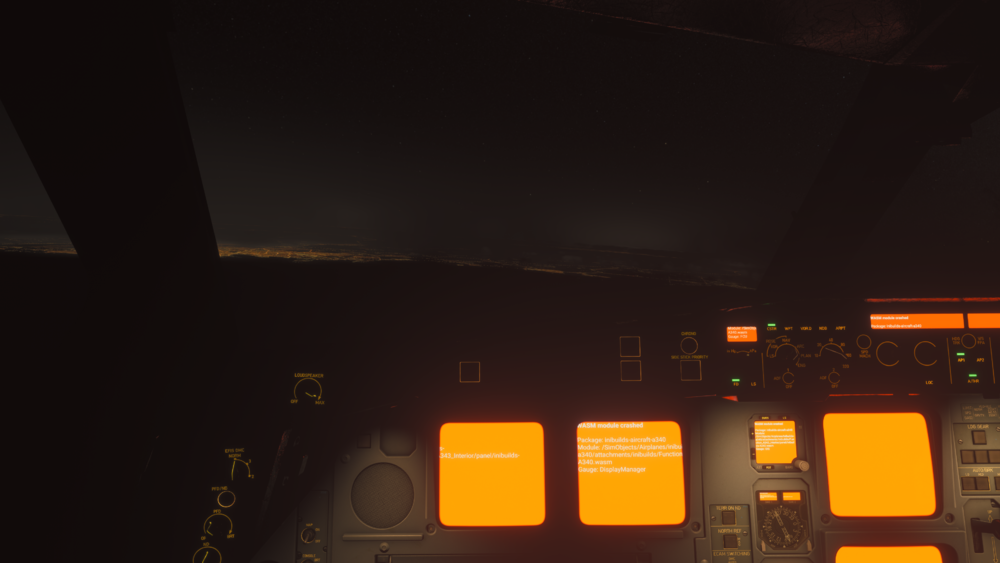
I've just bought and installed the Aircraft, I set it up in the EFB and then did a sim restart. I was flying the VIP version (QTR) from OTHH to OMAA and just as I'd got to cruise I was inputting the arrival and I had the crash. -OTHH/34R F210 KUPRO2E KUPRO N300 KAXOB Q415 UKILI UKILI4C OMAA/31L -DIST 236-
-
That is certainly not the issue. There is no flight controls mapped to my keyboard and if that was the case, the autopilot would disconnect due to side stick=aileron input.
-
Weird issue where the ailerons are deployed slightly in flight with AP on.

-
No unfortunately not. I've tried deleting the WASM folder after updating to V 1.1.8 as advised by support but to no avail. I'm waiting on them getting back to me again.
-
Since updating to V1.1.7 my FMS 2 freezes every time causing FMS 1 to be also unusable. I've reinstalled and cleared the WASM folder to no avail. If I use FMS 2 when I first load in, it's fine, but as soon as I've imported the flight plan, fuel etc from Simbrief and sent over the performance figures, as soon as I click on FMS 2 it freezes causing FMS 1 to freeze also. If I just use FMS 1, it's fine.
-
I'm also experiencing FMS 2 freezing if I try to use it.


