



Skip to content
View in the app

A better way to browse. Learn more.

iniBuilds Forum

A full-screen app on your home screen with push notifications, badges and more.

To install this app on iOS and iPadOS
  1. Tap the Share icon in Safari
  2. Scroll the menu and tap Add to Home Screen.
  3. Tap Add in the top-right corner.
To install this app on Android
  1. Tap the 3-dot menu (⋮) in the top-right corner of the browser.
  2. Tap Add to Home screen or Install app.
  3. Confirm by tapping Install.

Sean_

Member
  • Joined

  • Last visited

Everything posted by Sean_

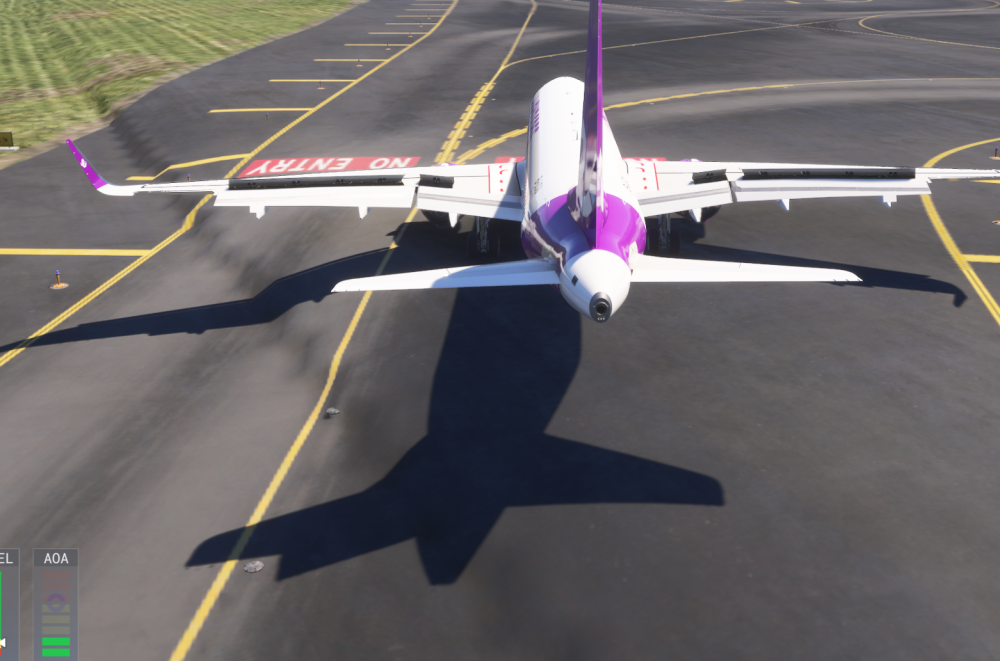
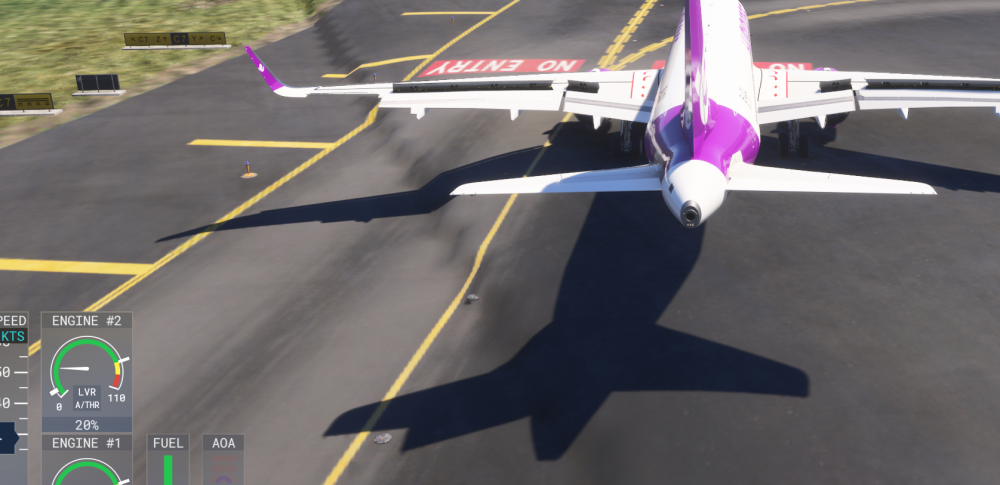
  1. Hey iniBuilds team, Just wanted to drop a quick bug report regarding a terrain issue I found at VHHH. While operating around the north runway, I noticed a weird terrain drop-off/step right next to Runway 07L. There's a sharp elevation gap in the grass area near the touchdown zone/threshold. It's a bit immersion-breaking, and if you drift just a tiny bit off centerline during rollout or takeoff, it looks pretty janky. I’ve attached a couple of screenshots showing the exact spot. Hope this helps get it sorted in the next update. Thanks for the great scenery otherwise! Cheers, [Your Name / Username]
Account

Navigation

Configure browser push notifications

Chrome (Android)
  1. Tap the lock icon next to the address bar.
  2. Tap Permissions → Notifications.
  3. Adjust your preference.
Chrome (Desktop)
  1. Click the padlock icon in the address bar.
  2. Select Site settings.
  3. Find Notifications and adjust your preference.