



Skip to content
View in the app

A better way to browse. Learn more.

iniBuilds Forum

A full-screen app on your home screen with push notifications, badges and more.

To install this app on iOS and iPadOS
  1. Tap the Share icon in Safari
  2. Scroll the menu and tap Add to Home Screen.
  3. Tap Add in the top-right corner.
To install this app on Android
  1. Tap the 3-dot menu (⋮) in the top-right corner of the browser.
  2. Tap Add to Home screen or Install app.
  3. Confirm by tapping Install.

Markito

Member
  • Joined

  • Last visited

Everything posted by Markito

  1. Hello, Thank you so much! That did indeed work. I never thought it would be that simple.😊 Best regards, Marco
  2. Well, thank you so much for (not) clarifying. 😕
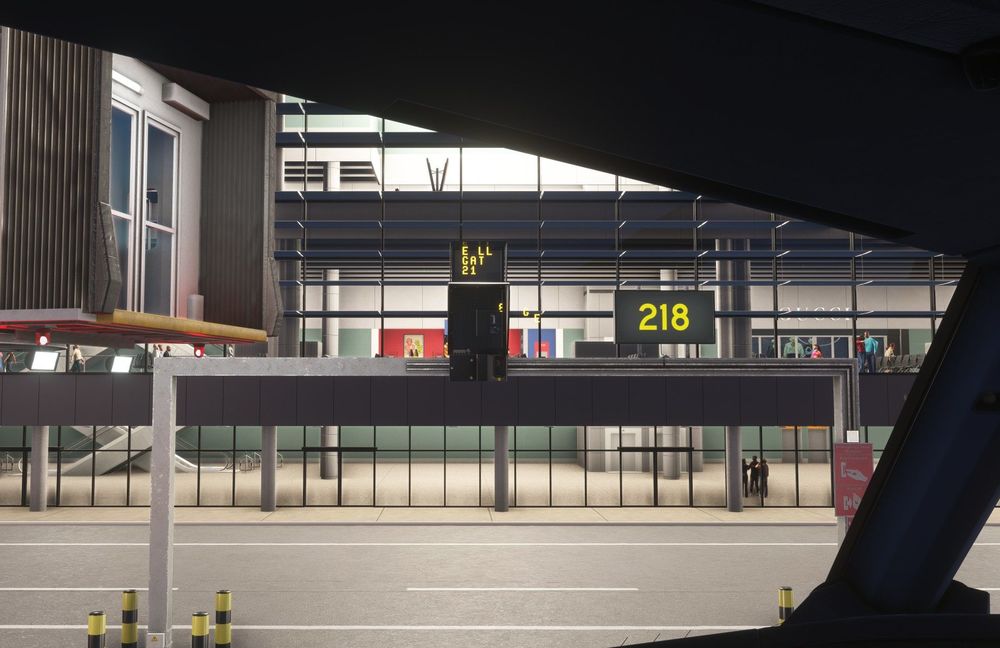
  3. Hello Captains and Members of the Support Team, I saw here a similar topic related to this issue, and I still could not fully understand what I need or do not need to do. Same problem appears in my MSFS2024 EGLL scenery. I downloaded once again the GSX profile files from the iniManager, I have only two EGLL files inside my C:\Users\XXX\AppData\Roaming\Virtuali\GSX\MSFS folder - never had MSFS2020 or the EGLL version 3 - and still the VDGS text is misplaced: Any (other) ideas on how to fix this? Any help and support would be very much appreciated. Best wishes, Marco
Account

Navigation

Configure browser push notifications

Chrome (Android)
  1. Tap the lock icon next to the address bar.
  2. Tap Permissions → Notifications.
  3. Adjust your preference.
Chrome (Desktop)
  1. Click the padlock icon in the address bar.
  2. Select Site settings.
  3. Find Notifications and adjust your preference.