anafly
Member
-
Joined
-
Last visited
Everything posted by anafly
-
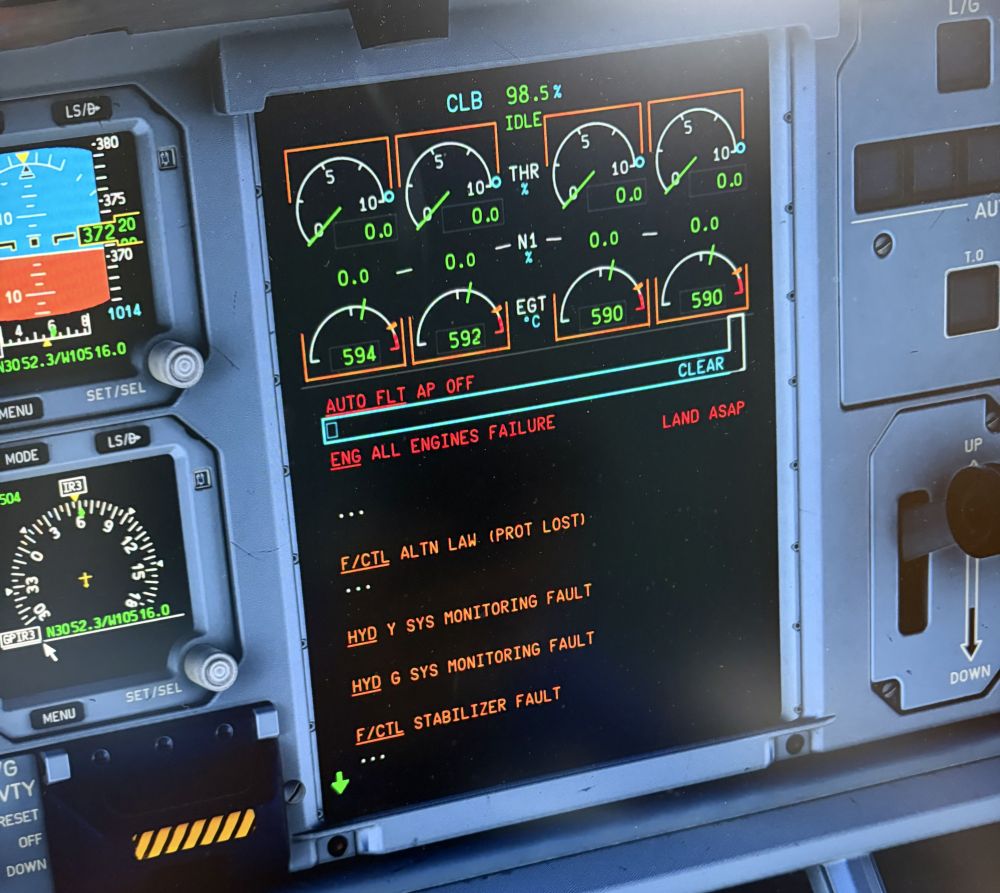
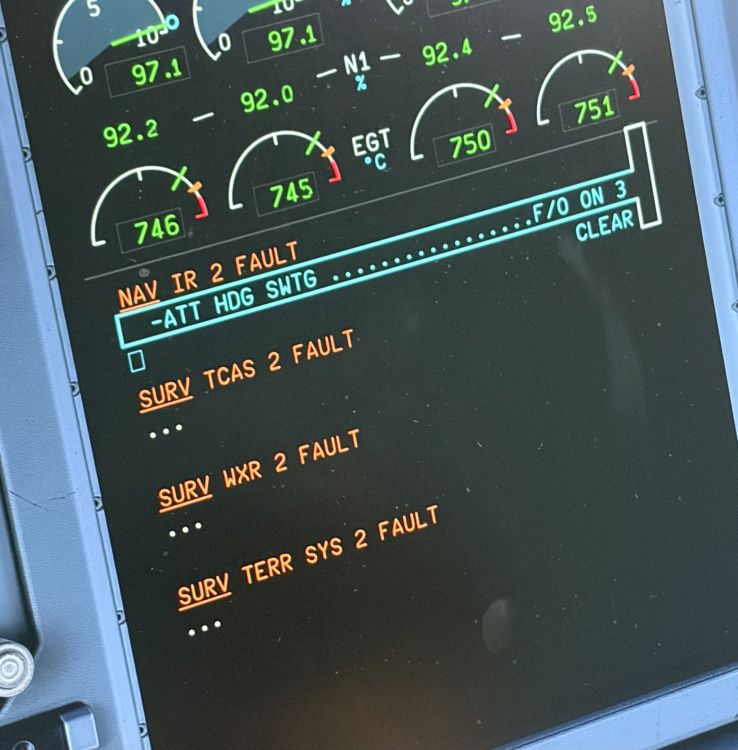
Hello iniBuilds team, I am experiencing a serious and recurring systems issue with the iniBuilds A380 for Microsoft Flight Simulator 2024. During cruise, without any warning or apparent abnormal indication beforehand, the aircraft suddenly reports: ENG ALL ENGINES FAILURE LAND ASAP The aircraft still has sufficient fuel when this occurs, so there does not appear to be a legitimate fuel exhaustion reason for the LAND ASAP warning. The most concerning part is what happens after the failure occurs. After the ENG ALL ENGINES FAILURE / LAND ASAP event, when checking the ECAM and TCAS systems, the entire System 2 appears to be in a FAULT state. The IRS NAV 2 system also becomes inoperative after the failure. When checking the overhead panel, IRS 2 is still correctly set to NAV, but IRS NAV 2 does not function. The selector remains in the NAV position, so there is no change to the selector setting that would explain why the system stops functioning. This makes it appear that IRS 2 is correctly configured to NAV on the overhead panel, but the IRS NAV 2 system itself is no longer functioning properly. The issue therefore does not appear to be limited to the engines. It seems that the failure may also affect the aircraft's System 2, IRS/ADIRS, electrical system, or failure-management logic. The failure can occur unexpectedly during cruise without any obvious preceding event. After the failure occurs, I am able to restart the engines and attempt to recover the aircraft. However, even after successfully restarting the engines and returning to the planned flight route, the same issue occurs again and the engines eventually shut down completely once more. This means that the problem is not limited to a single temporary engine shutdown. Even after restarting the engines and recovering the aircraft back onto the planned route, the same failure can recur and result in another complete engine shutdown. Because the A380 is primarily used for long-haul operations, this issue makes it extremely difficult to operate the aircraft reliably on realistic A380 routes. The aircraft can appear to be operating normally during cruise and then suddenly enter an emergency state with ENG ALL ENGINES FAILURE and LAND ASAP, and the failure can recur even after the engines have been restarted and the aircraft has returned to its planned route. Could you please investigate the following? 1. Why can ENG ALL ENGINES FAILURE occur suddenly during cruise without an apparent preceding failure? 2. Why does LAND ASAP appear even when sufficient fuel remains? 3. Why does the entire System 2 become FAULT after this event? 4. Why does IRS NAV 2 become inoperative even though IRS 2 remains correctly set to NAV on the overhead panel? 5. Why does the same failure recur even after the engines have been restarted and the aircraft has returned to the planned flight route? 6. Is there a known issue with the A380's electrical system, System 2, IRS/ADIRS, or failure-management logic that could cause these symptoms? 7. Is there currently any recommended procedure to recover the aircraft from this state or prevent the problem from occurring? Additional Information - Aircraft version: iniBuilds A380 v1.0.1 - I have already completely uninstalled and reinstalled the aircraft. - All auxiliary functions have been disabled, except for the MSFS turbulence settings. - I have completely removed all mix ratio controls and axis assignments for all flight control devices, including the yoke, joystick/stick, and throttle. - Consequently, no mixing inputs are being sent from any connected flight control devices, so accidental mixing inputs have been ruled out as the cause of this issue. Thank you for investigating this issue.