




Stevenssqueeze
Member
-
Joined
-
Last visited
-
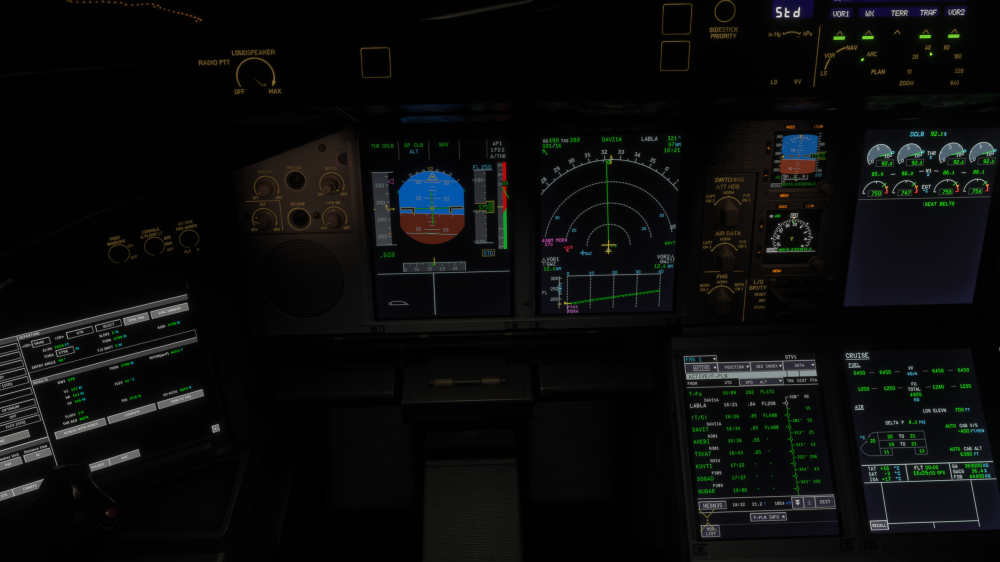
I also have really strange TCAS RA's from time to time which doesn't make sense at all. See screenshot. The traffic is 15 NM away and I get a Resolution advisory! To reproduce it, it is only VATSIM online traffic, all other traffic is switched off in the MSFS 2024 Sim.
-
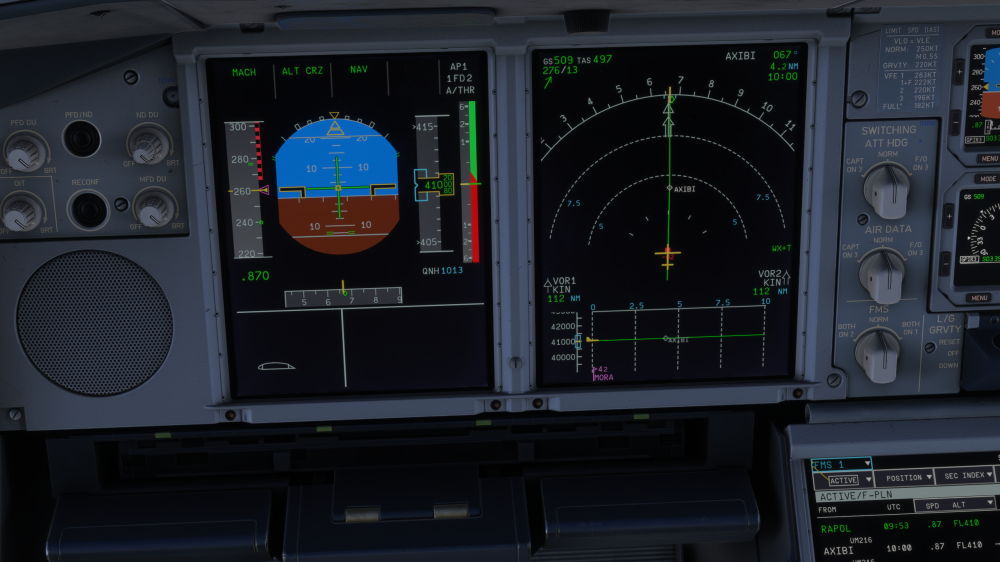
I noticed that TCAS senses altitude wrong. I have traffic 2000ft below me and TCAS shows -200ft. I am in FL410 and the other traffic in FL390. I can clearly see from outside view, that the traffic is 2000 ft below me. Because TCAS shows the traffic 200ft below me, it senses a Resolution Advisory see screenshot. I had it twice today. It seems, that the FL390 will be displayed as FL410. Why I don't know. Please check!
-
So I fly the A340-300 in real life. I can confirm, that this is not correct! They should touch the ground of course! The wheels of the center bogey are touching the ground the same than the wing landing gears. This is a bug and needs to be corrected!
-
The APU makes no sound when on and external view. Is this only on my system or can anybody confirm same behaviour? Thanks!
-
I got it fixed after a reinstallation of the A380.
-
RTO kicking in is very strange, since the Autobrakes functions from 72 kts on. Below that, there is no Autobrake working for RTO. At least this is like it should be. In my issues, the braking started always at about 45 kts and without doing anything, the bird started accelerating again at about 7 kts.
-
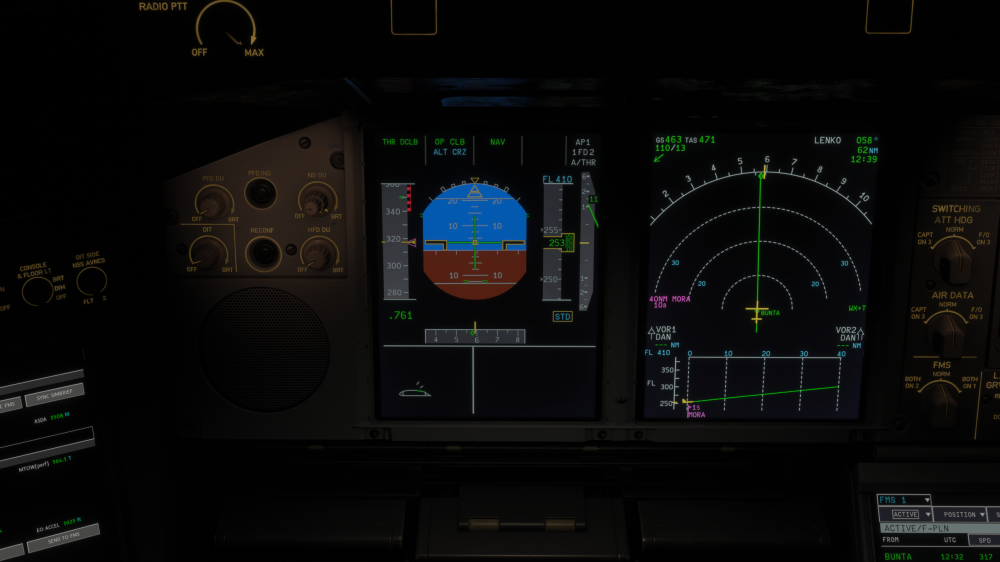
Ok, I just learned that my issue is Autobrake related. I also have this Speedbrake indication coming here and then. But there is no surface deployment, just an indicating issue see screenshot.
-
Do you also have the issue on Takeoff? I don't know if it is the same issue with the speedbrakes, but after setting takeoff thrust, the aircraft accelerates until about 50 kts and then is braking down to about 10 kts. Without doing anything, the plane accelerates thereafter to normal Takeoff power. I will check if the speedbrakes are out during this. I will report.
-
No. Normal default textures. It all worked fine in version 1.0.5.
-
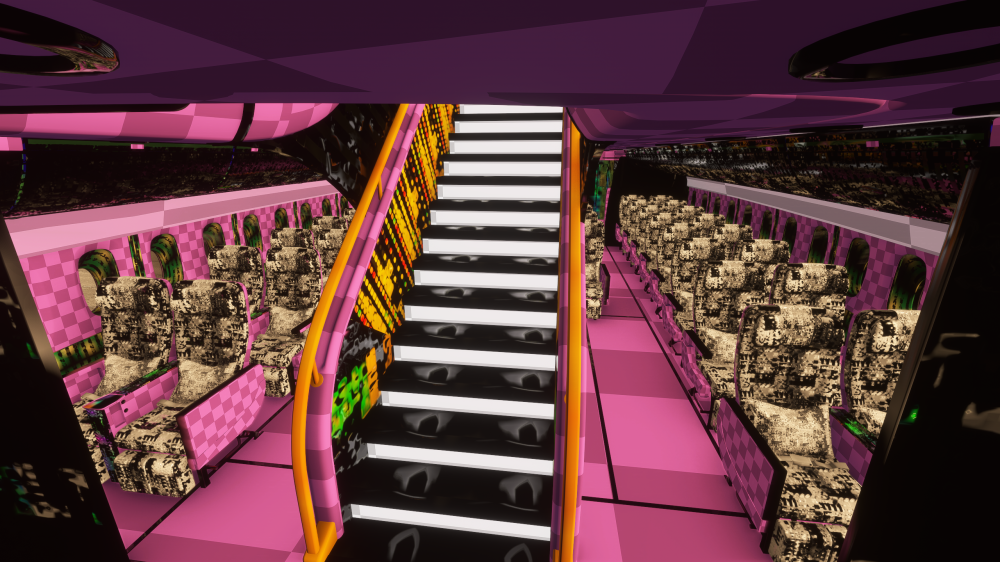
I noticed that all the cabin texures, Emirates and basic, RR and EA are broken see screenshot. Any idea to fix the issue?
-
-
So I played around a lot with Fuel biases, cost index and so on. This inibuilds A380 Fuel performance model is completely wrong. On my last flight, I calculated that I need a fuel bis of M23 (!) to get accurate fuel consumptions to check with Simbrief. On the return flight I used M23 and guess what? It was wrong. This time my A380 only used about M05. But the most weired thing is the cost index. When I fly with CI 20, I have an EFOB of 10 tons. With CI 50 I have an EFOB of 13 tons and with CI 100 of 17 tons! So this a great aircraft, really good modeled by inibuilds. But until this fuel consumption issue is solved and corrected, I will step out. Long haul flights do need at least close to accurate fuel performance dates. I hope, you will find a solution soon!
-
What do you mean adresses this issue?
-
I checked the MSFS 2024 with other addon aircraft and I come to the conclusion, that this fuel consumption problem is indeed a problem of the A380! Other aircraft have absulute accurate fuel consumption values, close to hundreds of kg. So it is not related to a possible drag problem or bug in the MSFS 2024. So please open the ticket again, this is serious matter. Thank you!
-
This would be very bad news. It would mean, that we have to wait until Asobo changes something in MSFS 2024. Thanks Kyle for the information. I never thought it could be MSFS related.


