Willux16
Member
-
Joined
-
Last visited
Everything posted by Willux16
-
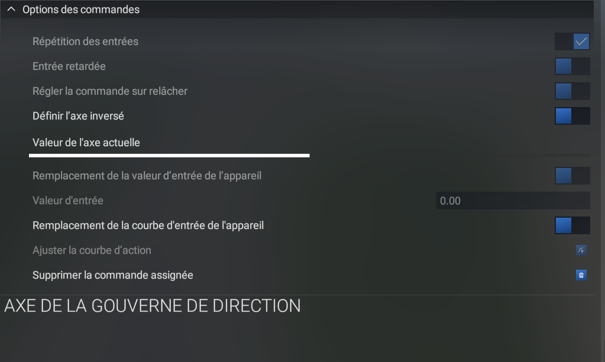
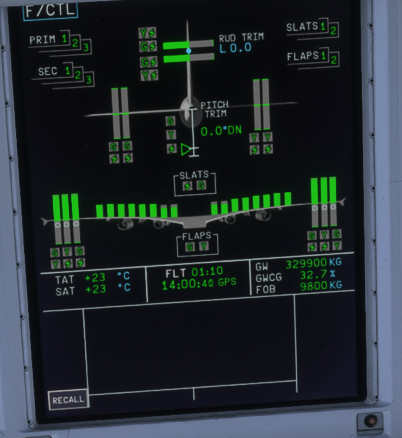
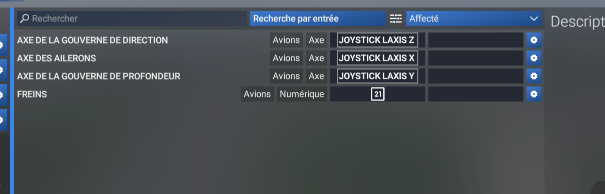
Hi, I’m having a problem with the iniBuilds A380. I think the problem may occur during the landing phase. I haven't been able to reproduce it consistently during other phases of flight, but it seems to happen when I am approaching and landing the aircraft. During landing, the rudder can become fully deflected to the right, making the aircraft very difficult to control and making the landing impossible to perform normally. The aircraft becomes unstable and I have had to go around, including doing a 360° to try to stabilize the situation. I am using a WinCtrl Ursa Minor joystick. I have checked my controls: Rudder axis: JOYSTICK L AXIS Z With the joystick centered, MSFS shows 0.00 input. I tested the rudder fully left and right, and the axis correctly returns to 0.00 when released. I am not using any additional software for the rudder. The problem does not occur with my other aircraft. On the A380 F/CTL page, RUD TRIM is 0.0. I also noticed that when I make a rudder input, the aircraft initially responds to it, but after about one second the rudder can return to neutral. When I release the rudder input, it can then move in the opposite direction. The issue therefore seems to be specific to the iniBuilds A380, and I suspect it may be related to the flight-control system rather than my joystick. Has anyone experienced the same issue with the A380? Thanks.