Bonobo
Member
-
Joined
-
Last visited
-
Hi, I've noticed that the windmill start doesn't work; if you try to restart an engine in flight—even at 300 knots—the windmill start fails: the button lights up to indicate "ON," but nothing happens. In the external view, the fan remains completely stationary regardless of speed. Have you encountered anything similar?
-
Hi, I keep having issues with the landing spoilers and the hydraulic system. I’ve noticed that when I land and engage the thrust reversers, hydraulic circuit A (or sometimes circuits A, B, and C) loses pressure, causing the spoilers to retract; this happens while the flight engineer's auto-checklist is running, without the PTU or electric pumps kicking in. Has anyone else experienced something similar?
-
Hi, I keep having issues with the landing spoilers and the hydraulic system. I’ve noticed that when I land and engage the thrust reversers, hydraulic circuit A (or sometimes circuits A, B, and C) loses pressure, causing the spoilers to retract; this happens while the flight engineer's auto-checklist is running, without the PTU or electric pumps kicking in. Has anyone else experienced something similar?
-
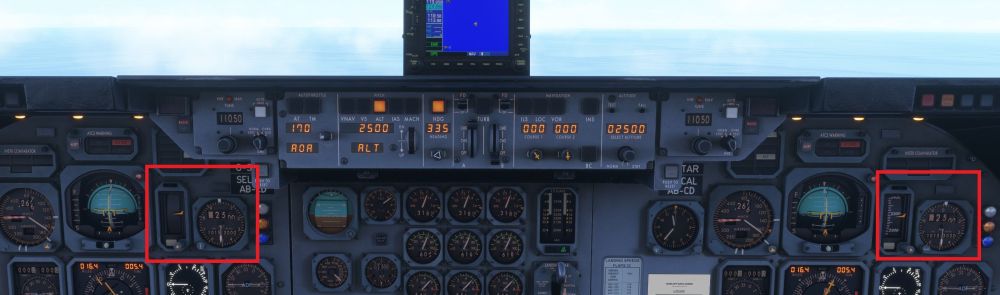
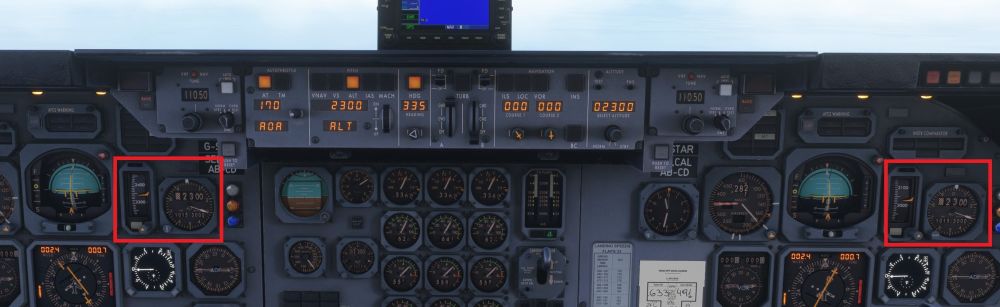
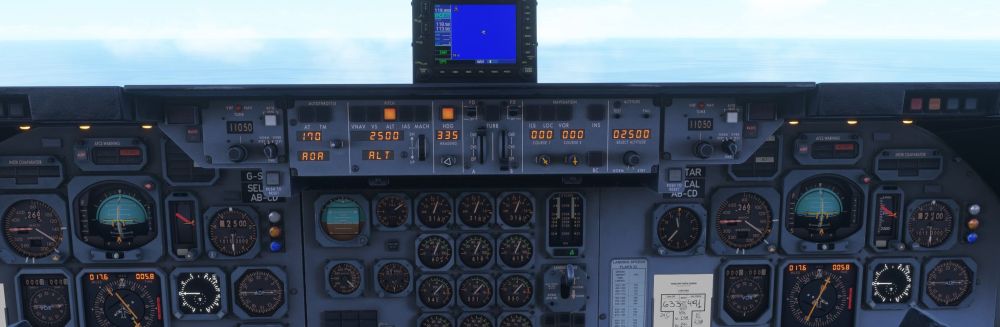
The two radio altimeters are displaying the same value; the co-pilot's unit is unsynchronized, and the captain's unit is not synchronized with the altitude corrected for QNH. I noticed that pulling the co-pilot's radio altimeter fuse (NAV No. 2) causes the red flag to appear on both radio altimeters. Conversely, the captain's radio altimeter fuse (NAV No. 1) does not work; furthermore, if both fuses are pulled, the flag appears, yet the radio altimeter continues to operate.