



Skip to content
View in the app

A better way to browse. Learn more.

iniBuilds Forum

A full-screen app on your home screen with push notifications, badges and more.

To install this app on iOS and iPadOS
  1. Tap the Share icon in Safari
  2. Scroll the menu and tap Add to Home Screen.
  3. Tap Add in the top-right corner.
To install this app on Android
  1. Tap the 3-dot menu (⋮) in the top-right corner of the browser.
  2. Tap Add to Home screen or Install app.
  3. Confirm by tapping Install.

fstewart

Member
  • Joined

  • Last visited

  1. Thanks for to the team at iniBuilds for leading me to the instructional link. I was previously trying to use the aircraft’s own EFB and GSX to dock the jet bridges and that didn’t work. now that I am using it properly I am having the same issue as some of the folks above. GSX states firstly that the jet bridge is too far and I won’t see passengers boarding, then it just unilaterally sends stairs.
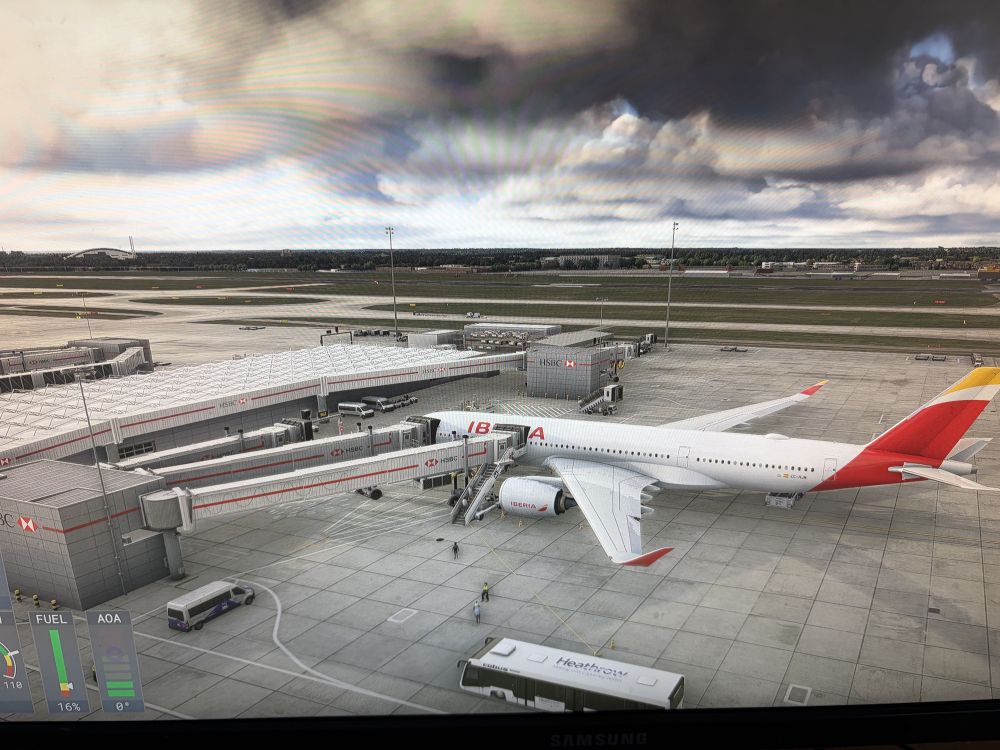
  2. Hi, I also have this issue, no jetways move at any gate on any aircraft. I have restarted Couatl and ensured there is no conflicting scenery but still no improvement unfortunately. Many thanks.

Account

Navigation

Configure browser push notifications

Chrome (Android)
  1. Tap the lock icon next to the address bar.
  2. Tap Permissions → Notifications.
  3. Adjust your preference.
Chrome (Desktop)
  1. Click the padlock icon in the address bar.
  2. Select Site settings.
  3. Find Notifications and adjust your preference.