




Roberts1234
Member
-
Joined
-
Last visited
-
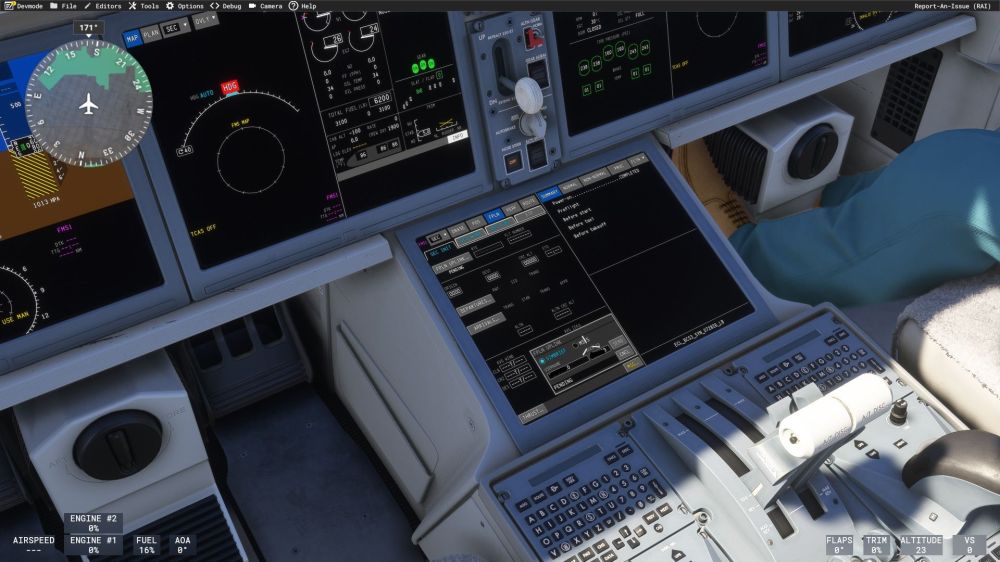
I cant even get to the point where the flight plan is able to be loaded into the secondary, as it never imports from simbrief. I've tried swapping and reloading the databases. Uninstalling and reinstalling the entire aircraft from the MSFS hangar. Attempting to uplink from both the Primary and secondary flt plan pages. In no case will the flight plan get past "Pending", there is no option to cancel the request, so it locks up the FMS making the aircraft unflyable. I've double, triple, and quadruple checked that the simbrief login information is correct, and it is. I can get the simbrief flt plan to show on the Ipad, but it has never successfully uplinked into the FMS. Only the very first time using the jet did it work, after that it has been broken since.
-
I am still having this issue with the 1.0.3 update. Checked simbrief login, ipad loads flt plan, stuck in pending on the FMS. Locks up the FMS and cant access SEC flight plan on the FMS either. Swapped and reloaded data bases and nothing helps.
