PeachyPapillon
Member
-
Joined
-
Last visited
Everything posted by PeachyPapillon
-
I ended up finding the answer here for anyone else trying to figure this out: https://forum.inibuilds.com/topic/37329-fms-hung-up-on-flpn-uplink
-
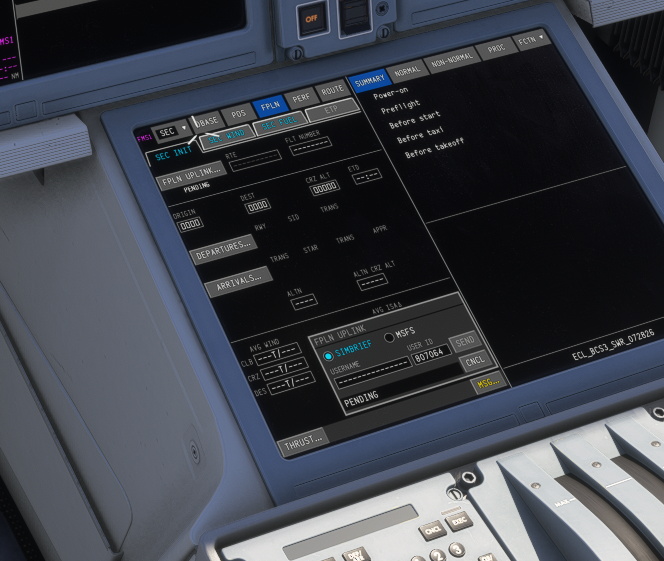
I've been trying to get my flight plan to import and no matter what I do it just gets stuck on pending. I've let it sit up to a half hour before to see if it'll eventually go and it won't. I wantched the tutorial on a330 drivers channel to make sure I wasn't doing anything weird. I'm following his steps and this still happens. Oddly, I am able to import my flight plan to my EFB with no problems, using the exact same USER ID as is pictured here. Perhaps I'm doing something wrong? I am so confused, I've been trying to figure it out since I bought the craft yesterday (off the MSFS store) with no luck.