KMANthePanda
Member
-
Joined
-
Last visited
Everything posted by KMANthePanda
-
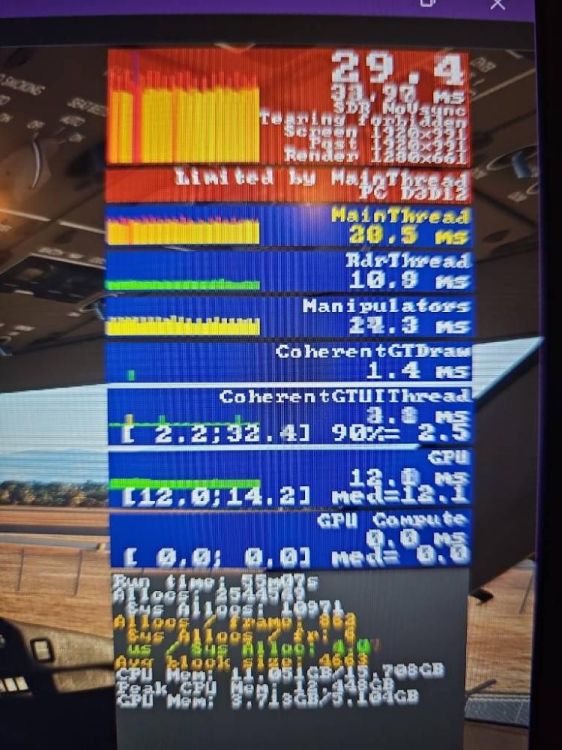
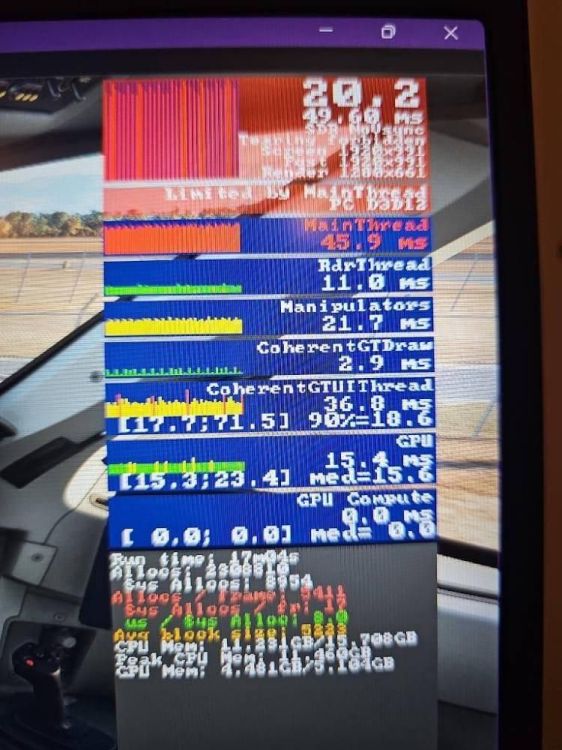
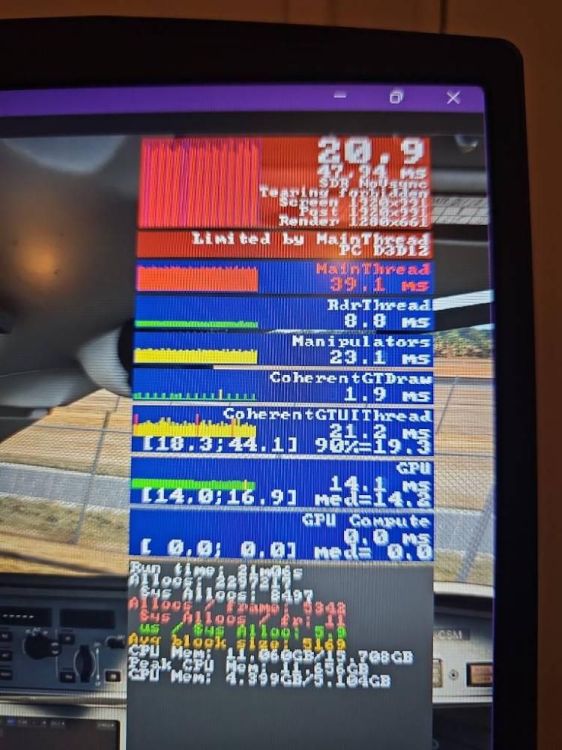
I have done a little testing recently since I bought this lovely aircraft. I am running MSFS 2020 on an Intel i7, RTX 3060 laptop. I conducted a controlled test at LDZD Zadar Airport with no AI traffic. Test conditions Same airport, weather and graphics settings throughout AI traffic completely disabled Glass Cockpit Refresh Rate set to Low Both A220 EFBs switched off during testing Developer Mode FPS and frame-time display enabled Synaptic A220-300 results Cold and dark after restarting: approximately 31 FPS Displays and systems powered: approximately 18–21 FPS Engines starting/running: approximately 15–19 FPS Fully running, exterior view: approximately 14–16 FPS Fully running, cockpit view: approximately 15–16 FPS Taxiing: approximately 11 FPS, with severe stuttering that made the aircraft extremely difficult to control Disabling both EFBs produced no meaningful improvement. Developer Mode consistently showed the simulator as Limited by MainThread. Recorded A220 frame times included approximately: MainThread: 39–50 ms CoherentGTUIThread: 20–37 ms Manipulators: 21–28 ms GPU: 14–15 ms In one directly compared powered-cockpit capture, the PMDG 777-300ER showed a CoherentGTUIThread time of approximately 3.8 ms, while the A220 showed approximately 21.2 ms—around 5.6 times higher. The relatively low GPU frame time indicates that the graphics card was not the principal limitation. Controlled PMDG 777-300ER comparison I repeated the test at the same airport with the same simulator settings: Cold and dark, exterior: approximately 40 FPS Cold and dark, cockpit: approximately 33–34 FPS Systems and displays fully active: approximately 25–26 FPS FMC programming and normal cockpit workflow: approximately 22–23 FPS, remaining smooth Engine start: approximately 23–26 FPS Flaps 5 selected: approximately 22–23 FPS Taxiing: approximately 17–20 FPS, fluid and without stuttering Fully configured and ready for take-off: approximately 20 FPS, still smooth and controllable Airborne with engines, flight dynamics, gear retraction and autopilot active: approximately 19–20 FPS, remaining smooth and controllable I have successfully completed flights lasting approximately 14–17 hours, including London Heathrow–Perth, London Heathrow–Tokyo, Singapore–Los Angeles, Delhi–London Heathrow and New York JFK–Frankfurt, using the PMDG 777-300ER, Horizon 787-9 and iniBuilds A350. These flights included smooth approaches and landings without progressive frame-rate loss or severe stuttering. In my testing, this level of performance degradation has occurred only with the Synaptic A220, where it appears even while the aircraft is stationary or taxiing. The A220 loses approximately half of its cold-and-dark performance as its systems become active and falls to approximately 11 FPS with severe stuttering while taxiing. This appears to be an aircraft-specific MainThread or systems-processing issue rather than a general GPU limitation. Could the development team please confirm whether this behaviour has been reproduced and whether broader MainThread and systems-performance optimisation is currently being investigated?