Skip to content
View in the app

A better way to browse. Learn more.

iniBuilds Forum

A full-screen app on your home screen with push notifications, badges and more.

To install this app on iOS and iPadOS
  1. Tap the Share icon in Safari
  2. Scroll the menu and tap Add to Home Screen.
  3. Tap Add in the top-right corner.
To install this app on Android
  1. Tap the 3-dot menu (⋮) in the top-right corner of the browser.
  2. Tap Add to Home screen or Install app.
  3. Confirm by tapping Install.

mattb91

Member
  • Joined

  • Last visited

  1. mattb91 posted a topic in Support
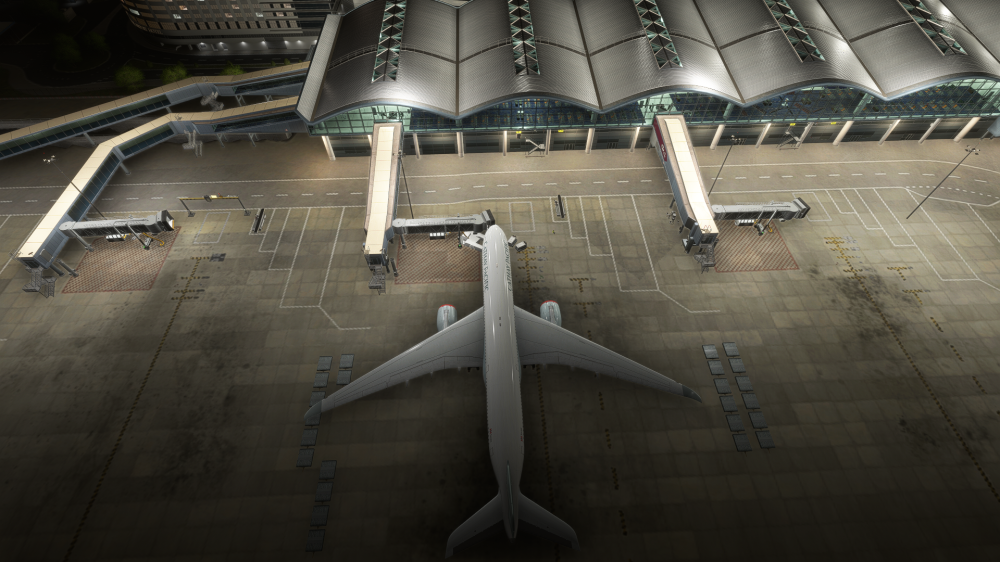
    Good morning, I would like to point out a few small issues that prevent the scenery from being truly exceptional, despite its beauty. The tug parking spot for pushback is too far from the car lane; this means the aircraft doesn't align parallel to the jetways but ends up positioned behind them. Second issue: I’ve updated everything, but after connecting the jetways and activating the boarding function via the EFB, GSX reports that the jetways aren't there and proceeds to board passengers using the rear stairs. Is there a way to fix this?
  2. mattb91 started following jetway e posizione
  3. i have the same problem

Account

Navigation

Configure browser push notifications

Chrome (Android)
  1. Tap the lock icon next to the address bar.
  2. Tap Permissions → Notifications.
  3. Adjust your preference.
Chrome (Desktop)
  1. Click the padlock icon in the address bar.
  2. Select Site settings.
  3. Find Notifications and adjust your preference.