DarrianCZE
Member
-
Joined
-
Last visited
-
Been there, done that. Completely ignored. I get that they are busy, but then they should probably expand their team. This release is a pure mess…
-
Hi, I am reporting this issue separately, so it is not missed. We have noticed that for some reason, the model files in the paintkit livery examples for MSFS 2024 are broken, and with poor LOD. Like this: But if we borrow model files from another existing livery, it works correctly: These folders, to be specific:
-
Hi, I would like to stress that I want to create a constructive discussion here, without throwing any insults, like I was able to see on the Synaptic Discord. It is obvious from many Youtube videos, especially from Youtubers who are known for having a high end PC, that the Synaptic A220 is not very well optimized, and for example there is a visible significant stuttering, for example in A330Driver videos. I guess part of it stems from the A220 not having a native 2024 version. Could you please elaborate on your plans regarding this issue? I don't believe that a "smaller" airliner, like this, has a right for being this performance heavy (when compared to the A380 for example). Thank you!
-
That is just a VERY lousy excuse for incompetent optimization. I have basically the same performance difference between PMDG 777 and A350, just a generally higher FPS. 30 to 40 FPS in A350, 50 - 60 FPS in PMDG 777. Completely identical scenario in SU4 And my hardware is more than adequate. Ryzen 7 7800X3D, 64GB RAM, RTX 3090 (24GB of VRAM)
-
So is Inibuilds actually going to do something about this? I have found out, that if I delete all the aircraft's folders and configs, the aircraft briefly performs miles better, but the FPS then just drop to their usual 30s to 40s. In a completely the same scenario, I have 50 - 60 FPS in PMDG 777. Sorry, but this is just bad optimization. And I would like to stress, that this is on SU4.
-
Sadly, it looks like it's very temporary, because over time, my performance got bad again.
-
Same here with the fuel and I am also unable to load the aircraft via Set ZFW
-
Weird. Maybe something got fixed in the latest SU4 beta, or I am having a placebo.
-
Looks like I might have solved by problem. But it's just a test on the ground, so it's not conclusive. I will tell more once I will have time to perform a full flight. I have deleted all aircraft folders, including one which I haven't deleted before. 1) I have uninstalled the plane in iniManager including all cabin packs 2) I have deleted following folders: - Community\inibuilds-aircraft-a350 - AppData\Roaming\Microsoft Flight Simulator 2024\WASM\MSFS2024\inibuilds-aircraft-a350 And this is a new one, which I have not additionally tried before: - AppData\Roaming\Microsoft Flight Simulator 2024\SimObjects\Airplanes\A350 3) Then I have installed the plane again via iniManager and done the test FPS seem far better now. 40 - 50 FPS without FG on the ground
-
Me too. Just not in the A350. I have just flown 77W today, and I had smooth 60 FPS (without FrameGen!) for the entire duration of the flight.
-
Significantly slower update distribution, which is crucial especially with regards to hotfixes, which are almost certain after the release. And that some addons may not be able to work with the plane, because it's encrypted. For example, FS2Crew Animated FO or GSX Seated Passengers.
-
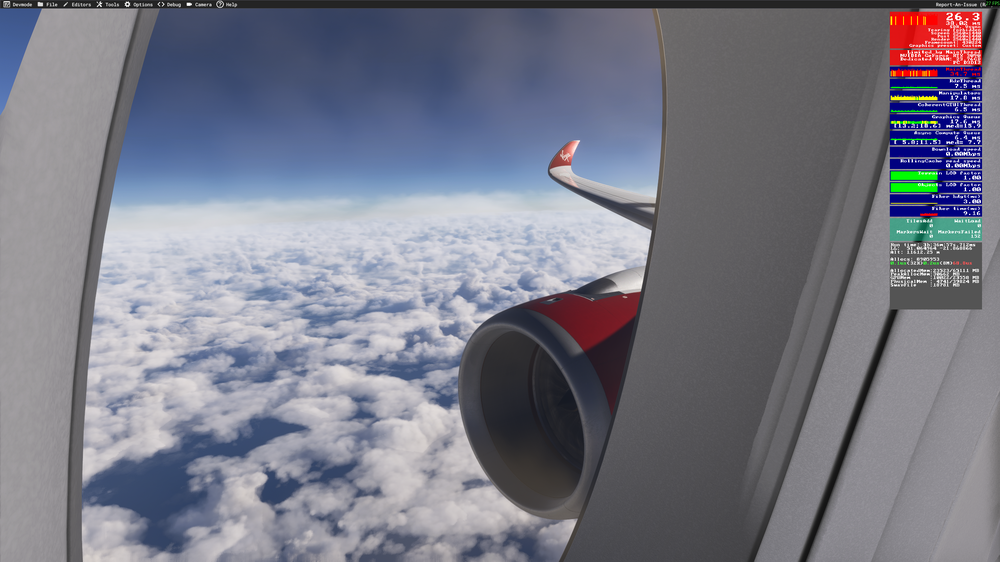
And I am starting to think that there is some issue with the Cabin Pack, because if I move my camera into the cabin, and even just looking out of the window, the Main Thread overload gets significantly worse. Virgin Atlantic Cabin
-
-
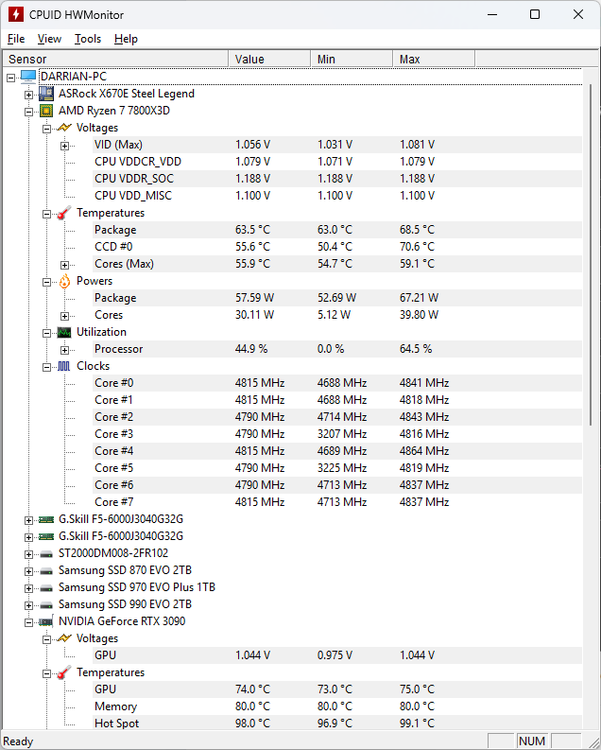
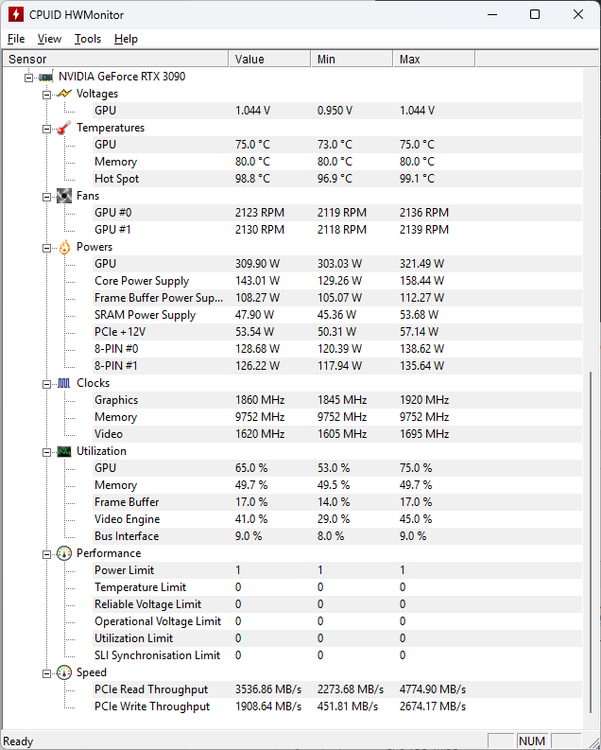
Also my temperatures are also fine:
-
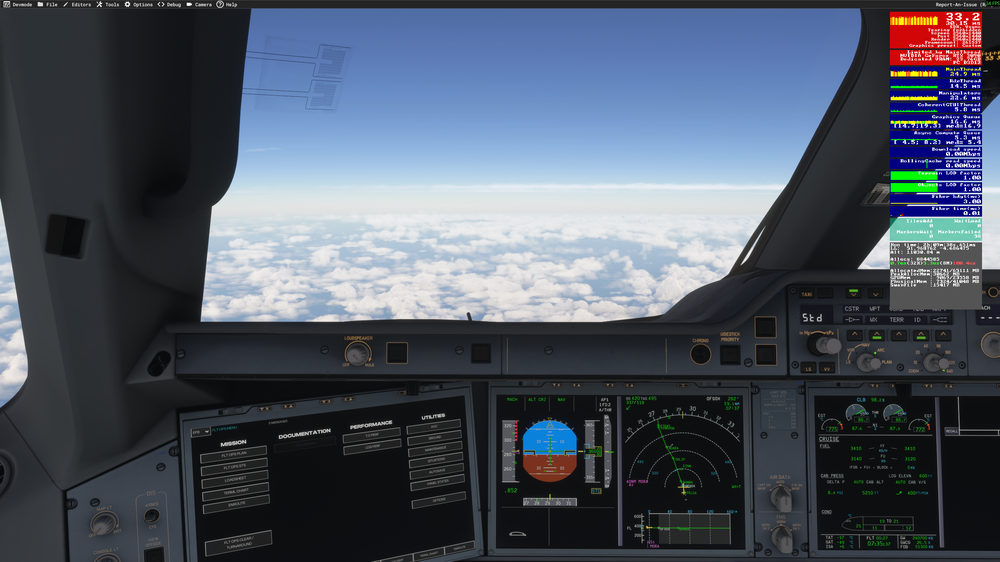
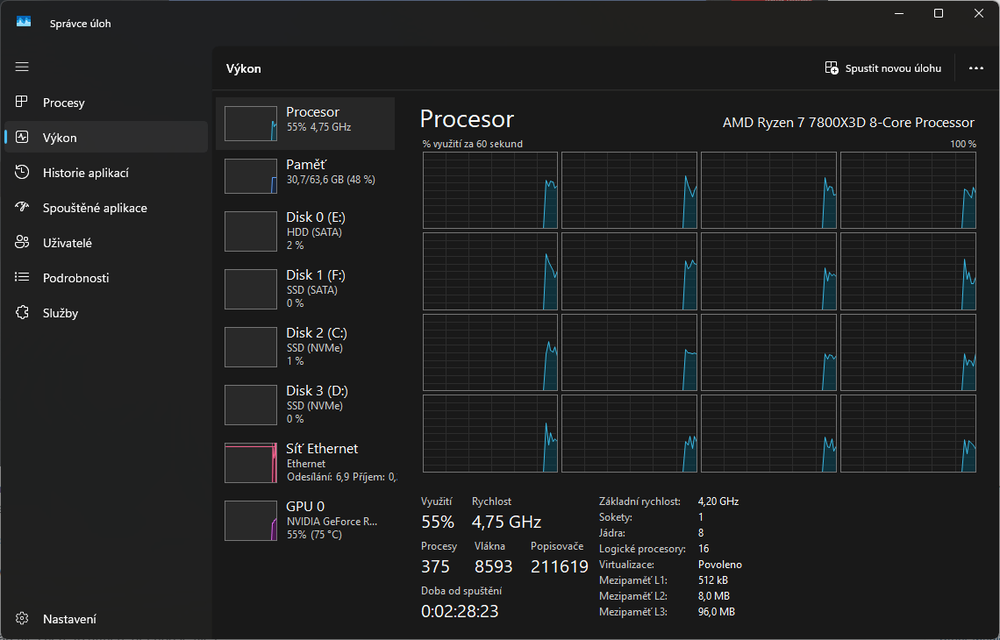
Hi, I have decided to give SU4 a try and I have noticed that with version 1.1.6 the aircraft performance leaves a lot to be desired. I am currently in the cruise level and I am getting a mere 35 FPS. According to the Dev mode, the Main Thread is seriously overloaded. I have tried reducing the settings but nothing changes that. And with the same settings, I am getting around 60 - 70 FPS with other addons like FenixSim A320, etc. After updating to SU4, I have also completely re-downloaded the aircraft from scratch and removed a350 from WASM folder in Appdata. So this is basically a clean install of the plane. As you can see in the screenshot, there is no VRAM overflow (I have 24 GB) or anything else obviously wrong. My hardware is also not fully loaded: Therefore I am quite certain this is not a hardware or configuration issue, and the issue lies somewhere in the A350 itself.