



Skip to content
View in the app

A better way to browse. Learn more.

iniBuilds Forum

A full-screen app on your home screen with push notifications, badges and more.

To install this app on iOS and iPadOS
  1. Tap the Share icon in Safari
  2. Scroll the menu and tap Add to Home Screen.
  3. Tap Add in the top-right corner.
To install this app on Android
  1. Tap the 3-dot menu (⋮) in the top-right corner of the browser.
  2. Tap Add to Home screen or Install app.
  3. Confirm by tapping Install.

roskud

Member
  • Joined

  • Last visited

  1. we found solution: a folder where game was installed contained Cyrillic letters (as steam allowed to link that ). after relocation to Latin folder everything works as intended
  2. yes - batteries all 5 ON and even engine generators lit green same state as shown present if you spawn on runway too. "work" folder is empty too
  3. mine friend have intel core i5 10gen (avx supported) but have a problem with no functioning of TCAS radio and level throttle display
  4. For planning and better usability it will be wise to have indicated weight of cargo types mentioned somewhere. Now i need to open main doors, load cargo, change simbrief planning based on figures of actual load
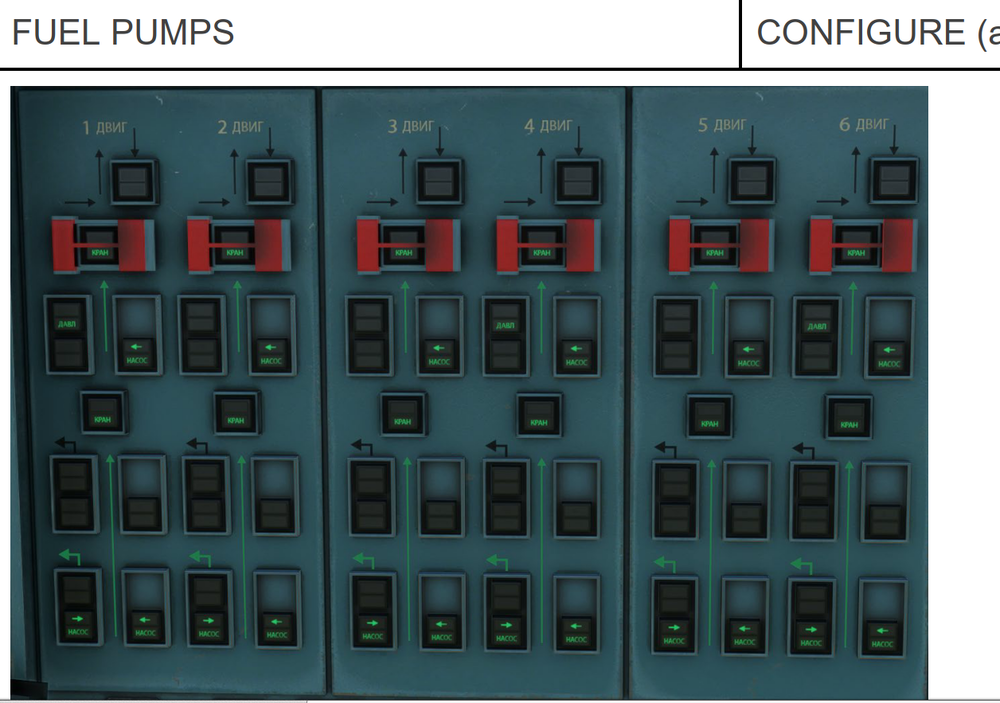
  5. Can't figure out how the arrangement works Why FPx-3 are ON only for 1/4/6 engine
Account

Navigation

Configure browser push notifications

Chrome (Android)
  1. Tap the lock icon next to the address bar.
  2. Tap Permissions → Notifications.
  3. Adjust your preference.
Chrome (Desktop)
  1. Click the padlock icon in the address bar.
  2. Select Site settings.
  3. Find Notifications and adjust your preference.