



Skip to content
View in the app

A better way to browse. Learn more.

iniBuilds Forum

A full-screen app on your home screen with push notifications, badges and more.

To install this app on iOS and iPadOS
  1. Tap the Share icon in Safari
  2. Scroll the menu and tap Add to Home Screen.
  3. Tap Add in the top-right corner.
To install this app on Android
  1. Tap the 3-dot menu (⋮) in the top-right corner of the browser.
  2. Tap Add to Home screen or Install app.
  3. Confirm by tapping Install.

Pilotfirst9999

Member
  • Joined

  • Last visited

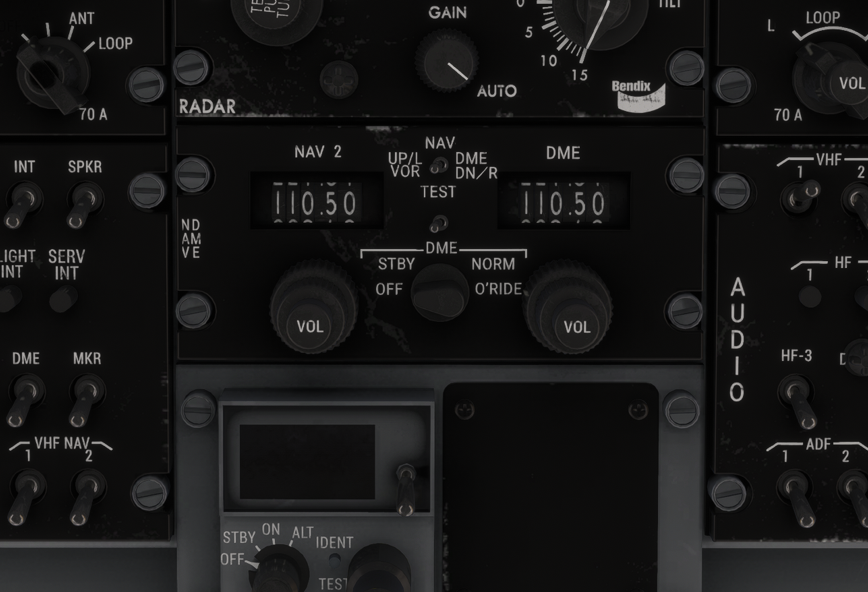
  1. Hi Ini support Please explain how to swap CDI 1 source (which is on the GNS 430) to CDI 2 source (and on upper panel) and navigation cdi which is on the co-pilots side. Where is the button to do this. I see that the VLOC frequency can be followed using the 430 and the next standby frequency can be entered and swapped to using the swap button on the 430. Basically how does this Nav 2 work please? With a step by step instruction on how to swap from nav 1 to nav 2 using copilots CDI which unfortunately has a broken course deviation needle which is remaining static at 90 deg. Regards Pilotfirst9999
Account

Navigation

Configure browser push notifications

Chrome (Android)
  1. Tap the lock icon next to the address bar.
  2. Tap Permissions → Notifications.
  3. Adjust your preference.
Chrome (Desktop)
  1. Click the padlock icon in the address bar.
  2. Select Site settings.
  3. Find Notifications and adjust your preference.