




Jimbojumbo
Member
-
Joined
-
Last visited
-
No you are absolutely correct . I’ve just landed and moved it from armed position and they retracted on the wings . I’m used to flying LVFR airbuses and the lever does move all the way down and have to move it all the way back up . Just goes to show the quality In inibuilds… it’s time to say goodbye to LVFR planes .
-
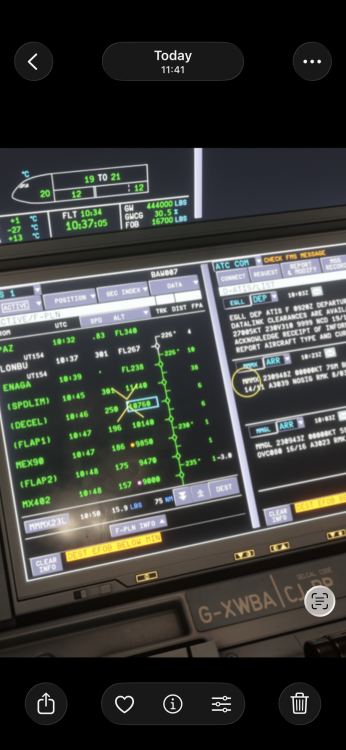
So I added as extra 10000lb of fuel but still shows as not enough fuel yet 15.9 pounds extra . Or am I not doing this right ?
-
That’s interesting so how do I retract the speed brakes then when they are in the armed position ?? Currently I’m moving the lever all the way down then back up again so they go back into position on both wings .. In all the other airbuses the levers move down .
-
Also what would be great is to hear the runway call out as we approach the runway to line up for takeoff . Approaching runway 27 right .. that would be amazing
-
The speed brake deploys but the lever doesn’t move when landing it stays in the armed position (xbox) I can send a video if required . Not sound related but would be great if you could fix it ..
-
No it’s fine on the ground . When I return after my 8 hours sleep there’s always a few pounds short of fuel . I just about made it to Hong Kong from Manchester . Tail wind alll the way but maybe I dont know how to calculate wind changes on route .
-
-
Every single long haul I do in the A35K is the same . Not sure if it’s simbrief or the plane as happens every single time . I’d be happy if I knew how to add a little fuel mid flight without messing the flight up as in 2020 there was a slider button you could simply add a little fuel
-
-
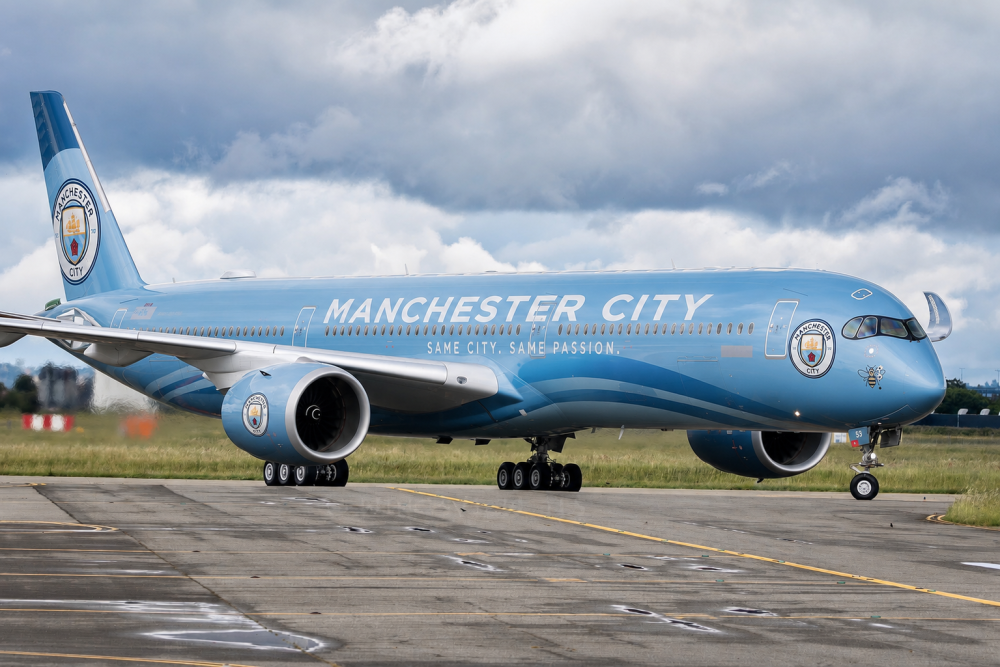
Can you please make this livery based off the etihad 787 Man City livery . It will make you millions 😀
-
Your lucky I can’t even get 1.25 to install . It’s downloaded but I cannot install it ?
-
Hi . I’m having the same issue on the series X . Currently on my 3rd flight and the touch screen has become non responsive. No matter how many clicks to try and enter my destination data all the tabs are not working . It appears to be mine and first officers screens . The keys on the FMS work and I have tried everything and yes my cursor is over every single tab correctly and nothing . I hope there’s a fix out there as I cannot put my minimums in . Only resolution is have have to restart the whole sim . Thanks jimbo jumbo
-
I’m one of the ones who have waited patiently for 2024 to finally resolve all the issues at release and I’m proud to say I’ve finally migrated over and I’m loving it . So many improvements and it finally works . As a treat I downloaded the A350 and absolutely loving it . Credit to inibuilds as this is the first plane I have purchased from them and they’ve done a superb job with this . Kudos to them .
-
I don’t have navigraph but I believe you still should be able to use BTV without it but when I go to zoom the screen is black when on plan mode ? Any ideas


