CNAnLin
Member
-
Joined
-
Last visited
Everything posted by CNAnLin
-
Oh, and here's another clue: I went and listened to all the Airbus warning sounds, and from what I can tell so far, the buzzer scream I heard is most likely part of the autopilot error warning — but the sound wasn't complete. If that's the case, then in a way it does match what we ran into: AP1 failure. I'm not sure if that's where the problem lies, or whether the A380 even simulated this particular warning sound when it was made. But I hope it can serve as a useful clue. Thank you very much.
-
Oh, that's right, keybind resets do happen. I've run into it before when flying the A350 — for example, sometimes I'd find that the sidestick in the aircraft model wasn't moving along with my external hardware. So now I always check my control devices and related keybinds during my pre-flight preparation. To be sure, when I did my pre-flight preparation today, these devices and keybinds were all exactly where they should be, just as usual, and no other keys that I hadn't set myself were assigned to the autopilot or flight controls. At the same time, the keybinds I had set up myself also responded as expected. This issue is really very strange. Thank you so much for your help, and I hope we can get to the bottom of it soon.
-
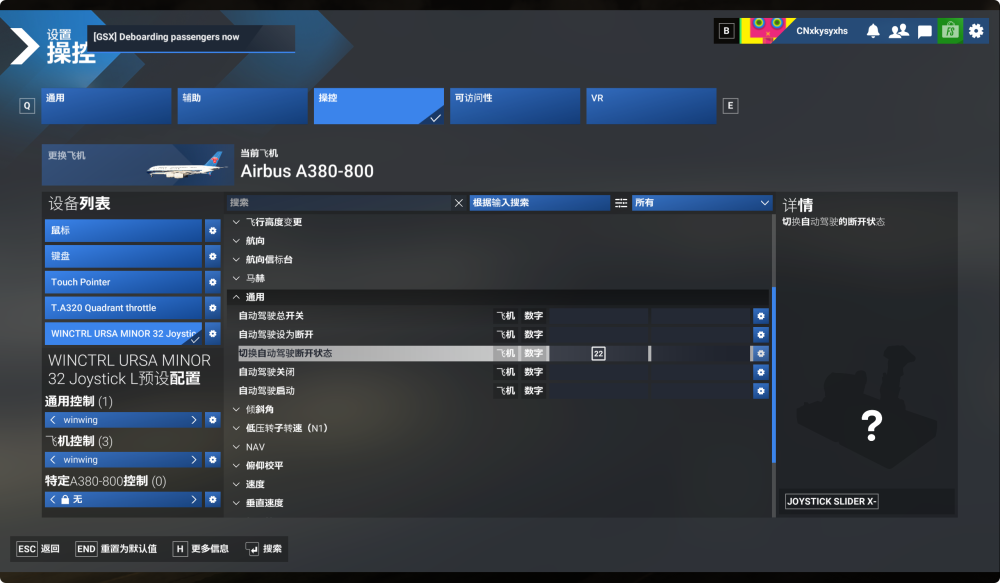
That is indeed a strange situation — I've accumulated over 800 hours flying on VATSIM with your A350, as well as the default A320neo, A321LR, and A330ceo that you developed in MSFS 2024, and this is the first time I've ever encountered something like this. As for keyboard bindings... I haven't made any changes; all keyboard-related settings are the MSFS 2024 defaults. And when flying, the device I use is my Winwing Airbus sidestick (flying with a keyboard and mouse is still far too difficult for me) — for example, one of the options, "Toggle Autopilot Disconnect," has a default keybind of pressing Ctrl and the number 2 together. But I chose to bind this function to the red round button on my Airbus sidestick instead. (Oh, and there's some good news, by the way — the remaining AP2 successfully brought us down at Pudong Airport and safely parked at the gate: proof that it really is a very reliable aircraft — even when some systems may have run into a bug. That's worth a little celebration.)
-
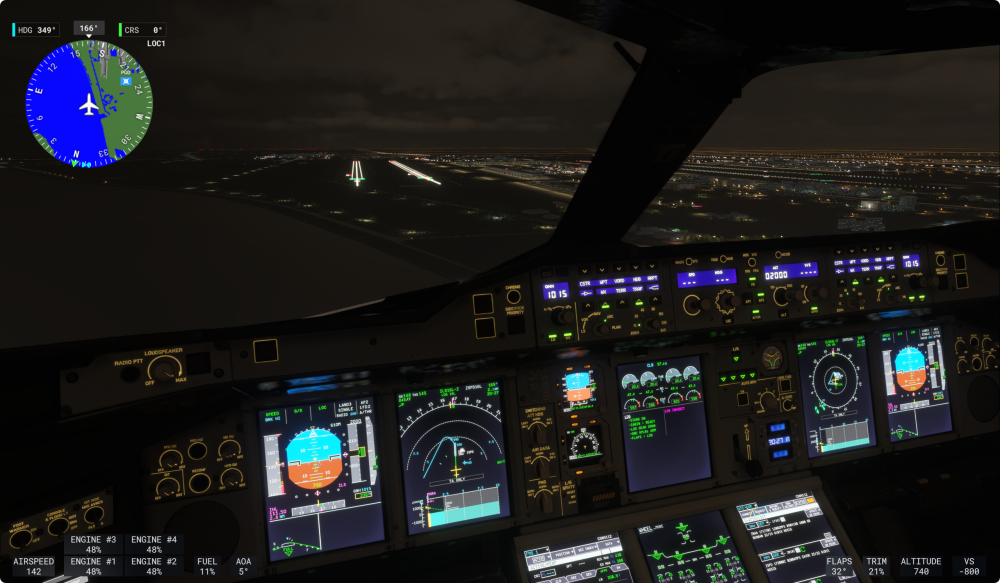
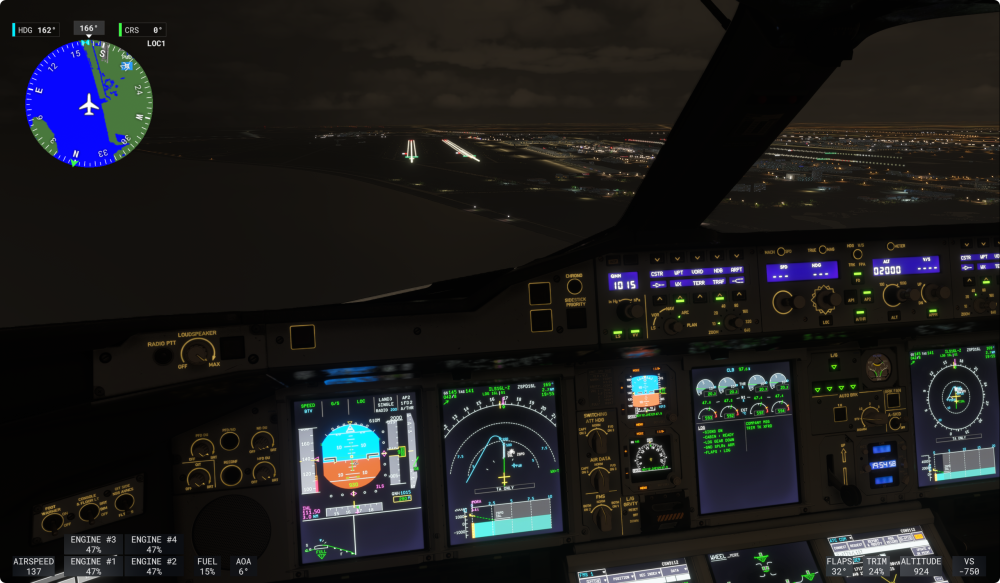
Oh, thank you for your prompt reply. I don't have any such peripherals connected — they're too expensive and beyond what I can afford as a college student (laughs/cries). I only have two peripherals: a Winwing Airbus sidestick and a Thrustmaster TCA throttle quadrant. Just now, while reading your reply, I happened to be on final approach on the downwind leg of Runway 16L at Shanghai Pudong International Airport (ZSPD), and I ran into a situation that might be caused by some related bug: At around 600 ft, I disconnected the autopilot and attempted to fly manually (because I wasn't sure whether the autopilot could still handle an autoland). When I was at around the last 300 ft, a strange force suddenly yawed my nose to the left — somewhat similar to aggressively stepping on the rudder to counter a crosswind during a crosswind landing, but the weather at Pudong today is perfectly fine, so I obviously wouldn't be doing that.(METAR ZSPD 172000Z 02004MPS CAVOK 25/22 Q1015 NOSIG) I immediately pushed the throttles to TOGA and retracted the gear to go around — the A.FLOOR protection also activated. Fortunately, after pulling the sidestick all the way back, and with the autothrottle assisting, I managed to pull the aircraft back up at less than 30 ft above the ground, and AP2 reliably guided me into the go-around holding pattern. I'm still circling in the holding pattern at the moment — what just happened was way too intense. Fortunately, the A380 once again demonstrated its reliability (on behalf of the "crew" and "passengers," I salute this heroic aircraft doge). I'll attempt another landing shortly. This time I'll use autoland — may AP2 bring "us" home safely. (As a quick side note: during the ILS approach just now, AP1 still couldn't be engaged in APPR mode, and I could only fly with AP2.) If you open VATSIM Radar right now, you'll see a 380 circling in a holding pattern at ZSPD: CSN9112 — yep, that's me (doge).
-
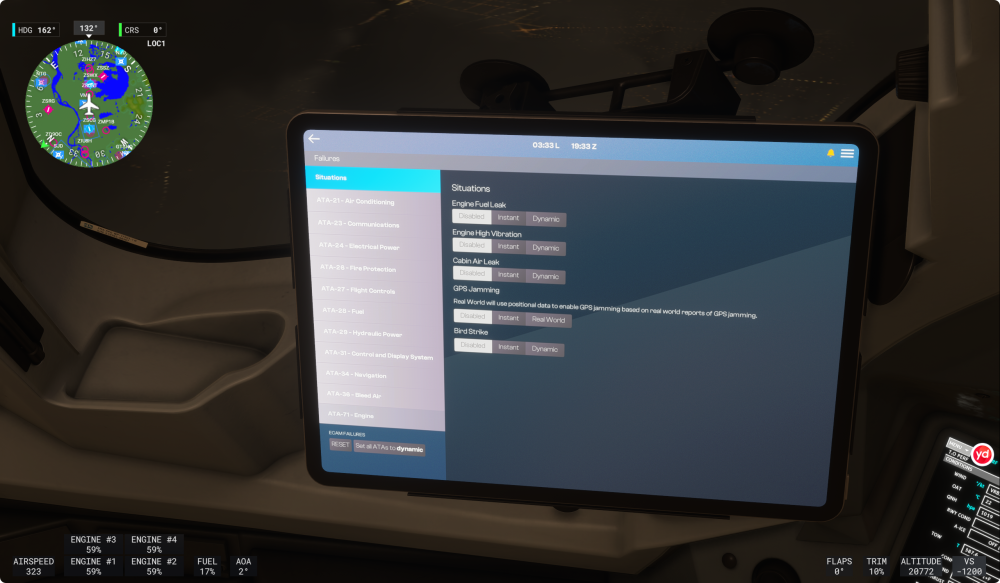
During cruise, AP1 on my A380's autopilot suddenly failed, and the buzzer sounded a sharp warning tone. I immediately took over control of the aircraft. After turning the FD off and back on, I successfully engaged the backup AP2 — which, fortunately, was still working normally. The problem is that I hadn't enabled any failure simulation options, and there was no indication on ECAMS after AP1 failed. When I tried to re-engage AP1 while AP2 was successfully engaged, AP1 still wouldn't engage, and AP2 was disconnected as well. I had to re-engage AP2. To rule out the possibility that failure simulation was mistakenly being treated as enabled, I tried switching the failure simulation setting from off to random and then back to off, and reset the failure simulation state — unfortunately, AP1 still wouldn't engage. So this leaves me very puzzled: is this one of the available failure simulation options, or did I run into a bug? Despite all this, the A380 is still an excellent aircraft — just as its autopilot's AP2 stepped in to keep the aircraft flying when AP1 failed, much like in real life. I look forward to an answer from the iniBuilds team. Thank you very much.