380driver
Member
-
Joined
-
Last visited
Everything posted by 380driver
-
Again seems like its not fixed please fix it
-
if you don't mind me asking will this be fixed in next update
-
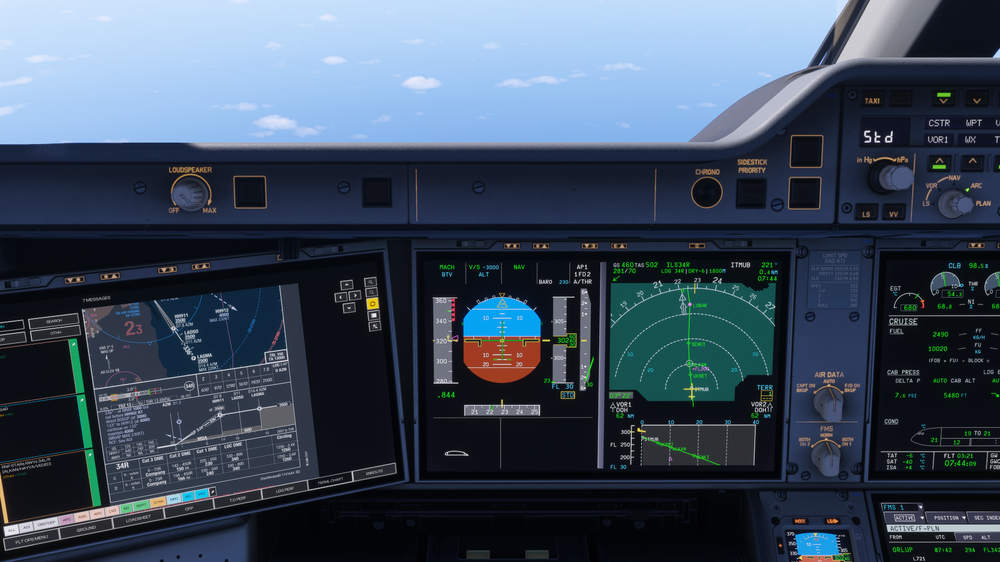
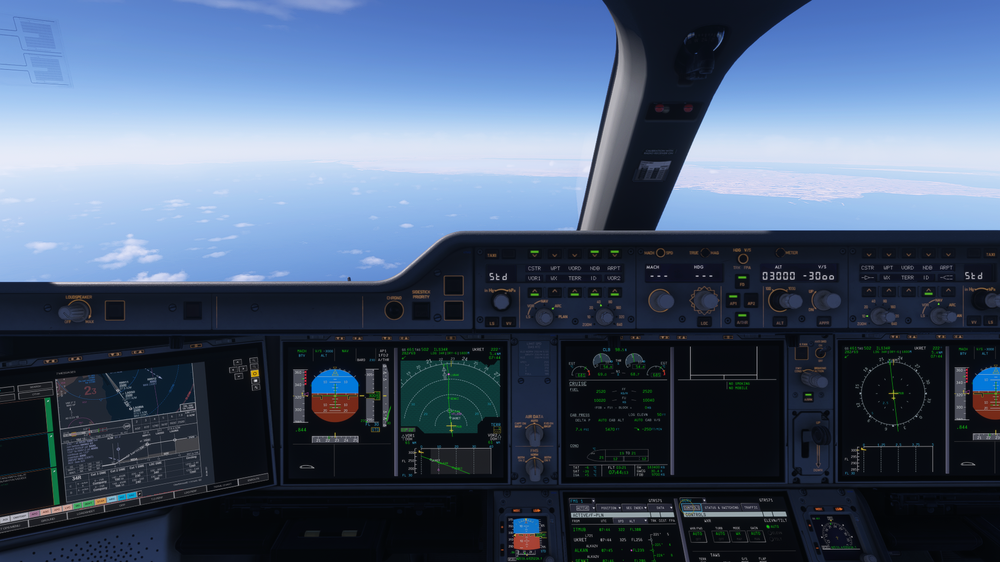
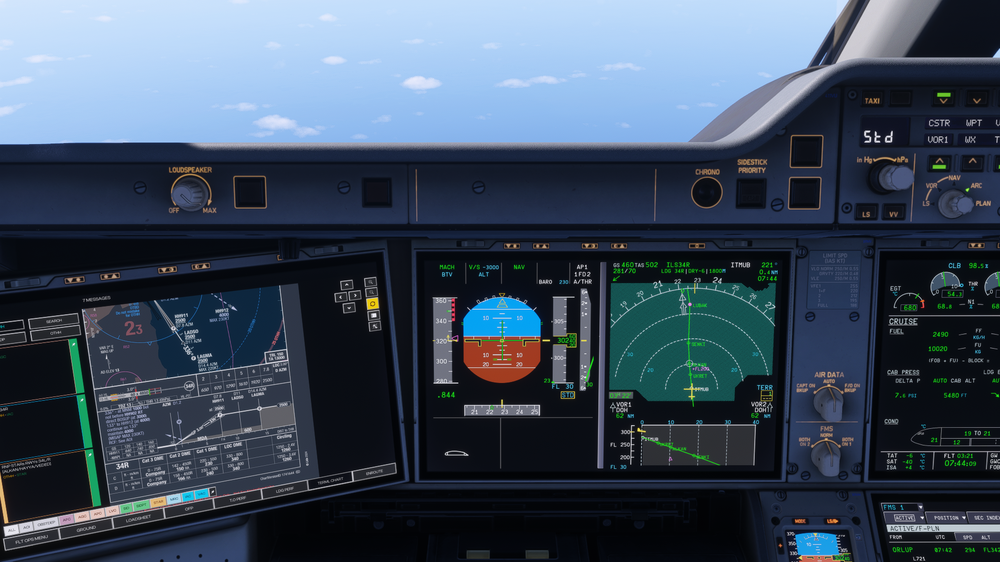
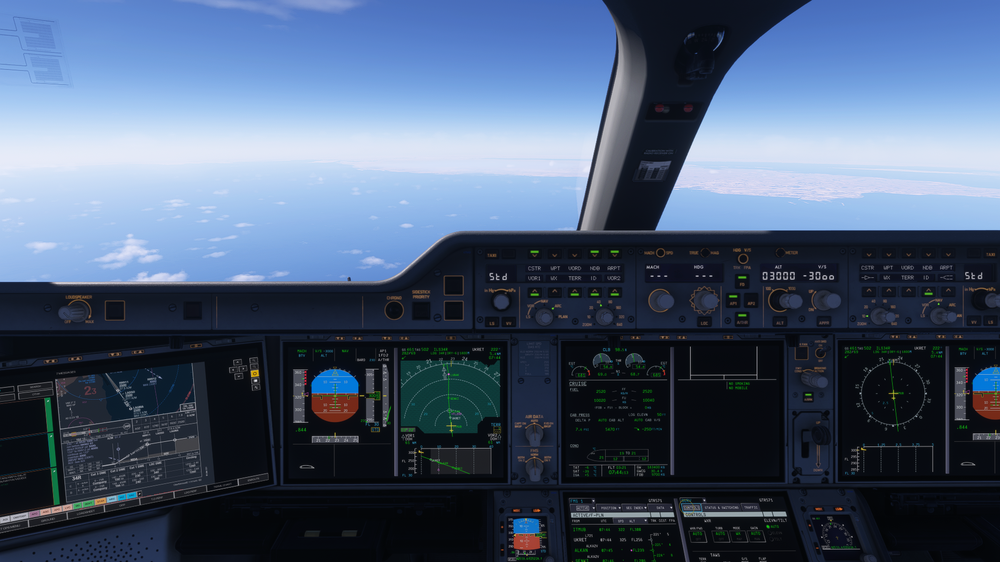
Aircraft Version: v1.2.0 (Latest as of Jan 18, 2026) Simulator Version: MSFS 2024 Issue Type: Avionics / Display Logic Description: I am running the latest update (v1.2.0) and the Vertical Situation Display (VSD) is still failing to render the Trajectory Prediction Vector when in Selected Vertical Speed (V/S) mode. The display only draws the FMS Flight Plan profile (the geometric path to the waypoints). It does not show the green trajectory line indicating the aircraft's actual path based on the current V/S input, even when that input deviates significantly from the profile. Steps to Reproduce: Cruise or descend in the A350 (v1.2.0). Select NAV lateral mode and V/S vertical mode (e.g., set V/S to -3000 fpm). Observe the VSD on the ND. Note that while the Flight Plan profile (blue/magenta line connecting waypoints) is visible, the green trajectory prediction line projecting from the aircraft symbol is missing. Expected Result: The VSD should display a solid green trajectory line originating from the aircraft nose, indicating exactly where the aircraft will fly based on the currently selected Vertical Speed (diverging from the FMS profile). Actual Result: No trajectory line is drawn. Only the FMS geometric profile is shown.
-
Aircraft Version: v1.2.0 (Latest as of Jan 18, 2026) Simulator Version: MSFS 2024 Issue Type: Avionics / Display Logic Description: I am running the latest update (v1.2.0) and the Vertical Situation Display (VSD) is still failing to render the Trajectory Prediction Vector when in Selected Vertical Speed (V/S) mode. The display only draws the FMS Flight Plan profile (the geometric path to the waypoints). It does not show the green trajectory line indicating the aircraft's actual path based on the current V/S input, even when that input deviates significantly from the profile. Steps to Reproduce: Cruise or descend in the A350 (v1.2.0). Select NAV lateral mode and V/S vertical mode (e.g., set V/S to -3000 fpm). Observe the VSD on the ND. Note that while the Flight Plan profile (blue/magenta line connecting waypoints) is visible, the green trajectory prediction line projecting from the aircraft symbol is missing. Expected Result: The VSD should display a solid green trajectory line originating from the aircraft nose, indicating exactly where the aircraft will fly based on the currently selected Vertical Speed (diverging from the FMS profile). Actual Result: No trajectory line is drawn. Only the FMS geometric profile is shown.