judiekne
Member
-
Joined
-
Last visited
Everything posted by judiekne
-
Thank you for that🙏
-
I can confirm to you that the fuel in the payload manager was correct. I only did that flight to check the fuel issue. I double-checked to ensure everything was set up correctly.
-
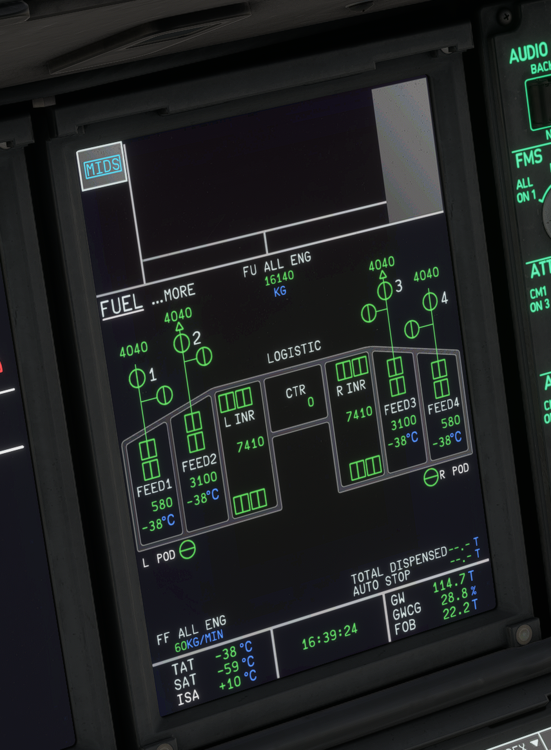
Hey, I couldn't find something about that so I started a new topic. Please correct me if I am wrong. I did a flight from ETNW to BGGH. Calculated Block Fuel was 25.7t, Trip Fuel 16.7t. Even on my first Fuel check I saw that the Fuel used didn't match with the FOB. The FU was almost exactly as calculated, but the remaining Fuel on Board was far away from that. For example, after around 4 hours I had 16t FU but I still had 22.2t FOB. That doesn't make any sense. Was it my fault or is it a system fault? And if its a system fault @iniBuilds Team I would appreciate a fix. Best regards judiekne