



Skip to content
View in the app

A better way to browse. Learn more.

iniBuilds Forum

A full-screen app on your home screen with push notifications, badges and more.

To install this app on iOS and iPadOS
  1. Tap the Share icon in Safari
  2. Scroll the menu and tap Add to Home Screen.
  3. Tap Add in the top-right corner.
To install this app on Android
  1. Tap the 3-dot menu (⋮) in the top-right corner of the browser.
  2. Tap Add to Home screen or Install app.
  3. Confirm by tapping Install.

Bobbes

Member
  • Joined

  • Last visited

Everything posted by Bobbes

  1. Bobbes replied to czcorkery's topic in Systems
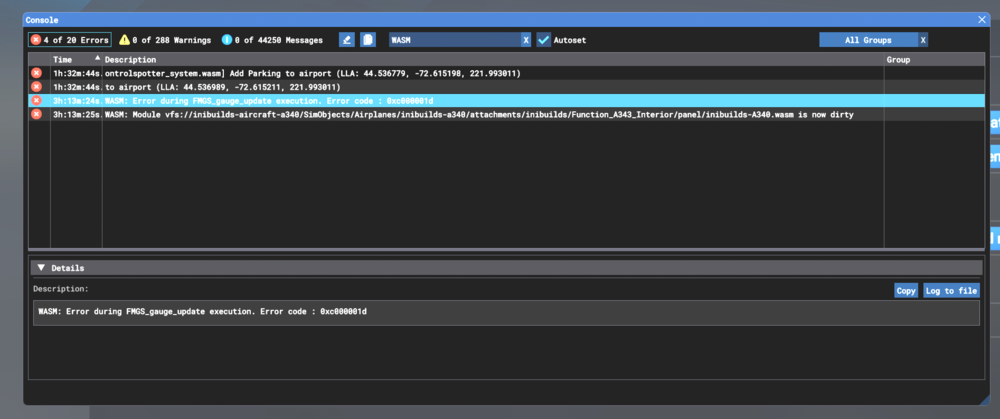
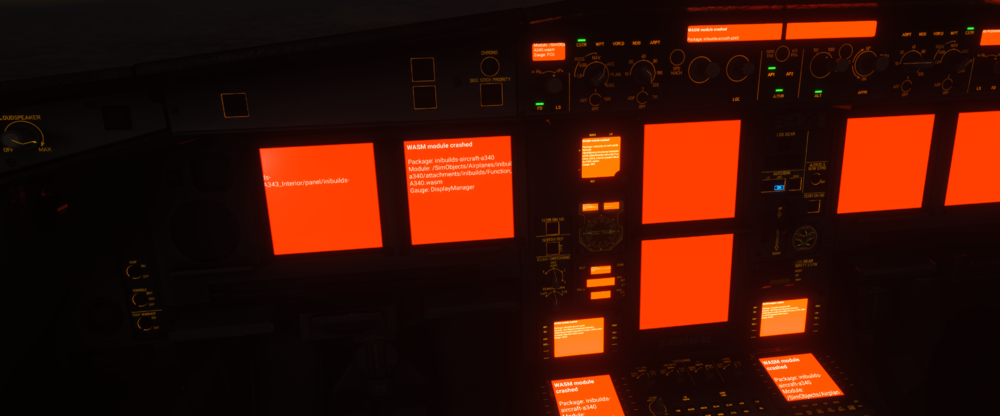
    Same for me today! WASM: Error during FMGS_gauge_update execution. Error code : 0xc000001d Aircraft: A340 EIS 1 Passenger Simulator: MSFS2024 Navdata Method: Navigraph ( up to date with the current AIRAC ) OFP: Not included or imported into EFB. Was just manually entering a flight plan into MCDU. WASM Error: Didnt a chance to copy it in the same but I have a picture included. CPU: Ryzen7 8900x3d, GPU RTX 5080 16 GB VRAM, RAM: 64BG Autosave: don't know
Account

Navigation

Configure browser push notifications

Chrome (Android)
  1. Tap the lock icon next to the address bar.
  2. Tap Permissions → Notifications.
  3. Adjust your preference.
Chrome (Desktop)
  1. Click the padlock icon in the address bar.
  2. Select Site settings.
  3. Find Notifications and adjust your preference.