



Skip to content
View in the app

A better way to browse. Learn more.

iniBuilds Forum

A full-screen app on your home screen with push notifications, badges and more.

To install this app on iOS and iPadOS
  1. Tap the Share icon in Safari
  2. Scroll the menu and tap Add to Home Screen.
  3. Tap Add in the top-right corner.
To install this app on Android
  1. Tap the 3-dot menu (⋮) in the top-right corner of the browser.
  2. Tap Add to Home screen or Install app.
  3. Confirm by tapping Install.

micky h

Member
  • Joined

  • Last visited

Everything posted by micky h

  1. micky h replied to Liamr685's topic in Support
    Hi, i can now confirm that the problem of pink cars only happens at my purchased INI airports ie, EGLL,EGGW, and EGSS. all my other payware and freeware airports are working as they should. i have tried enabling, disabling uninstall etc,etc but no joy. i will do the disable cars in the program until either i or ini finds a fix.
  2. micky h replied to Liamr685's topic in Support
    The only difference for me is that i downloaded the latest city update but after that it worked great until today.
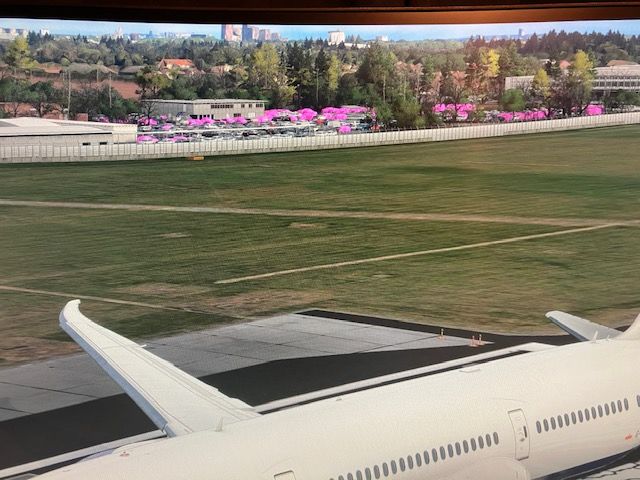
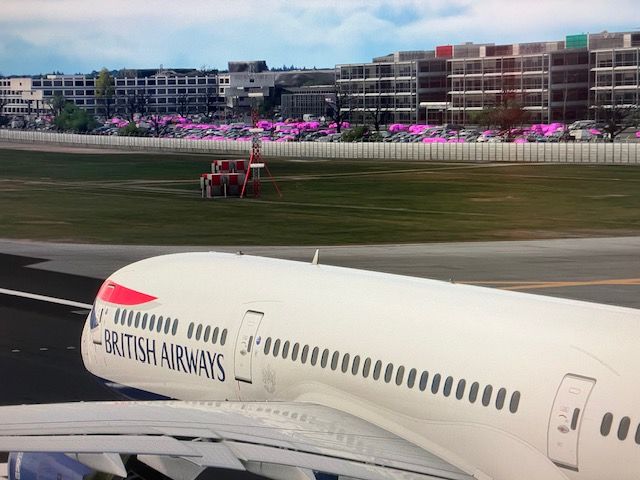
  3. Hi all this is my first post here but i have a problem with pink car textures in the EGLL car parks. i have tried disabling features one at a time all together and combinations. all has been great until yesterday when i wanted to fly EGLL to LEPA then on loading OH DEAR pink vandalism in the car park.. its only at EGLL no other airports that i am aware of are affected, has anyone any idea how to cure this please
Account

Navigation

Configure browser push notifications

Chrome (Android)
  1. Tap the lock icon next to the address bar.
  2. Tap Permissions → Notifications.
  3. Adjust your preference.
Chrome (Desktop)
  1. Click the padlock icon in the address bar.
  2. Select Site settings.
  3. Find Notifications and adjust your preference.