CaphollandX
Member
-
Joined
-
Last visited
Everything posted by CaphollandX
-
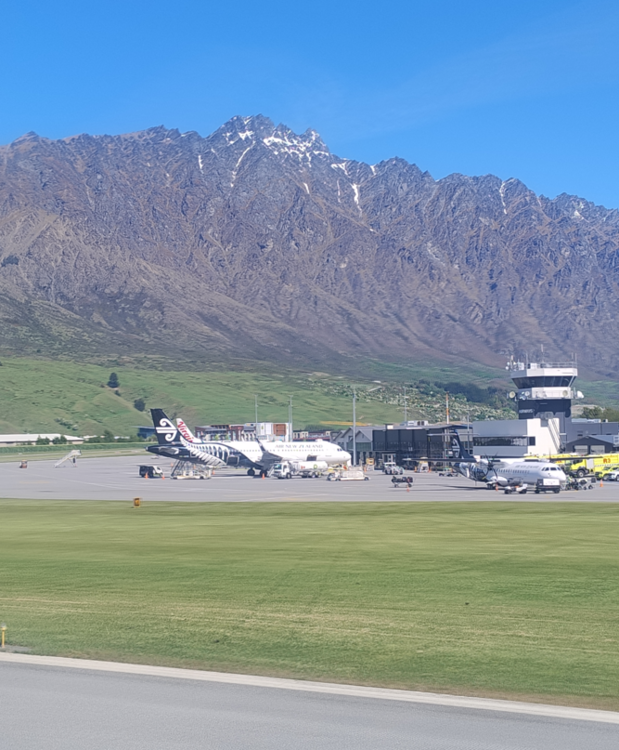
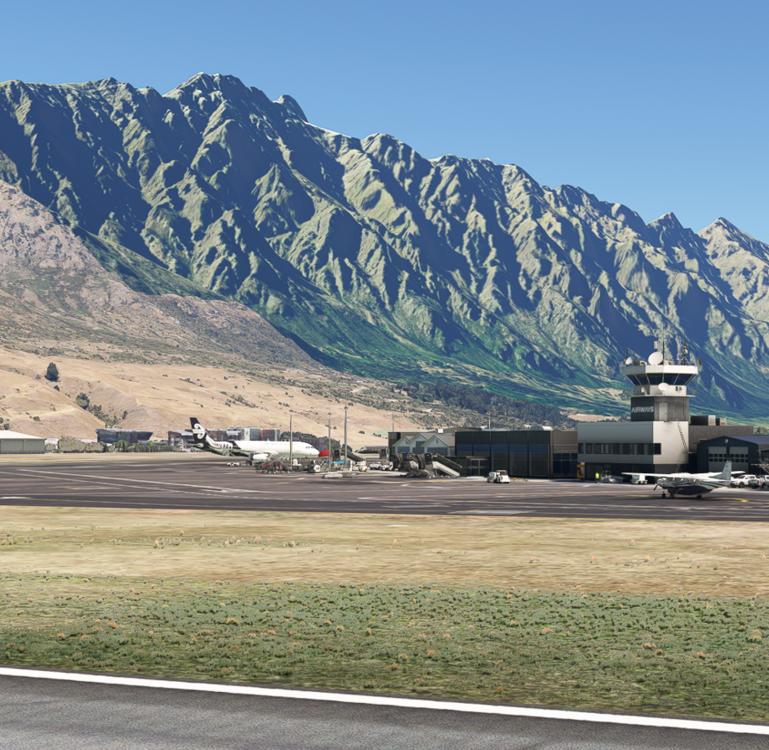
Came to this forum as I recently returned from flying into Queenstown in real life. It was an amazing experience and we were lucky to have ultra clear weather. After getting back home, I fired up FS2020 to compare, and noticed that my marketplace-instance of IniBuilds NZQN looked a little different to the real-life version. I came here to report this as a possible problem, and instead discovered this post about making sure photogrammetry is on. I always run with PG disabled, so that's obviously what was causing the discrepancy. Once I turned PG on, I can confirm NZQN is very accurate. Now if only Asobo can fix their post-SU16 textures in these areas, we might get some better realism back. In the meantime, congratulations to the IniBuilds team on a very accurate rendition. From my real-life window seat during the taxi to the gate: And getting as close as possible to the same angle and time of day in FS2020 with IniBuilds NZQN: PS: The FS2020 Marketplace entry for this product doesn't mention anything about Photogrammetry being a required setting, so that may need to be updated. (It also still contains a reference to 'the iniScene team' in case that also needs to be updated.)