



Skip to content
View in the app

A better way to browse. Learn more.

iniBuilds Forum

A full-screen app on your home screen with push notifications, badges and more.

To install this app on iOS and iPadOS
  1. Tap the Share icon in Safari
  2. Scroll the menu and tap Add to Home Screen.
  3. Tap Add in the top-right corner.
To install this app on Android
  1. Tap the 3-dot menu (⋮) in the top-right corner of the browser.
  2. Tap Add to Home screen or Install app.
  3. Confirm by tapping Install.

luidgi

Member
  • Joined

  • Last visited

Everything posted by luidgi

  1. Hello, I also have the same problem with the fuel, everything is fully loaded but an error appears on the screen: not enough fuel!
  2. Hello I have the same problem after 40 minutes of flight !!!! I think a speed brake is a little bit open? A350 90 update completed and MSFS 2024 SU5. I also had orange screens last week.
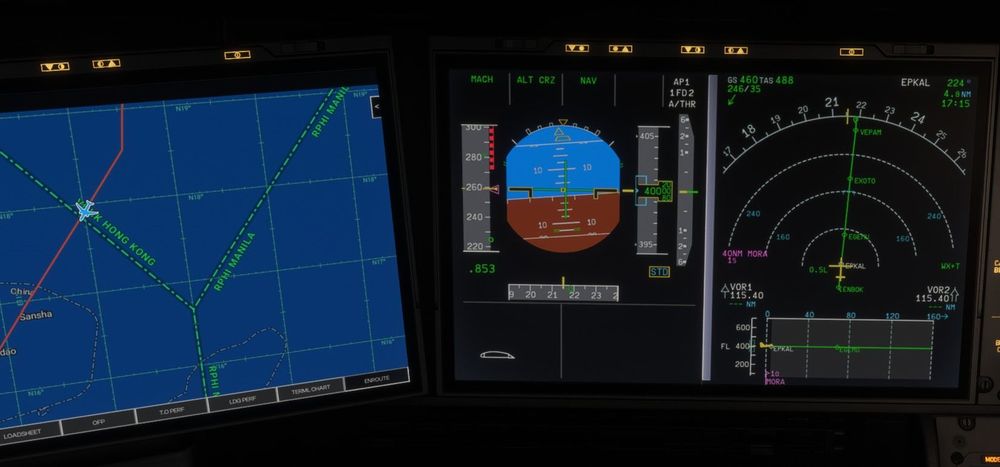
  3. Vol OK for the first time as uptdate 1.1.7. Fly BIKT to EGLL.
  4. Hello, the update seems pretty good to me. I did a 3-hour flight with the Inibuilds base livery and standard cabin. Everything was fine, but suddenly the airbrakes activated on one side and the plane started crabbing. I tried several recovery maneuvers and ended up stalling. To be continued. Still need to test the liveries! Sincerely.
  5. Hello, same for me with the new update of A350
  6. luidgi posted a topic in Systems
    today 23/11/205 Today 23/11/2025 I updated to MSFS 2024, but the cockpit is gone! Only the passenger cabin remains. I reinstalled it, but nothing changed. Do you have any ideas? Regards

Account

Navigation

Configure browser push notifications

Chrome (Android)
  1. Tap the lock icon next to the address bar.
  2. Tap Permissions → Notifications.
  3. Adjust your preference.
Chrome (Desktop)
  1. Click the padlock icon in the address bar.
  2. Select Site settings.
  3. Find Notifications and adjust your preference.