KDS1803
Member
-
Joined
-
Last visited
-
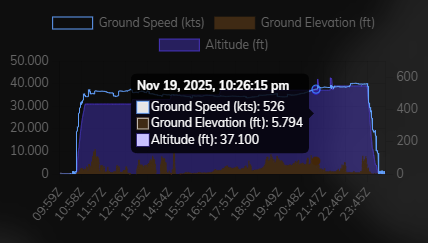
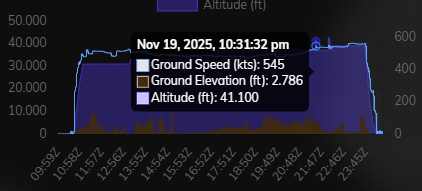
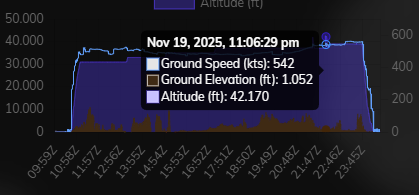
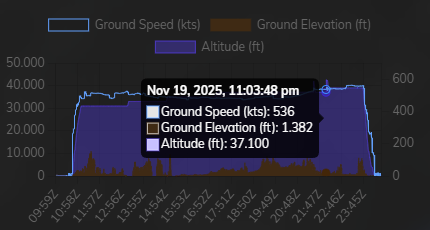
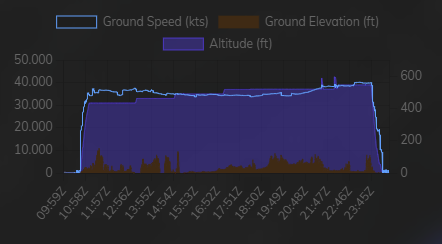
Hi all! Yesterday I was performing a longhaul testflight for the A340 and all went very well apart from 2 hickups. The first even didn't really get my attention untill I noticed that the A340 was descending back to FL370 which I found odd but okay, nothing had happened (plane was already a whole time on FL370). The second time it happened is when I asked ATC to climb to FL390 and which was well under the max FL. I went into managed climb to FL390 and all of a sudden withing seconds the A340 was at FL420, with the managed speed below the green dot speed (which was inside the overspeed bar), kicking the AP and FDs off. When I manually descended back to FL390 managed speed was again well above green dot speed and well clear of the overspeed bar so I could reactivate FDs and AP and continue my flight. Auto stepclimbs were enabled as I wasn't at home all of the time but there weren't any above FL370. As I didn't take screenshots in sim at the moment I was able to view the hickups in the Volanta app. It's just weird that a plane notouriously know for the climb performance suddenly manages to go 4000ft higher within seconds (and not demanded by the pilot). But hey, I landed safely after a 14hr flight from Brussels to Narita 😁 Safe flights! Kurt