iniMike
Member
-
Joined
-
Last visited
-
thanks, came to the same work around. hope there is a solution soon
-
have same problem, very frustrating if someone has a workaround, please post below - thank you
-
iniMike changed their profile photo
-
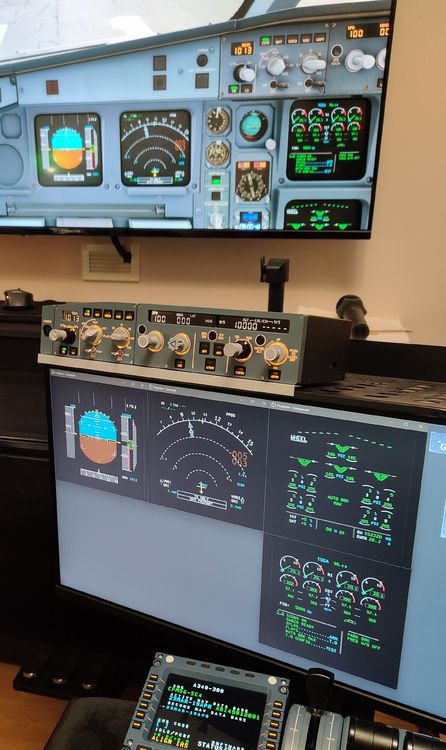
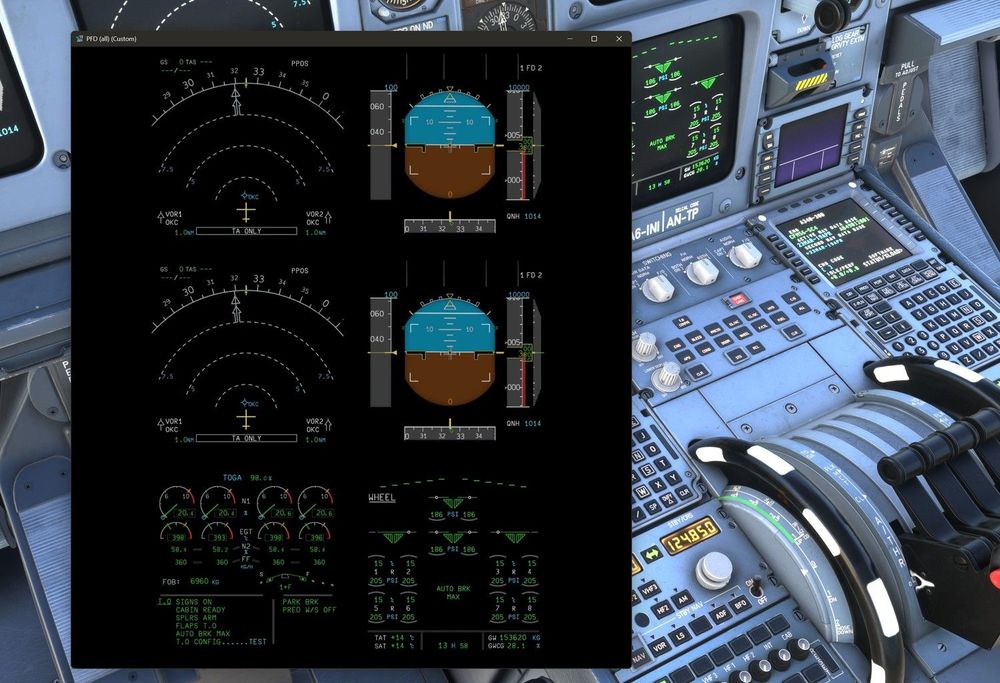
While I still hope, there will be a native individual screen pop out support soon (and not just close the forum discussion), here my temporary work around: (to make it clear, I am just another disappointed user): I use OBS Studio and a virtual screen. (for example https://github.com/VirtualDrivers/Virtual-Display-Driver/releases) Pop out the A340 (six insturment) screen to the virtual display and open to fullscreen (I use 1920x1080 portrait to get a good resolution). Then use OBS Studio and create a sceene using the virtual display as source. Make 3 more copies of it and name them for example pdf, nd, ewd, ecam. Crop the source for each sceene to the desired instrument by pressing the alt-key when using the mouse to adjust the frame. Right Click each sceene and project to window (you might want to adjust the projector fist to something like 500x500 or use filter). Now you can drag theese windows to any screen you want and adjust size and position I am not a youtuber, but if someone creates a tutorial, it might be helpfull for others (not only for the A340).